SEO For Restaurants: How-to, Trends, Best Practices
Written By: Vincent Nguyen
SEO is the most effective way to bring consistent guests for your restaurant.
Why is it so? Let's think like a guest for a moment:
They search, and they're ready to go: Someone nearby is hungry right now, and they type "best tacos near me" or "brunch spots open Sunday." If your restaurant has solid SEO, it shows up in those results, and you have yourself a new guest.
They check your reviews before they decide: Once a guest finds you on Google, the first thing they do is read your reviews. A low rating or unanswered complaints can turn them away. Your reputation on Google is just as important as the food on your menu.
They look at your photos and make up their mind: A well-optimized Google profile with great visuals leave a solid first impression.
What is SEO For Restaurants?
SEO helps you appear in search results when someone nearby searches for what your restaurant offers.
For example, when someone searches for “Japanese restaurants in Boston,” here’s what they see:
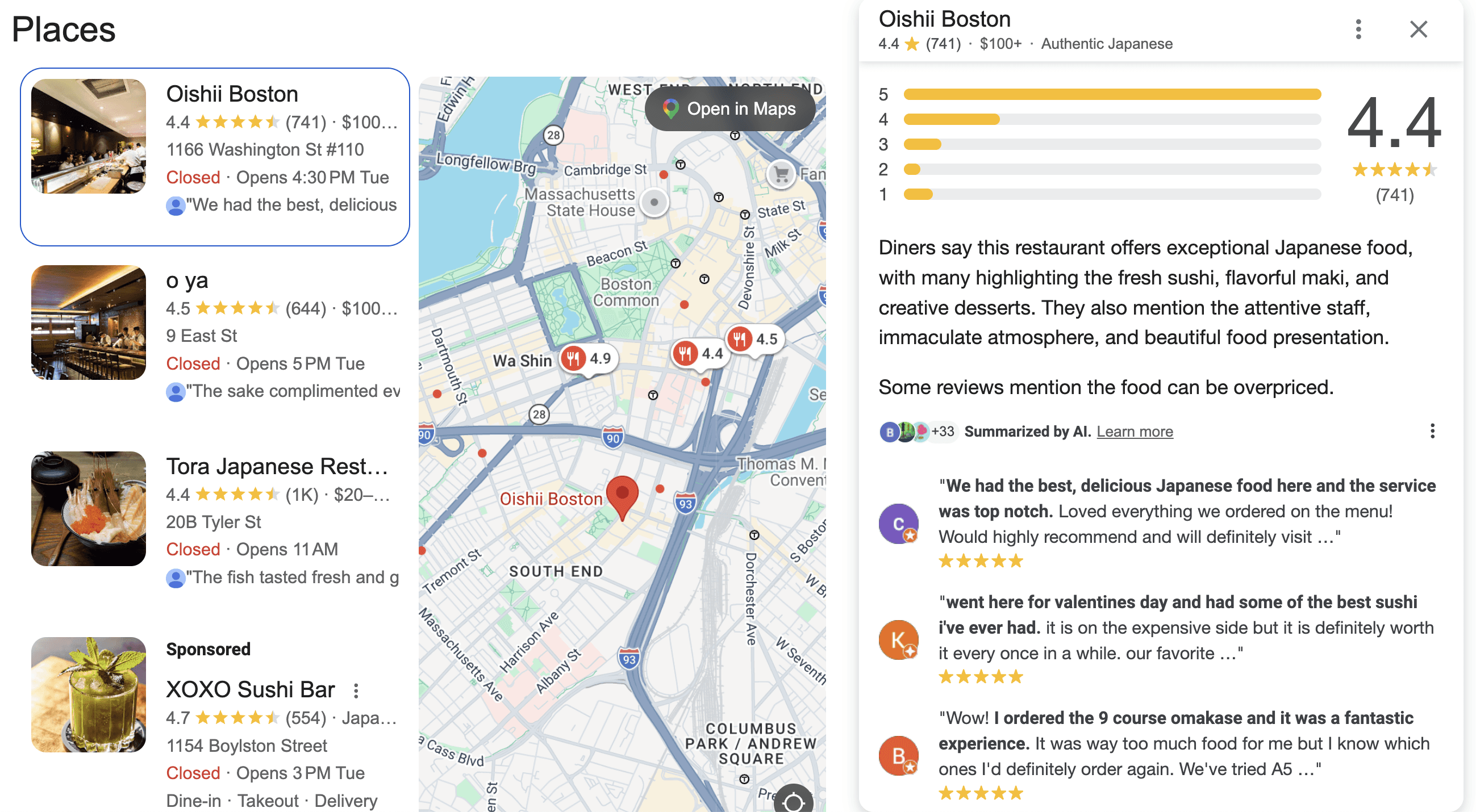
SEO puts your restaurant in front of guests who are already looking for a place to eat nearby.
A strong online presence drives more foot traffic, more phone calls, and more reservations from the neighborhoods you serve. It all comes down to showing up at the right place, at the right time.
How Does SEO Work For Restaurants?
At a high level, SEO for restaurants works just like SEO for any other niche.
When someone does a search, Google scans through its index to provide the best results for that person’s keyword.
How does Google know what constitutes the "best" results? It uses a different set of signals to choose and rank results.
There are literally thousands of ranking signals, but here are the top 8 most important:
How Does Google Display SEO Results For Restaurants?
There are three ways in which Google shows your restaurants to searchers:
1. The Map Pack
When someone searches for a local business or service, Google often shows a map with three business listings at the top of the results.
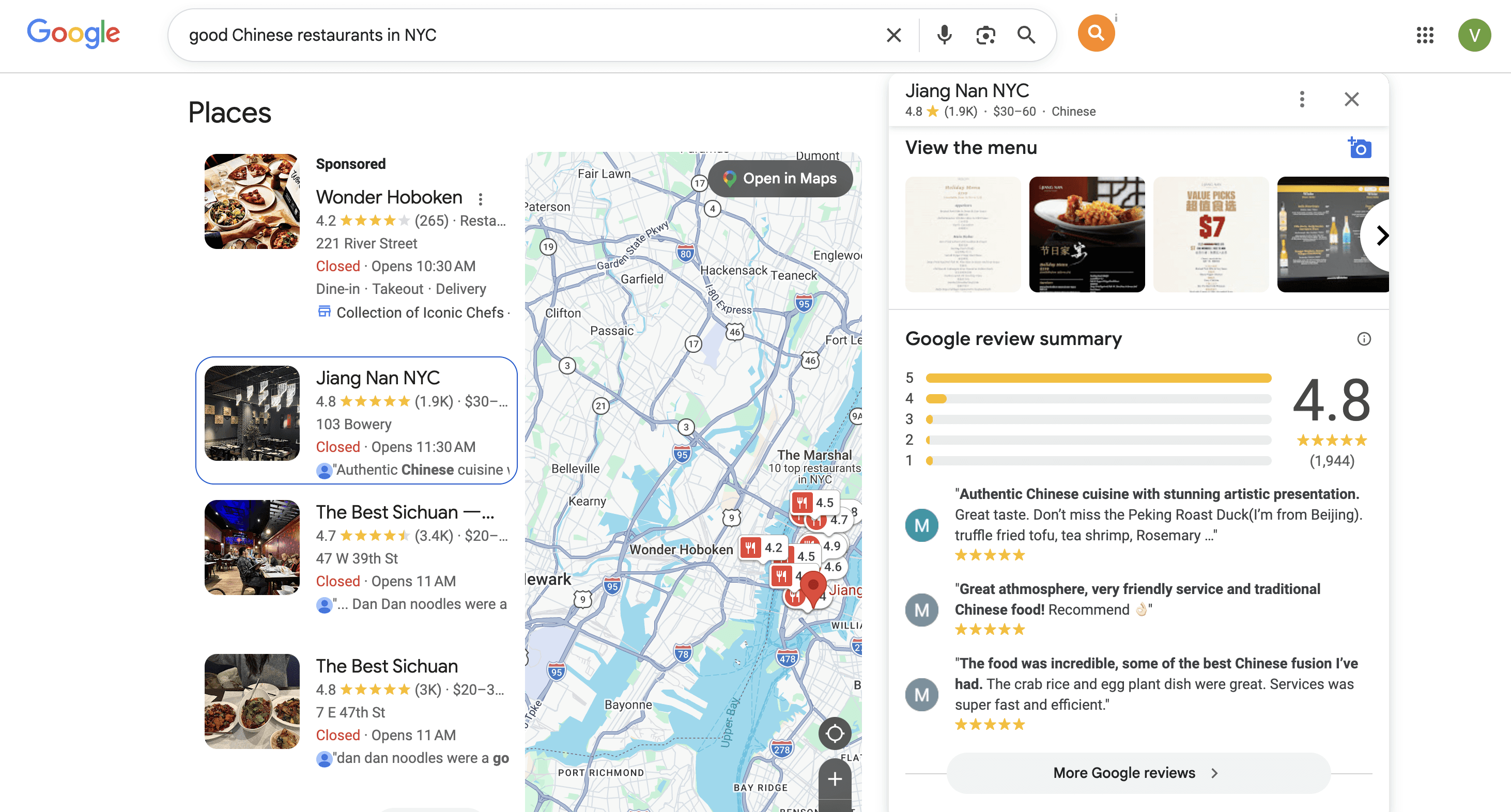
This is known as the “map pack” or “local pack.”
And ranking here is a big deal. Remember, the higher you are listed, the large share of clicks you get. In fact, organically ranked results get an even higher share of click compared to paid ad results.
GBP Listing Type | CTR |
|---|---|
Local Pack Position #1 | 17.6% |
Local Pack Position #2 | 15.4% |
Local Pack Position #3 | 15.1% |
Local Service Ad Box – Left | 3.1% |
Local Service Ad Box – Middle | 2.8% |
Local Service Ad Box – Right | 2.5% |
2. AI Overview
In some cases, Google may show an AI-generated summary before the map pack, especially for queries like “best [niche] near me".
For example, here I searched for "best restaurants in Noe Valley with a view", and AI has shortlisted a few restaurants in the area for me.
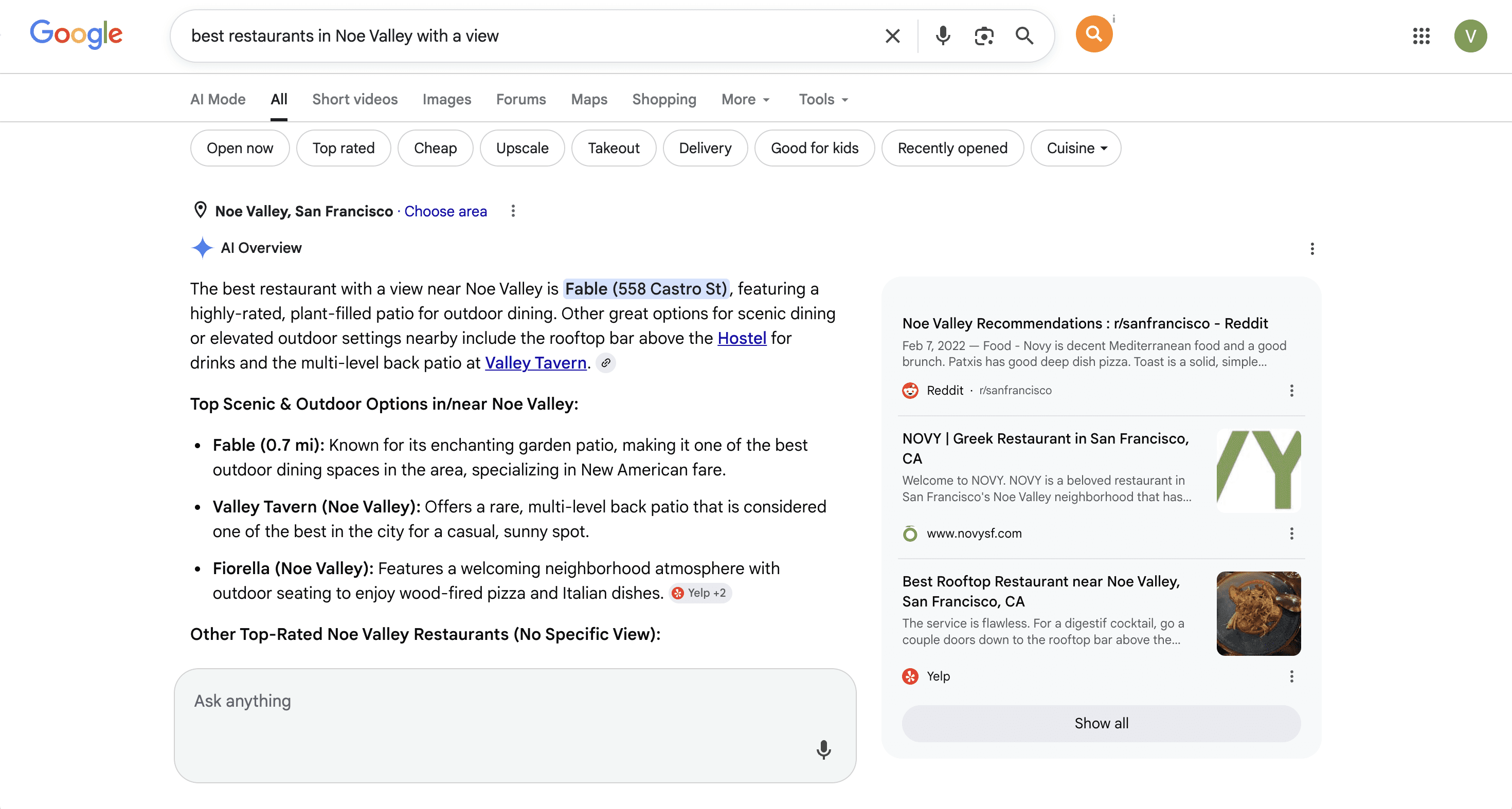
Traditional Map Pack usually can't provide information at such level of granularity. To maximize User Experience, Google needs to use AI to aggregate data for you and makes the most suitable recommendations.
3. Organic results
Just below the map pack, you’ll usually find the local organic results. This is the traditional SEO search result that leads to website.
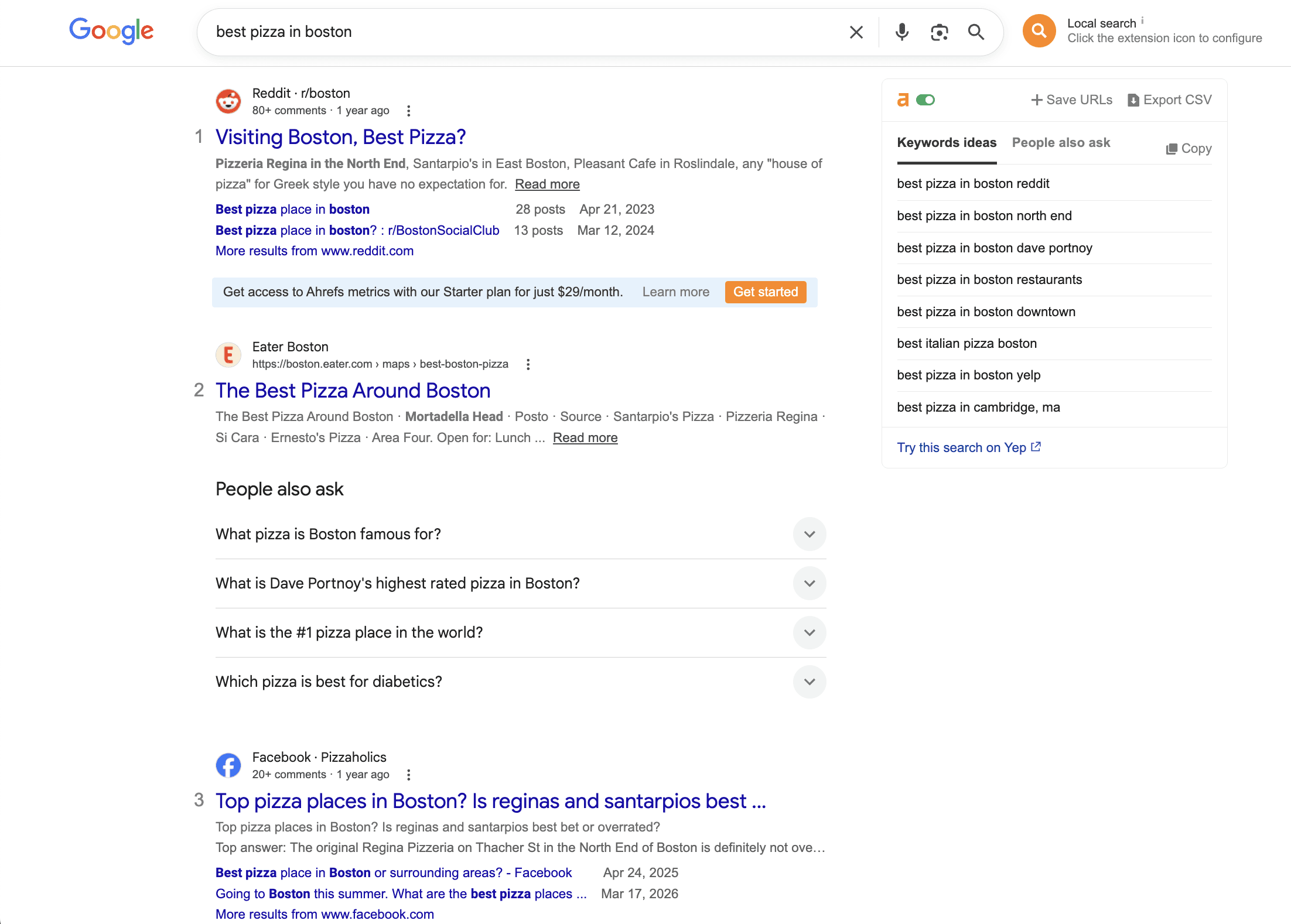
They may appear lower on the page, but they’re still a major driver of traffic and conversions for your restaurants.
6 SEO Best Practices For Restaurants
Want to appear in that Map Pack and improve the fame of your restaurant? Here are 6 actions you need to take:
Optimize your Google Business Profile completely
Manage your reviews (even the bad ones)
Use location-specific landing pages
Add your Menu
Build local backlinks
Monitor your progress and rankings
1. Optimize your Google Business Profile completely
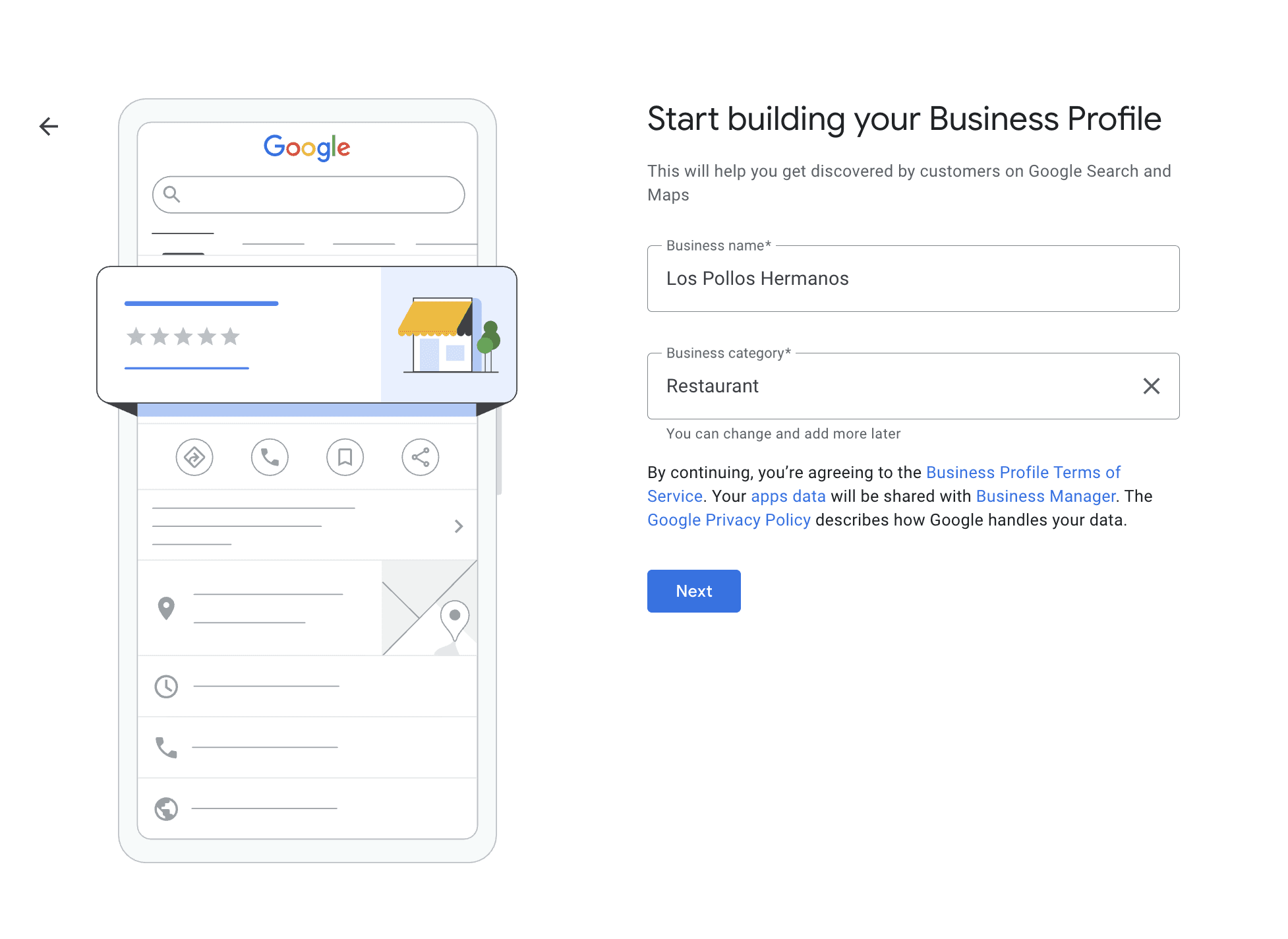
Your Google Business Profile is your single most important asset when it comes to local SEO optimization.
If you haven’t created or optimized your Google Business Profile yet, this step-by-step guide has you covered:
Write a clear business description: Summarize what your business offers, who you serve, and where you're located. Include your relevant local keywords from Step 1 naturally, but avoid keyword stuffing.
Keep your NAP consistent: Your name, address, and phone number should match exactly across your GBP, website, and third-party listings.
Link to the right page: If you have multiple locations, link each profile to its dedicated location page, not your homepage.
Choose the right categories: Pick the most accurate primary business category and add relevant secondary ones to expand keyword coverage.
Add products and services: Use these sections to describe exactly what you offer, in your own words.
Upload high-quality photos: Showcase your team, space, and offerings to help users choose you over competitors.
Update hours and info regularly: Make sure hours, holiday closures, and other key info are always accurate to avoid confusion and negative reviews.
2. Manage your reviews (even the bad ones)
Google reviews is the backbone of every local business, including your restaurant. In fact, they directly influence your local SEO performance.
Google uses review signals like quality, quantity, and recency to help determine map pack rankings.
As long as you hit those three criteria, you have the opportunity to show up in Google to bring new traffic to your website (and, after that, to your physical location).
And in competitive niches, solid ratings can be the difference between getting clicked or getting skipped.
Here's what you need to do to improve your Google's ratings:
Step 1. Ask for reviews
Strong reviews come from a consistent, intentional process.
Ask consistently: Build review requests into your post-dining follow-up, whether that's a receipt, a follow-up text, or a server's closing line
Time it right: Ask right after a great meal, when the experience is still fresh and the guest is most likely to say yes
Be specific: Instead of "Leave us a review," try "Would you mind leaving a quick Google review about your experience with our [dish / brunch / private dining]?"
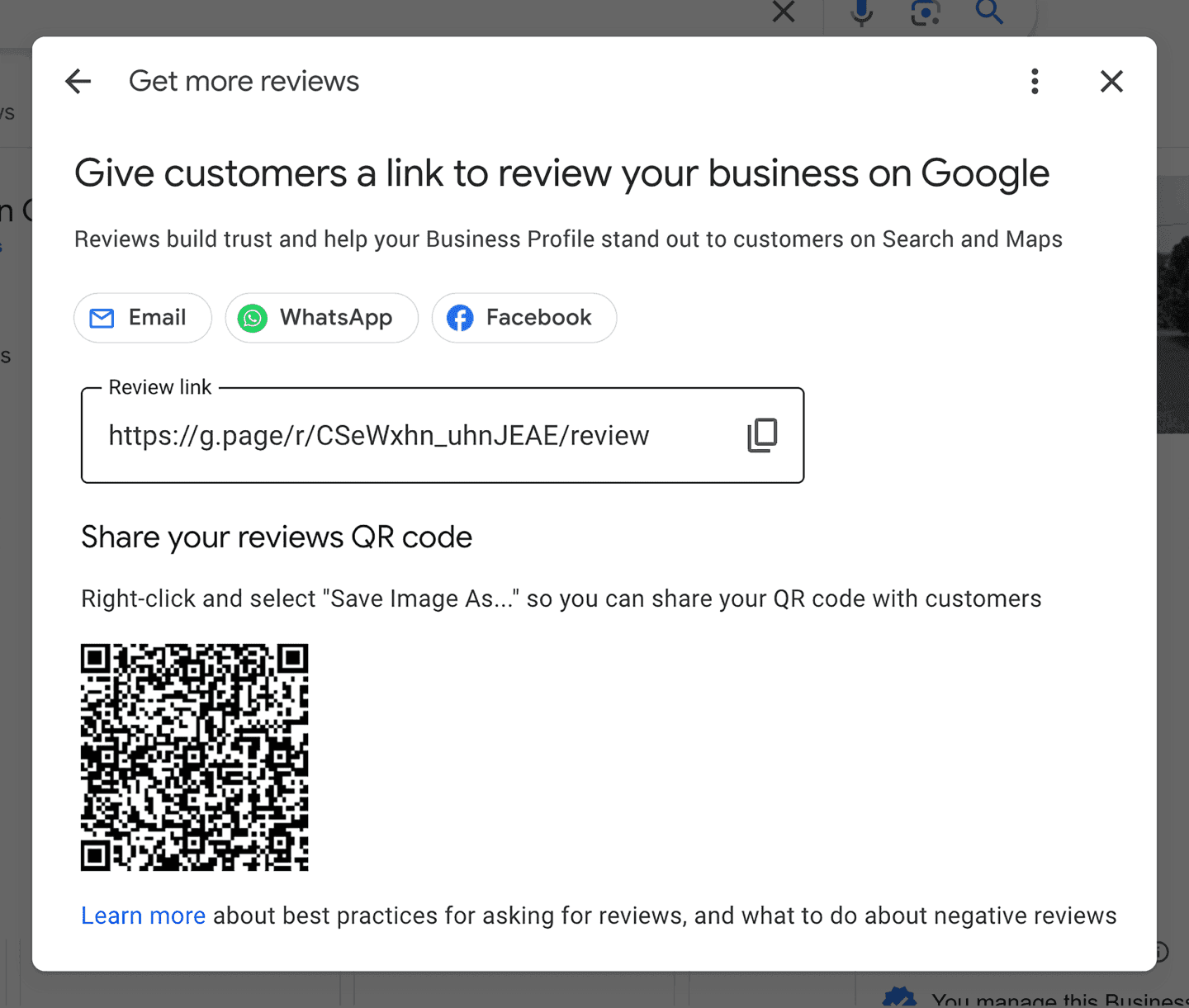
To create a QR code for guest to leave reviews:
Go to your Google Business profile
Select Read Reviews > Get more reviews
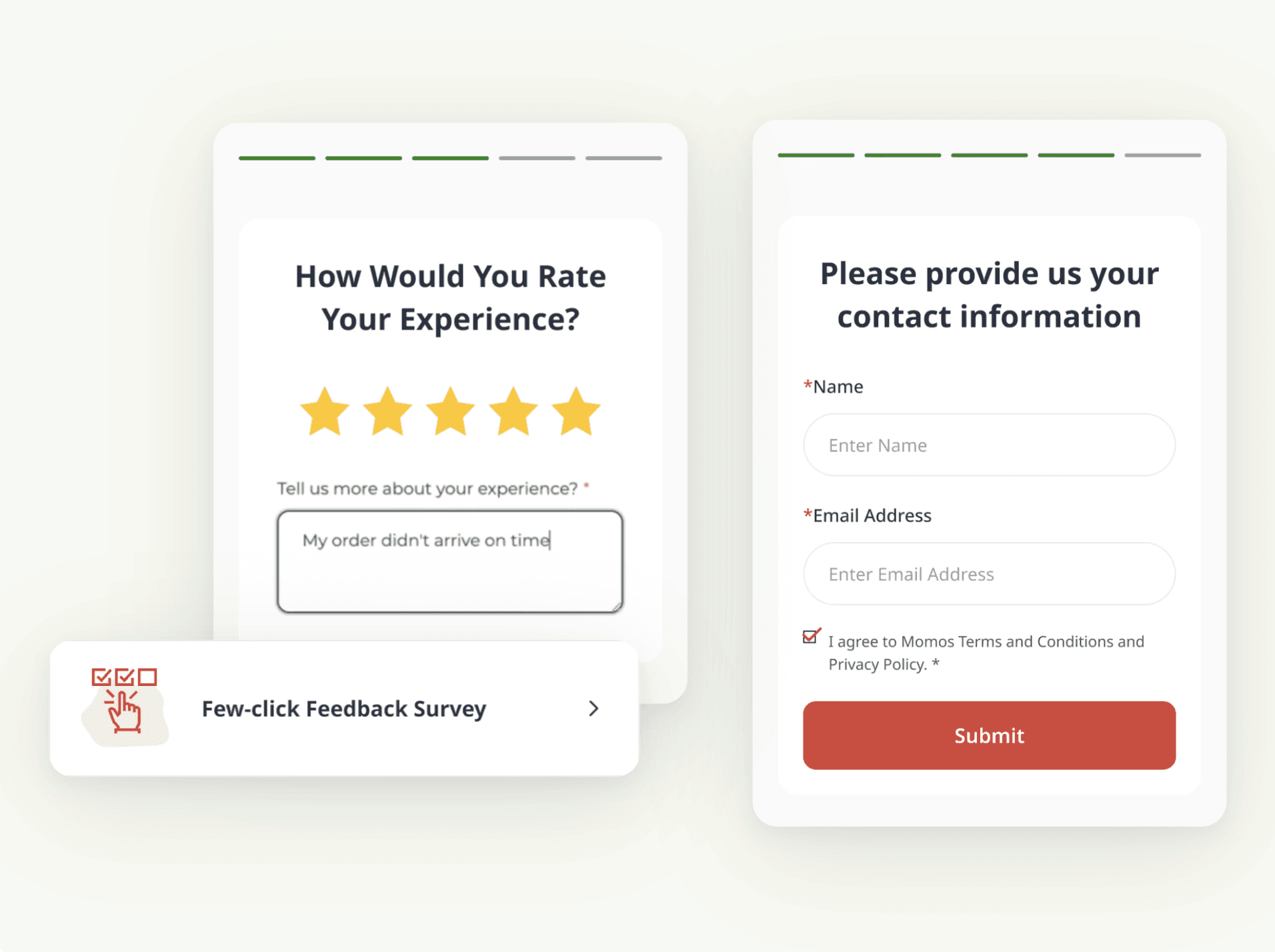
You can share the link or QR code directly or use the other options. For example, in survey software for restaurants, you can build a full survey to gather customer feedback and build out marketing campaigns based on that wealth of data.
Step 2. Respond to reviews
Google has confirmed that replies help strengthen your local presence.
Momos' customer data also backs that up. We looked at the review rating and the reply rate of two enterprise restaurant chains over a multi-year period. It's evident that the higher the reply rate, the higher the star rating.
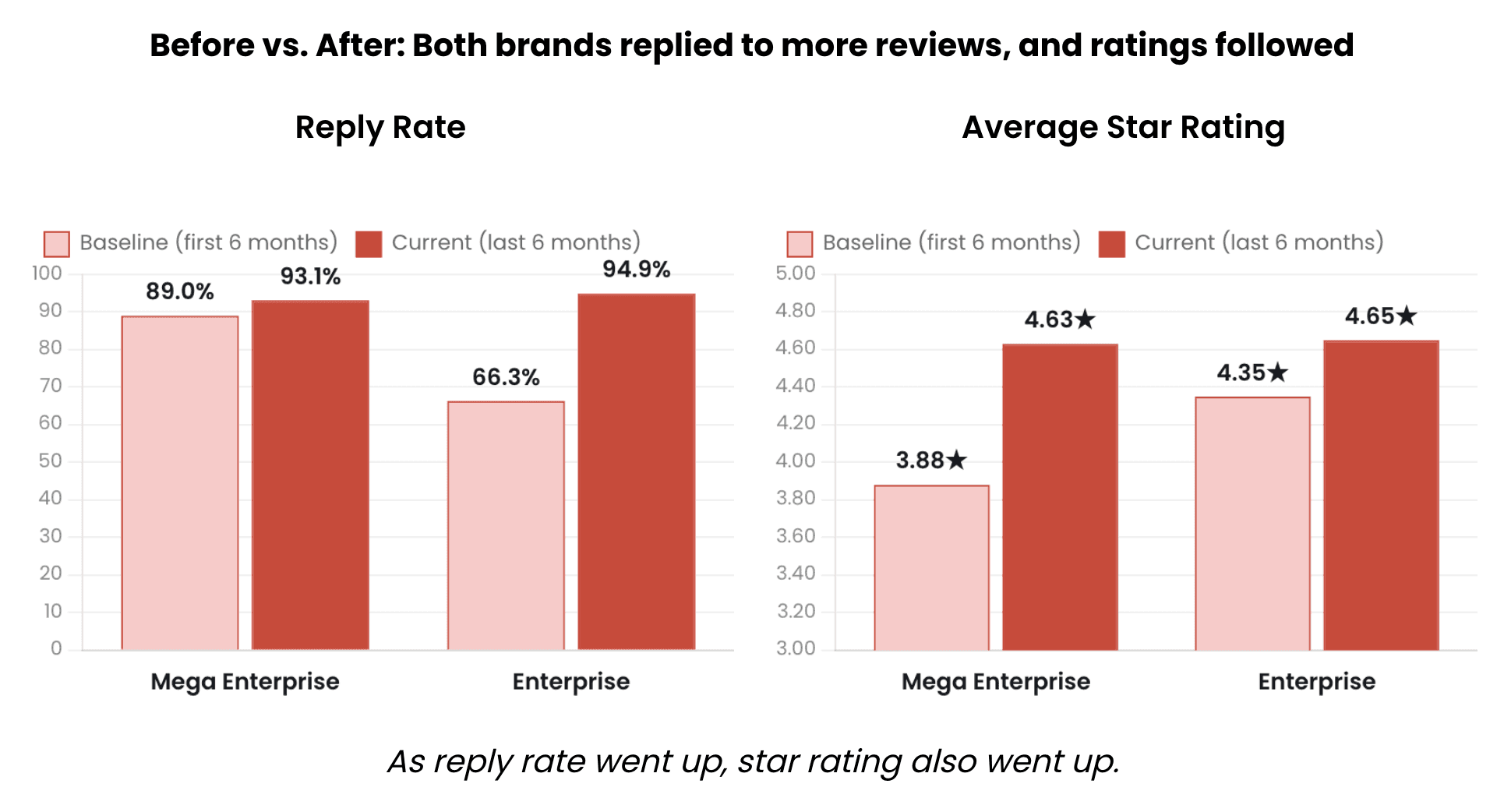
So, it's time that you start replying to those reviews, both the positive and negative ones.
How should you respond to those reviews? Here are some advice from Google itself:
Be professional and polite: Keep your replies clear and helpful. Like reviews, replies must follow our policies.
Keep it short and simple: Customers value direct and honest responses. If a reply is too long, people might stop reading before they get to the main point.
Make your replies count: Instead of sending the same "thank you" to everyone, focus on reviews where you can share a helpful update or answer a question. This shows people that you are listening and genuinely care about their experience.
Be conversational, not promotional: Your reviewers are already customers, so avoid using your response to offer deals or promotions. Instead, share a detail that reinforces their experience and encourages a return visit.

3. Use location-specific landing pages
A single homepage can't rank well for "near me" or city-specific searches in every location.
Why? Because Google's local algorithm rewards pages that demonstrate genuine relevance to a specific geography.
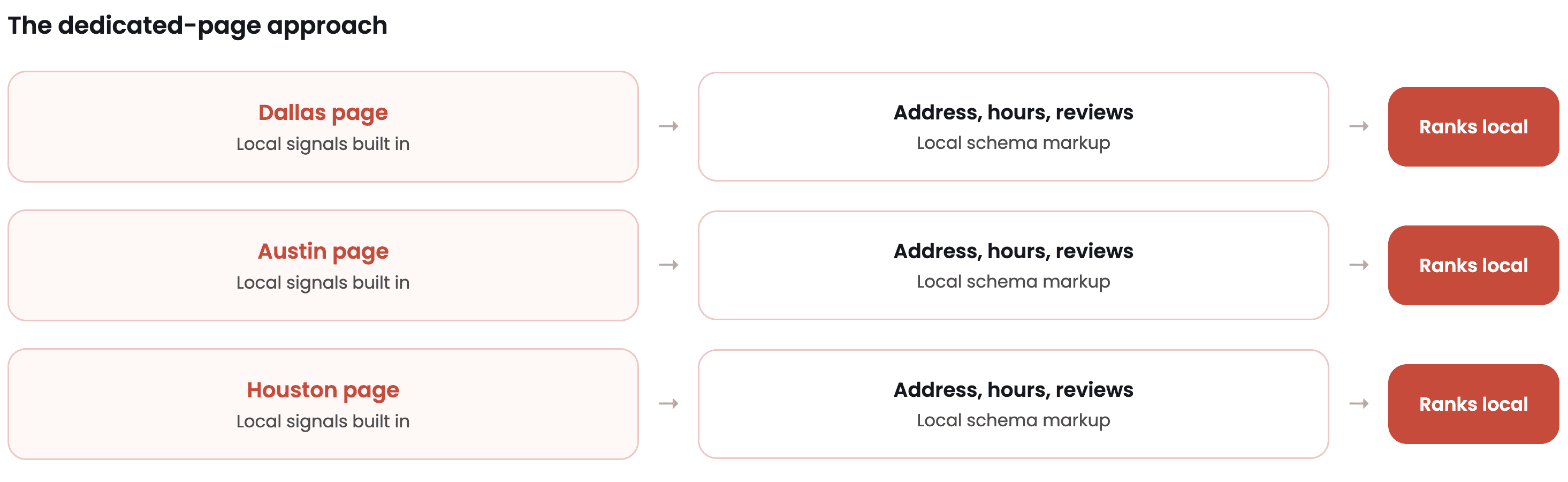
That's why you need one dedicated page for each location of your restaurant.
Burger King is the clearest example. Technically they're a global chain, but every store still competes inside its own local market, so each store needs its own local SEO.
For example, I'm currently in San Mateo. When I search "Burger King near me," the #1 result is the page for the store closest to me in San Mateo.
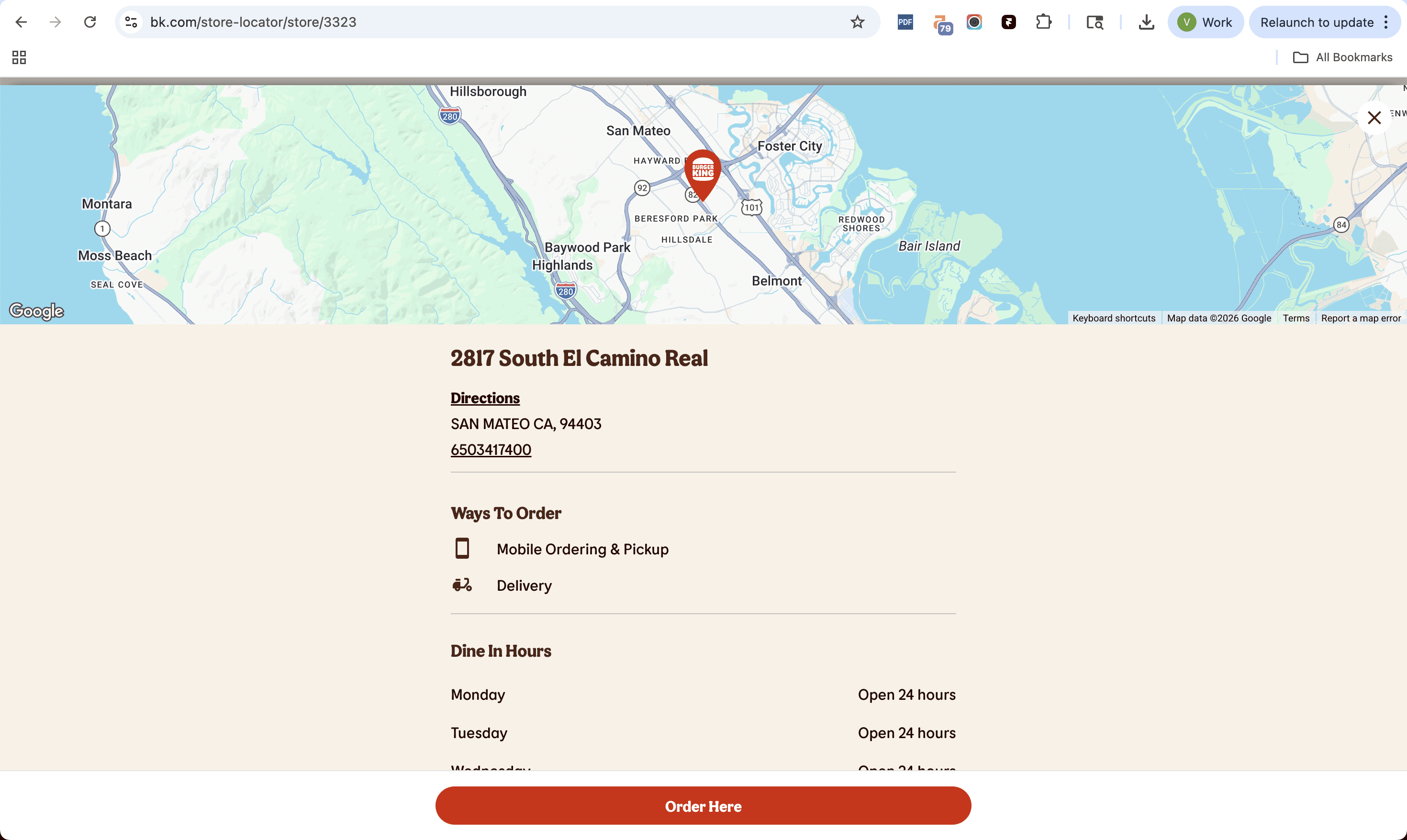
Search the same thing from Texas and you'll get a different page for a Burger King in Texas. The same principle applies whether you're in the US, the UK, Germany, or Bangkok.
And your restaurant can absolutely do the same thing.
As long as your content is unique and you genuinely serve that area, these location pages can help you rank in the local organic results and drive high-converting traffic from nearby customers.
4. Add your Menu
Only businesses in the F&B industry can add Menu, so let's use that to your advantage.
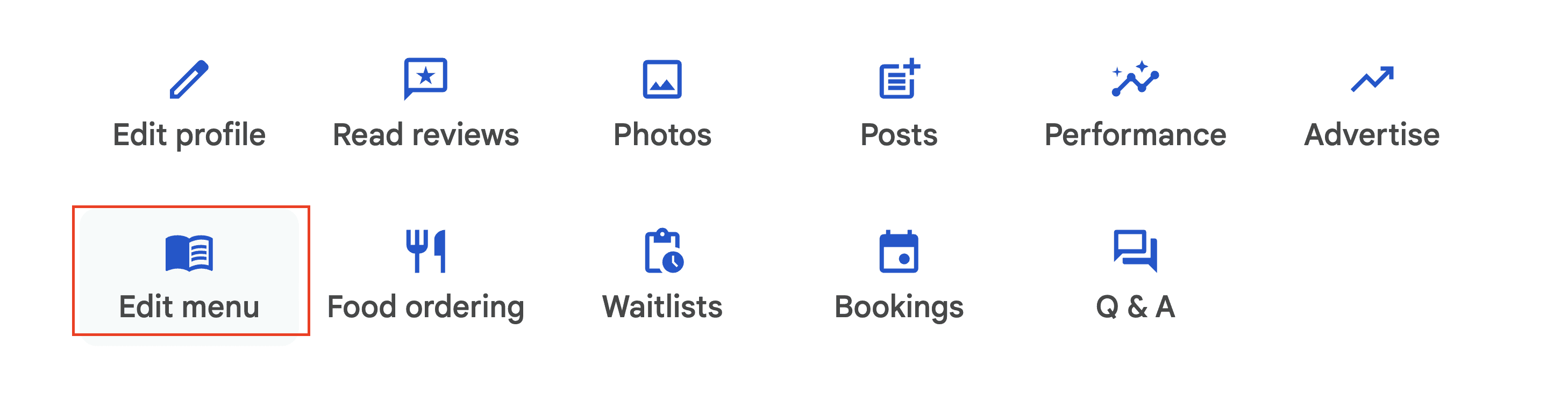
To add Menu, simply go to your Google Business Profile and choose "Edit Menu":
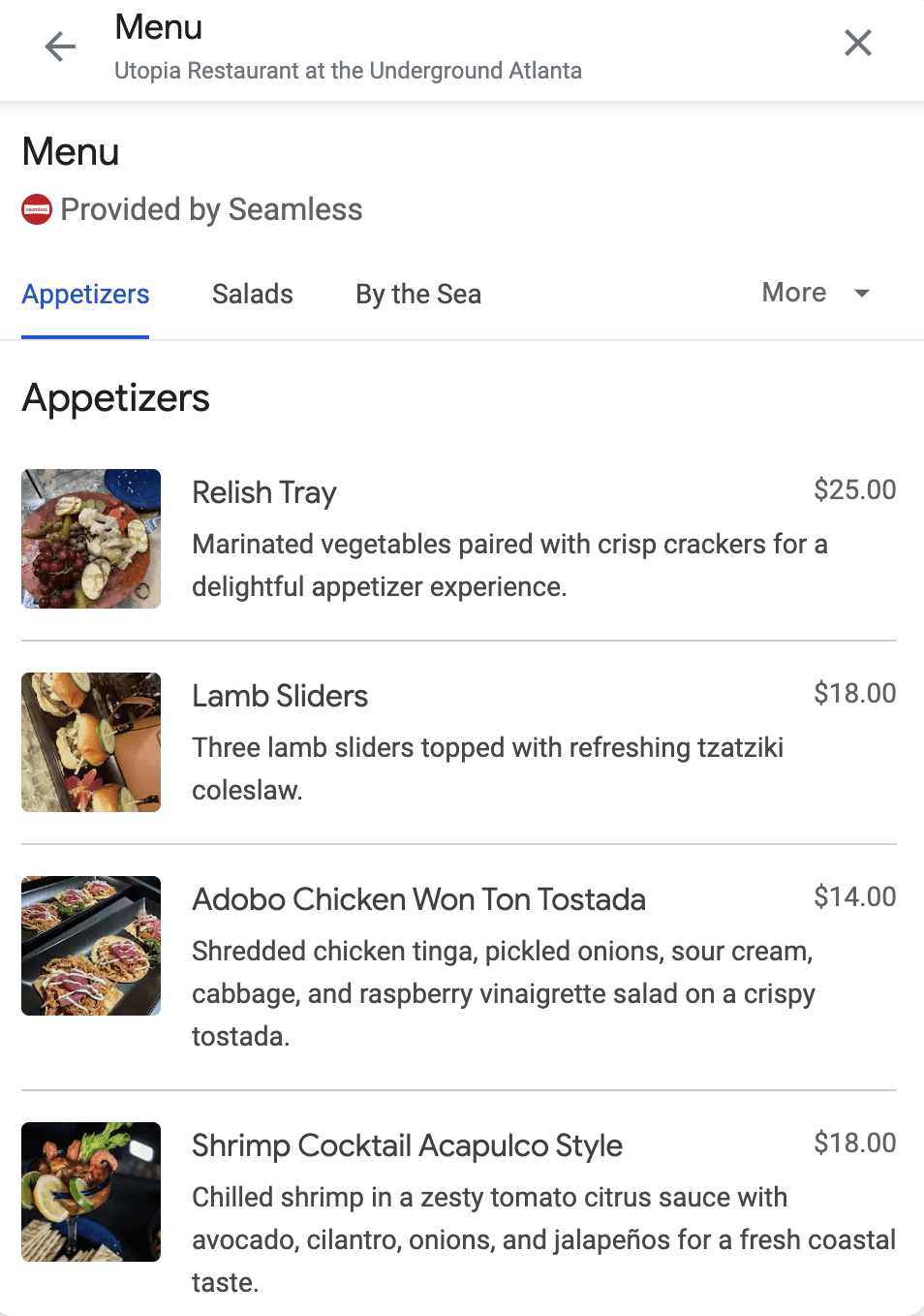
After that, simply add your items, with pricing, description, and high-quality images:
5. Build local backlinks
Think of a backlink is like a digital thumbs-up from one website to another. Every time another website links to your restaurant’s site, they’re saying, "Hey, check this place out, it's great!"
In fact, backlink is the backbone of Google's algorithm. It's important to have other websites linked back to you.
However, we highly recommend against buying backlinks. Let the links come to you naturally through activities that you do with others in the local area.
Submit to local directories and community sites: Online directories are great places to list your business and generate some valuable backlinks in the meantime (and they're often free!). For example, in Kansas City, 816Area is a free directory of local businesses. Find what directory is available in your area with some quick search and add your business there. Be as descriptive as needed.
Contact food bloggers and critics To catch the eye of local bloggers and food journalists, you first need to give them a reason to write about you. Maybe you just launched a strange new dish. Maybe a local celebrity is a regular. Once you have your angle, email them or send a DM on Instagram and pitch your story. If they cover you, they'll usually include a link to your website.
Get local media coverage Create a newsworthy story by joining forces with other businesses or taking part in community events. Charity fundraisers, local festivals, and cooking demos are all moments that earn features in local media. Local journalists are always looking for stories, so find the one whose beat is most relevant to yours, track down their email, and send a focused pitch.
6. Monitor Your Progress and Rankings
If you've done some SEO, how do you know that it's working in your favor? You need to do some monitoring.
Your GBP dashboard is a good start. It tracks how often your listing appears in Search and Maps. And what actions people take next.
You can also use SEMRush's Map Pack Rankings.
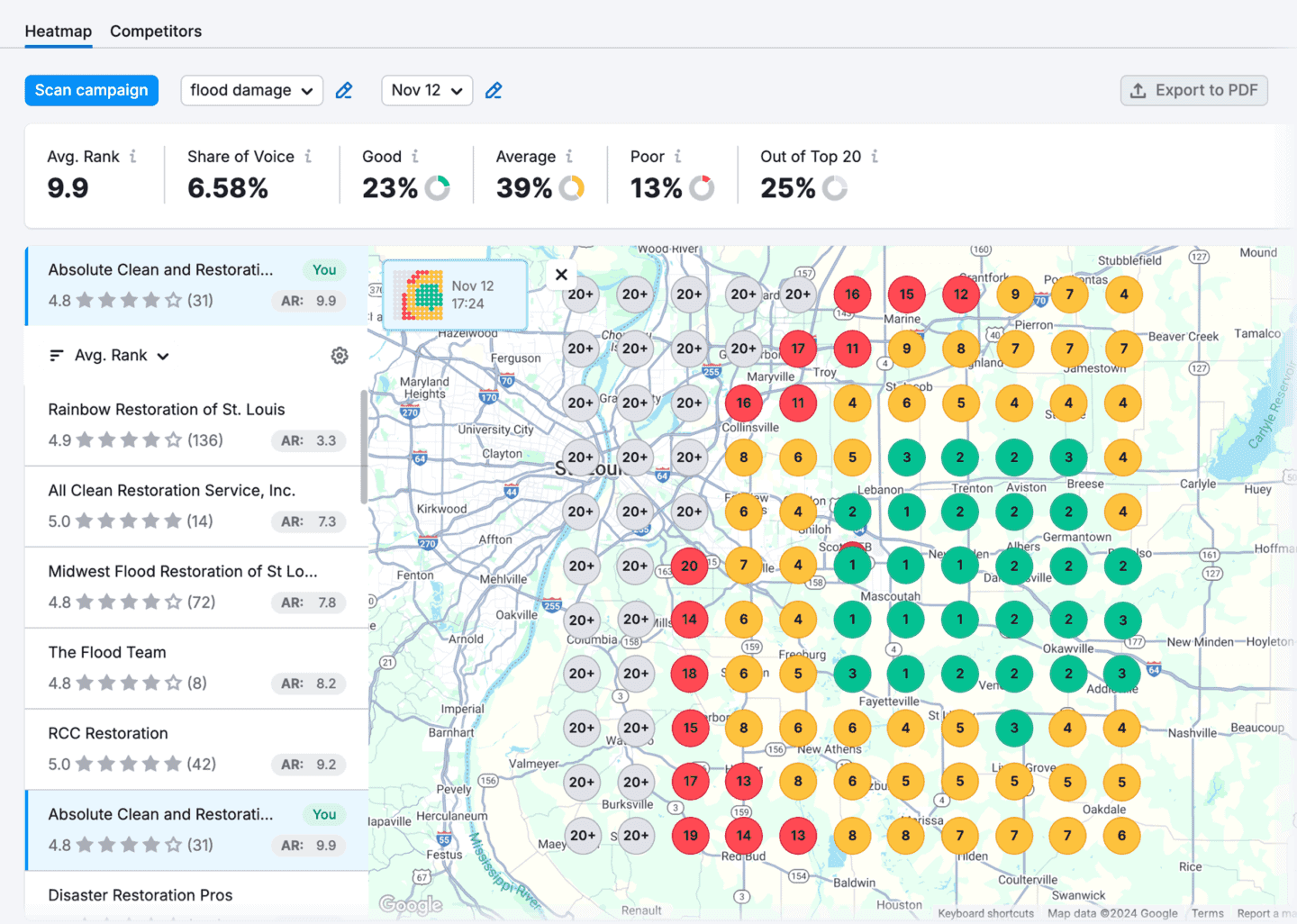
Each pin represents a local position on the map, color-coded based on where your business shows up for a specific keyword (e.g., position 1–3, 4–10, or not in the top 10 at all).
Conclusion
At the end of the day, SEO is about good User Experience. Are you building a website that is genuinely useful, helpful, informative, and engaging for your visitors?
If the answer is yes, you've done good SEO.
Of course, having good reviews is a big part of that. To show reviews is to help your guests better understand your restaurant before they even visit your physical location.
 AI agents automate all guest interactions, 24/7, across all locations of your restaurant.


" transform="translate(3.219 19.212)" width="152.45224485148515px"/><path d="M 0 11.619 C 7.071 11.39 33.491 21.738 40.35 21.268 C 38.499 18.19 37.116 14.915 35.507 11.625 C 33.7 7.867 32.587 3.926 31.702 0" fill="transparent" height="21.28391189647101px" id="I9fuJaf7q" stroke-dasharray="" stroke-linecap="round" stroke-linejoin="round" stroke-width="4.97" stroke="rgb(0, 0, 0)" transform="translate(139.727 55.754)" width="40.34950693069311px"/></svg>)