Customer Service
John Lim
Momos's New Navigation: Where Our Agents Live

So much has happened this year in Momos as an agentic guest experience platform.
We’ve introduced Alfie, the Experience Agent, who recovers guests at scale, 24/7, through a personalized recovery flow at every location. Meanwhile, Rockie, the Intelligence Agent, takes in every single data point and turns them into clear and actionable insights. Always improving, both AI agents are purpose-built for multi-location brands and enterprise QSRs to deliver clear business outcomes.
Together with these improvements, we thought it was time to give our platform homepage and navigation bar a visual upgrade. This is not just a fresh coat of paint, but also represents our identity as an AI-first company. Alfie and Rockie now have their own sections on the new navigation panel, while a broader classification of the product branch makes it easier for you to find the features you’re looking for.
That means most things in the sidebar now sit under a different heading, though nothing has been removed and nothing about your data, reporting, integrations or permissions has changed. This quick guide is here to show these changes.
Prefer to watch a guided product video? Here's one from our Product team.
The new sidebar
The sidebar still opens with every label visible. Here’s a comparison table.

Before:
Every section label visible at all times
Home sits at the bottom, below everything else
After:
A new, clearer categorization for ease of navigation
Home sits at the top and is where you land
The new home screen
While the old home screen asked "What would you like to do?" and offered shortcuts into your surveys, cases, reviews and messages, the new one hones into important metrics at a glance. It shows with a quick snapshot of your Inbox and Analytics around your key metrics against the last thirty days, the categories driving it, and a link straight through to the full report.
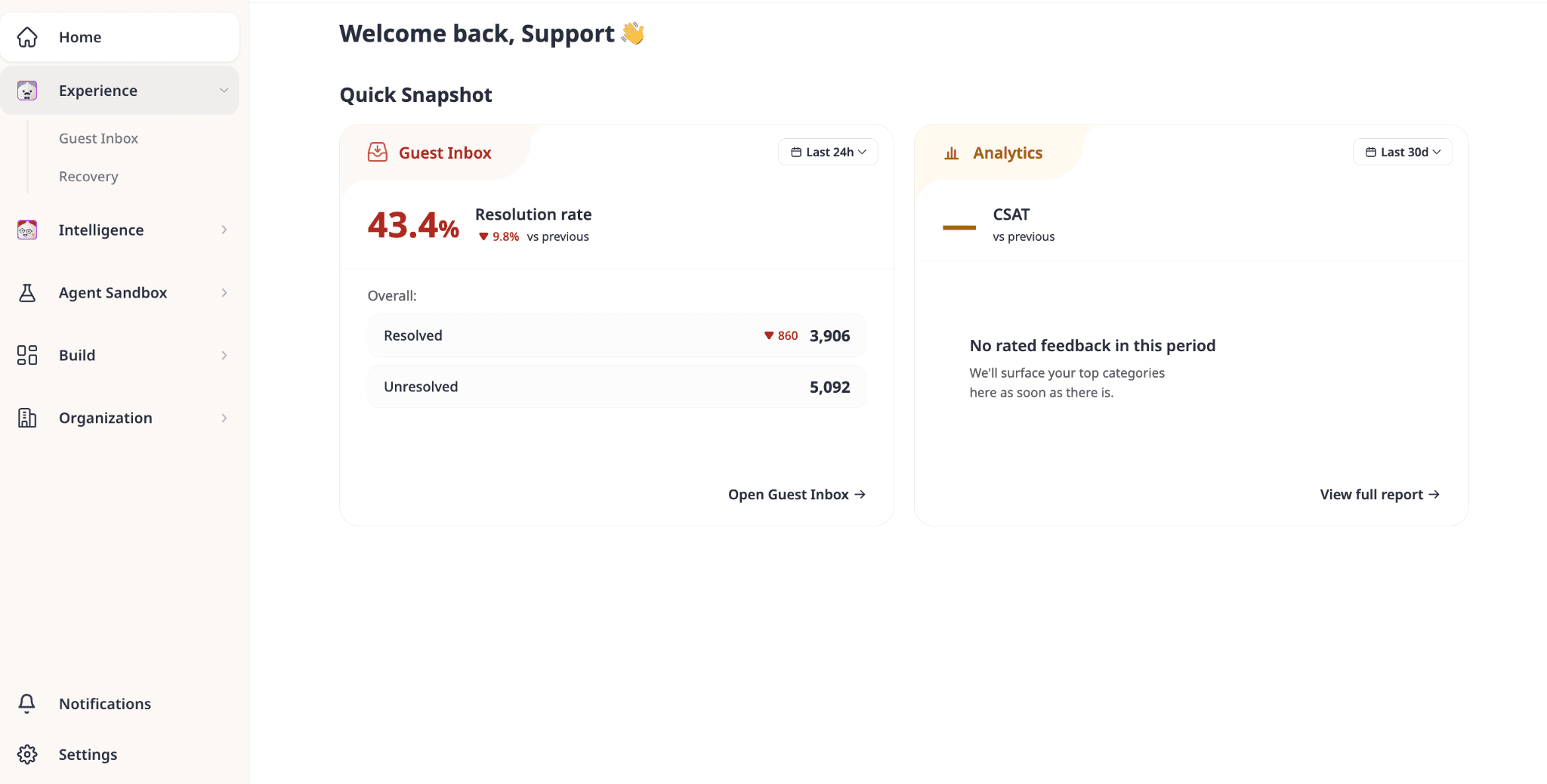
You see where things stand before you decide what to work on, rather than picking a task and finding out afterwards. This view is especially useful to get a quick overview of what’s happening.
Alfie and Rockie get a home of their own
Alfie and Rockie used to sit in two separate places. They now share one home in the Agent Sandbox, where you configure both: turn on scenarios for Alfie, review what Rockie is picking up on, and see how complete each setup is.
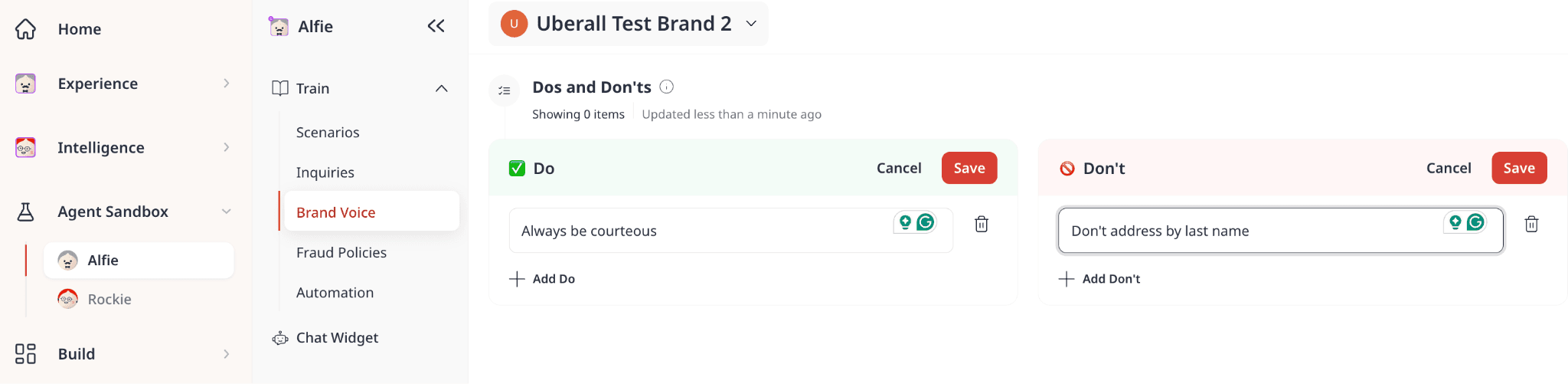
Configuring an agent and asking it something are different jobs, so they're split accordingly. Asking Rockie a question in plain language now lives in Intelligence. On Experience, you’ll see Alfie in action across the Inbox and Recovery insights.
In summary:
Agent Sandbox is for configuring Alfie and Rockie
Experience and Intelligence are for checking how Alfie and Rockie are doing
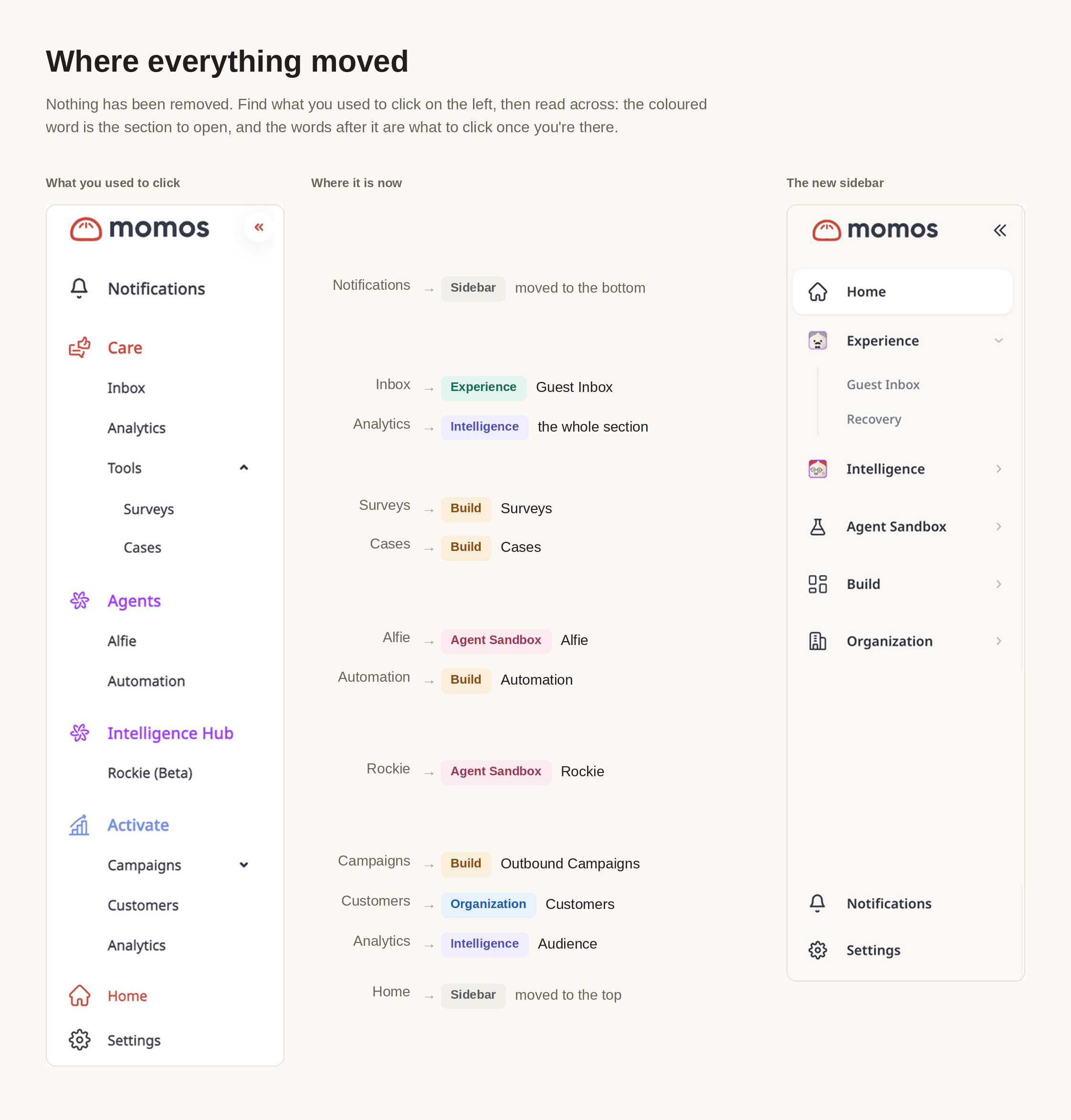
A map showing what’s moved
We understand change takes time to get used to! So here’s an overview map showing what’s moved.
FAQs
Do we need to retrain anyone?
No. The layout moves, the workflows don't. Most teams find their footing within a session, and this document plus a short walkthrough covers anyone who wants the tour.
Can we go back to the old view?
Speak to your account and customer success manager. There's a per-account setting that controls the homepage experience, and we can hold you on the current design if the timing is bad for your team. But please note that the change to the new UI will be permanent from 10 October 2026, subject to change. We’ll keep you updated if timelines get moved.
Will this break anything we've built on Momos?
No. Nothing in the underlying platform, APIs, or data model changes with this release.


