Local Marketing
John Lim
Boost Your Online Presence With Listings Management
When customers search for you online, they expect accurate, up-to-date information — store hours, address, phone number, menu links.
One wrong detail can lead to frustration, lost trust, and a lost sale.
For multi-location brands, managing dozens or hundreds of listings manually is time-consuming and prone to error. Momos Listings Management makes it easy to keep every location’s details correct and consistent across the web.
The challenge: outdated or inconsistent listings
Store hours don’t match between Google, Facebook, and delivery apps
Locations appear as “temporarily closed” when they’re open
Incorrect phone numbers or addresses make it harder for customers to reach you
These errors don’t just create confusion. They hurt your local search ranking and send customers to competitors.
How Momos solves it
With Listings Management, you can:
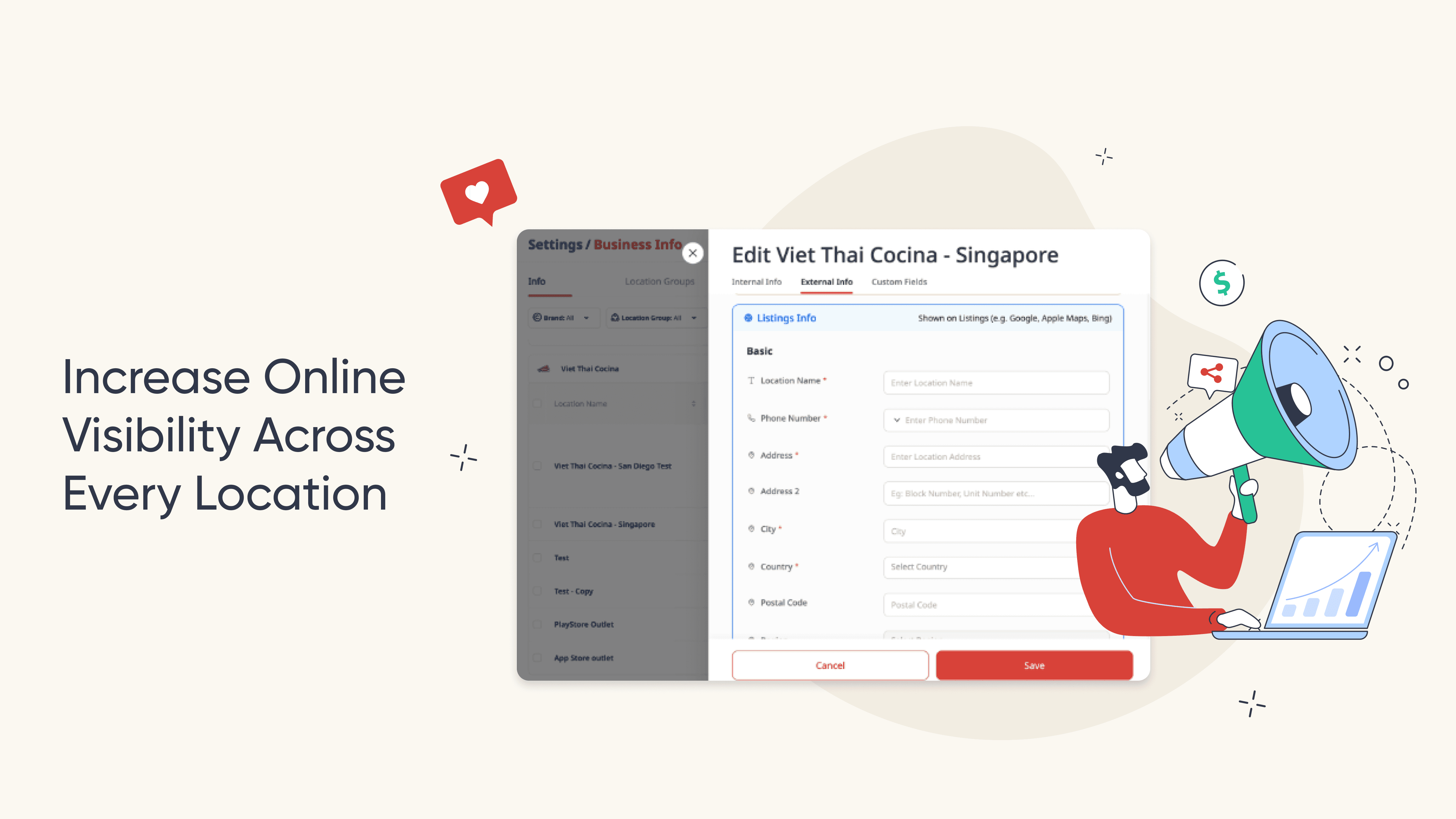
Update business details for every location in one place
Push changes to all connected platforms instantly
Ensure consistency for better local SEO and map rankings
Save hours compared to updating each listing manually
The result: better visibility, fewer missed visits, and higher trust from customers.
How it works (step-by-step)
1. Add Your Locations & Set Up Listings Management
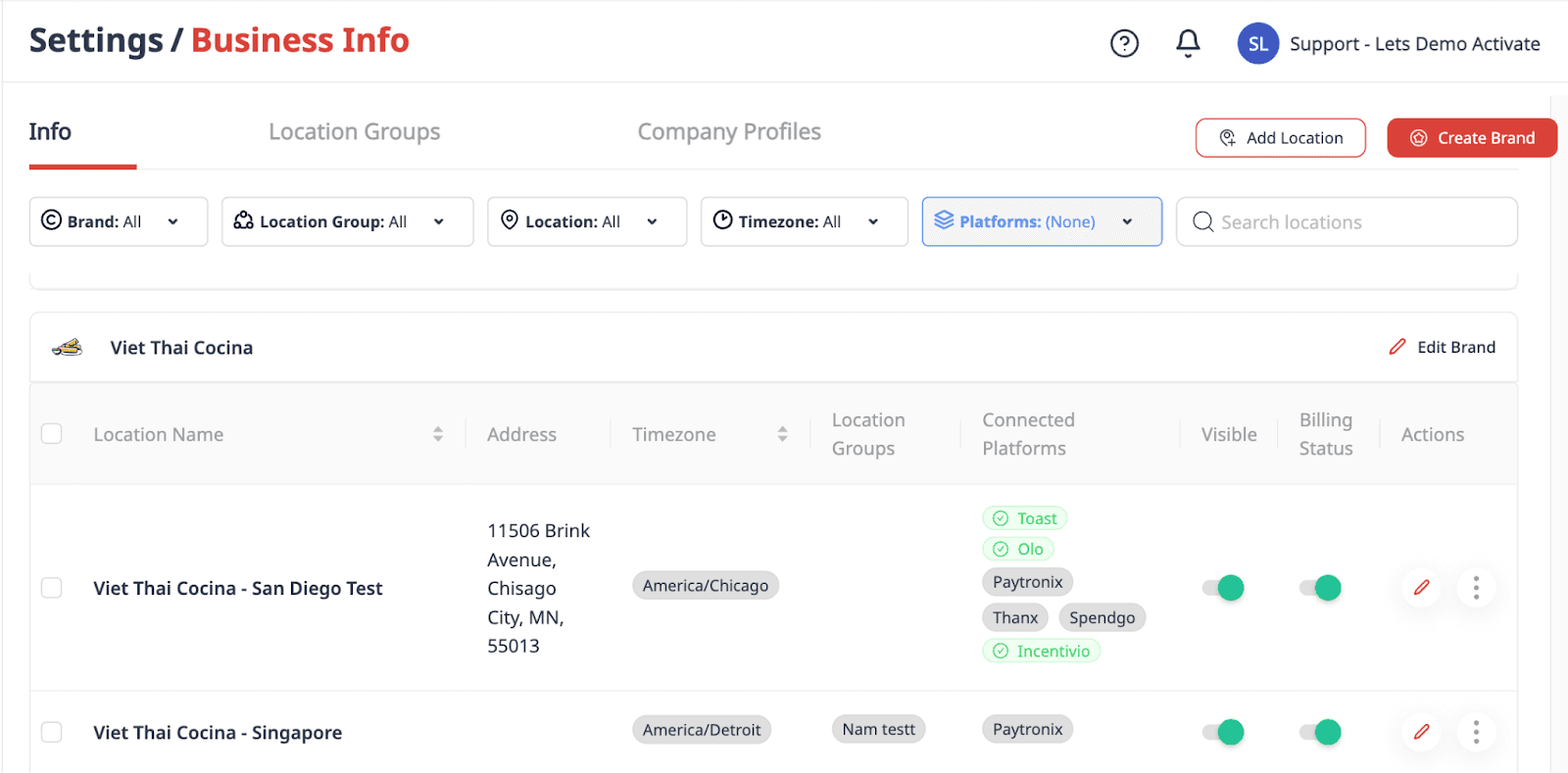
Work with our team to onboard your locations and connect them to Google Business Profile and other supported platforms through Momos.
2. Centralize your details
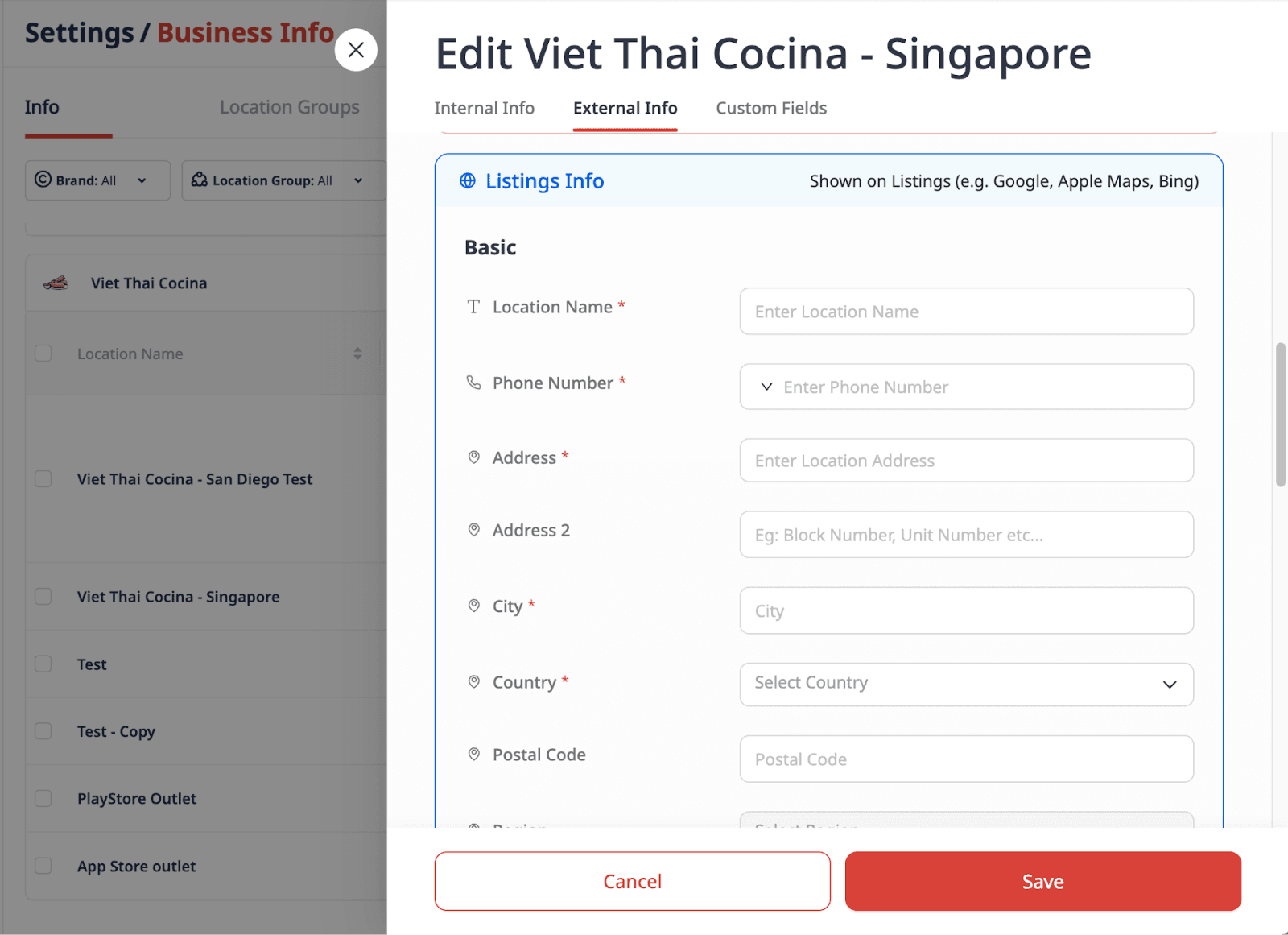
In the Edit Location window, add or update:
Location name
Address and contact info
Opening hours
Website or menu links
3. Push updates everywhere
Save changes once, and Momos syncs them to all connected platforms automatically.
4. Monitor your presence
Check listing accuracy reports to ensure everything matches across channels. Spot and fix any mismatches fast.
Pro tips
Update seasonal hours early so customers always see the right times.
Audit your listings quarterly to ensure consistency across all platforms.
Ready to manage your listings in one place?
Already a customer? Open Listings Management in your dashboard today.
New to Momos? See how accurate listings improve visibility and bring more customers through the door. Sign up
Frequently Asked Questions
Does updating in Momos change my listings instantly?
Yes. Once you save changes, they’re pushed to all connected platforms right away.
Do I need to update each location separately?
No. You can bulk update shared details or adjust specific fields for individual locations.
What platforms are supported?
Google Business Profile, Facebook, and selected delivery and reservation platforms.


" transform="translate(3.219 19.212)" width="152.45224485148515px"/><path d="M 0 11.619 C 7.071 11.39 33.491 21.738 40.35 21.268 C 38.499 18.19 37.116 14.915 35.507 11.625 C 33.7 7.867 32.587 3.926 31.702 0" fill="transparent" height="21.28391189647101px" id="I9fuJaf7q" stroke-dasharray="" stroke-linecap="round" stroke-linejoin="round" stroke-width="4.97" stroke="rgb(0, 0, 0)" transform="translate(139.727 55.754)" width="40.34950693069311px"/></svg>)