8 Restaurant Reputation Management Software Trusted By Operators In 2026
Written By: Vincent Nguyen
TLDR: The best restaurant reputation management tools we'll reviewed in this article includes Momos (best pick), ReviewTrackers, Chatmeter, Superorder, Tattle, Qualtrics, Marqii, and Reputation.
If you’re running a restaurant, you probably know the tremendous value of a good reputation.
It’s easy to build and manage that reputation when you’re just a small food store. However, the moment you scale to a multi-location business, reputation becomes much, much harder to manage.
That is because:
Usually reviews are scattered across Google, DoorDash, UberEats, TripAdvisor, and dozens of other platforms. It's nearly impossible to keep track of everything in one place without the help of a review management tool.
Even when you do track them, crafting thoughtful responses to win back churned customers takes up serious time and effort.
Without deep customer data analysis, you never really know how guests feel about their experience at your resetaurant.
That's exactly where restaurant reputation management software shines through.
In this article, we'll share with you
8 best restaurant reputation management software
What makes each one stand out
Who each tool is best suited for
Pricing estimates for each
Let's dive right in!
How We Chose These Restaurant Reputation Management Tools?
We chose these reputation management software based on several key criteria:
Niche: it is built by restaurant operators, for restaurant operators, rather than a general-purpose tool built for everyone
Monitoring features: does it track reviews, social, and forums in one place?
Response features: can you reply to reviews (AI-assisted or not) directly from the platform?
Review generation: does it help you get more positive reviews via guest requests?
Analytics: does it show sentiment trends?
Integration: does it connect to your POS/CRM?
Pricing & support: cost per location and how good the onboarding is
Explore further: A Practical Guide To Restaurant Reputation Management
The 8 Best Restaurant Reputation Management Software
With all those criteria laid out, here’s our recommendation list of the 8 best reputation management software for your restaurant:
| # | Platform | Notable For | Delivery App Supported |
|---|---|---|---|
| 01 | Momos Best Pick | AI Categorization & Analysis · Best Guest Experience | DoorDash, Grab, FoodPanda, Deliveroo |
| 02 | ReviewTrackers | Review Monitoring & Insights | Not publicly specified |
| 03 | Chatmeter | Local SEO & Reputation | Uber Eats, DoorDash, Grubhub |
| 04 | Superorder | Restaurant Operations & Reviews | DoorDash, Uber Eats, Grubhub |
| 05 | Tattle | Guest Feedback & CX Improvement | Uber Eats, DoorDash, Grubhub |
| 06 | Qualtrics | Enterprise Experience Management | Not publicly specified |
| 07 | Marqii | Menu & Listing Management | Uber Eats, Grubhub, ezCater |
| 08 | Reputation | Multi-location Reputation Management | Not supported |
1. Momos
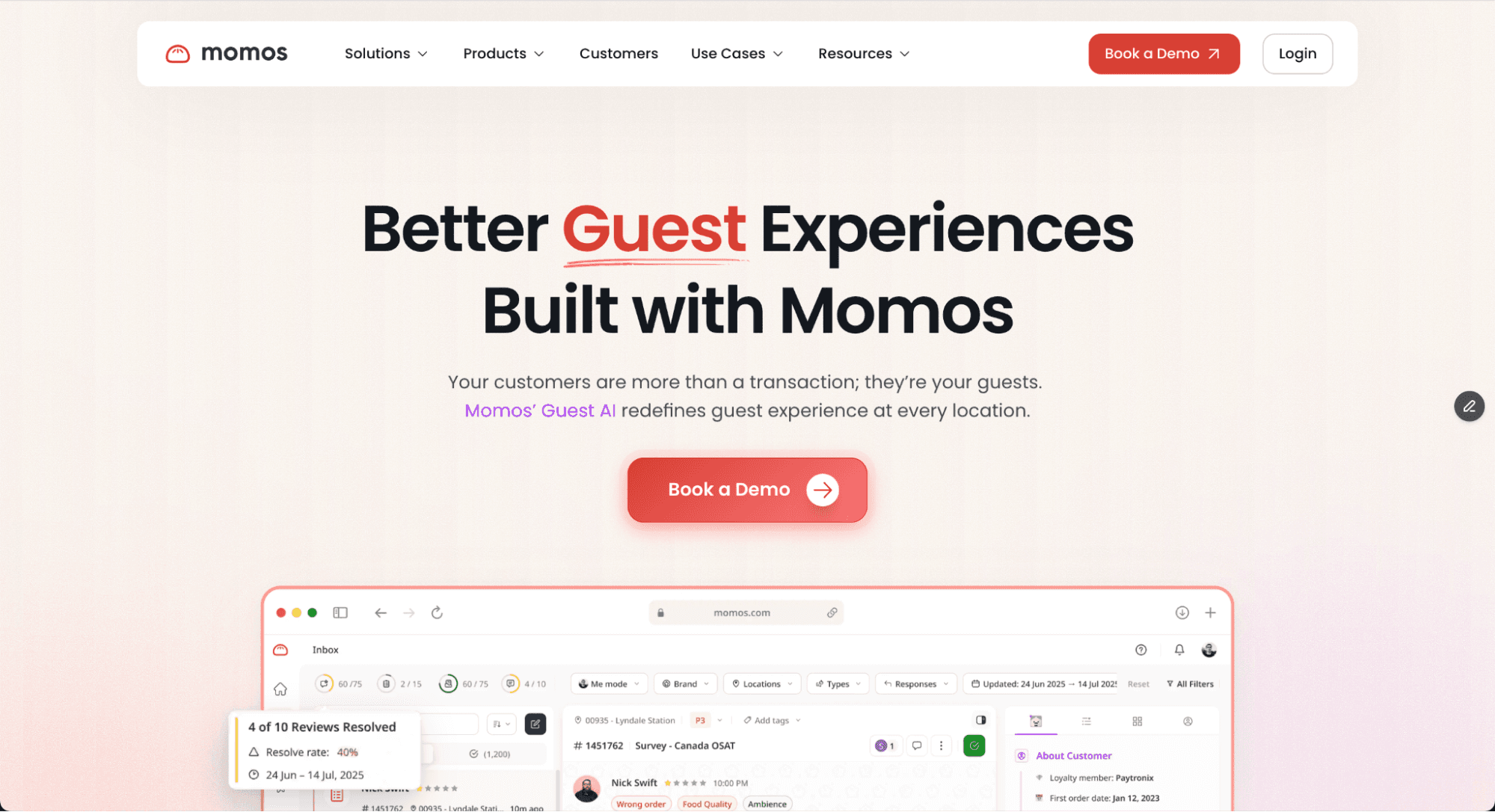
Momos is the leading AI-powered reputation management platform purpose-built for multi-location restaurants and hospitality businesses.
Whether you run a single local store or lead CX across an international franchise, Momos has the features you need to manage your reputation, at every location, from one place.
Here's what you can do with Momos:
1. Monitor every review in one Unified Inbox
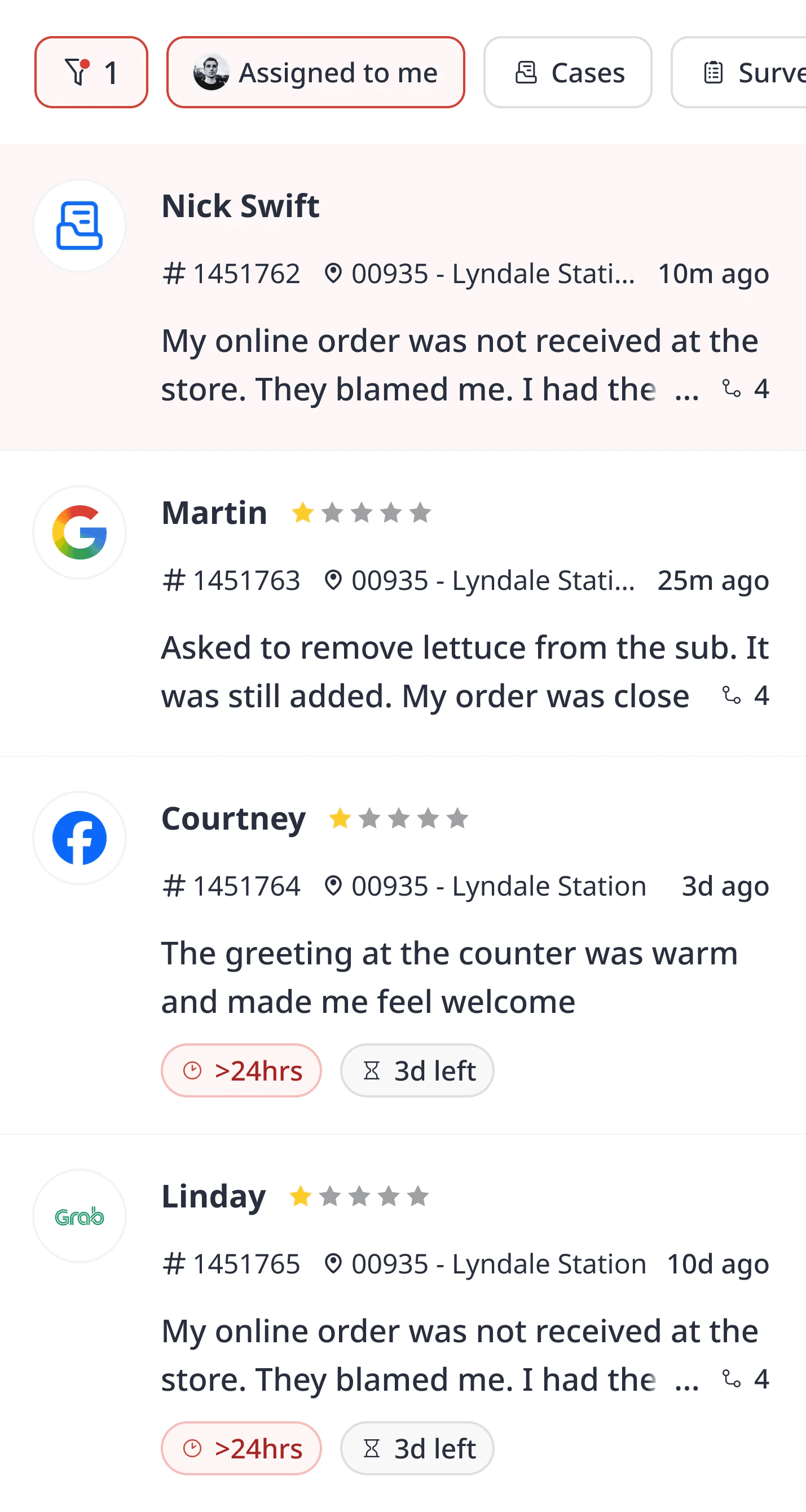
Momos consolidates all reviews, app-store feedback, social media, email, surveys, and POS/3PD platforms across every location in one Unified Inbox.
For example, as you can see here, all reviews from Surveys, Yelp, Instagram, and Google are unified into one Inbox for your team to work on.
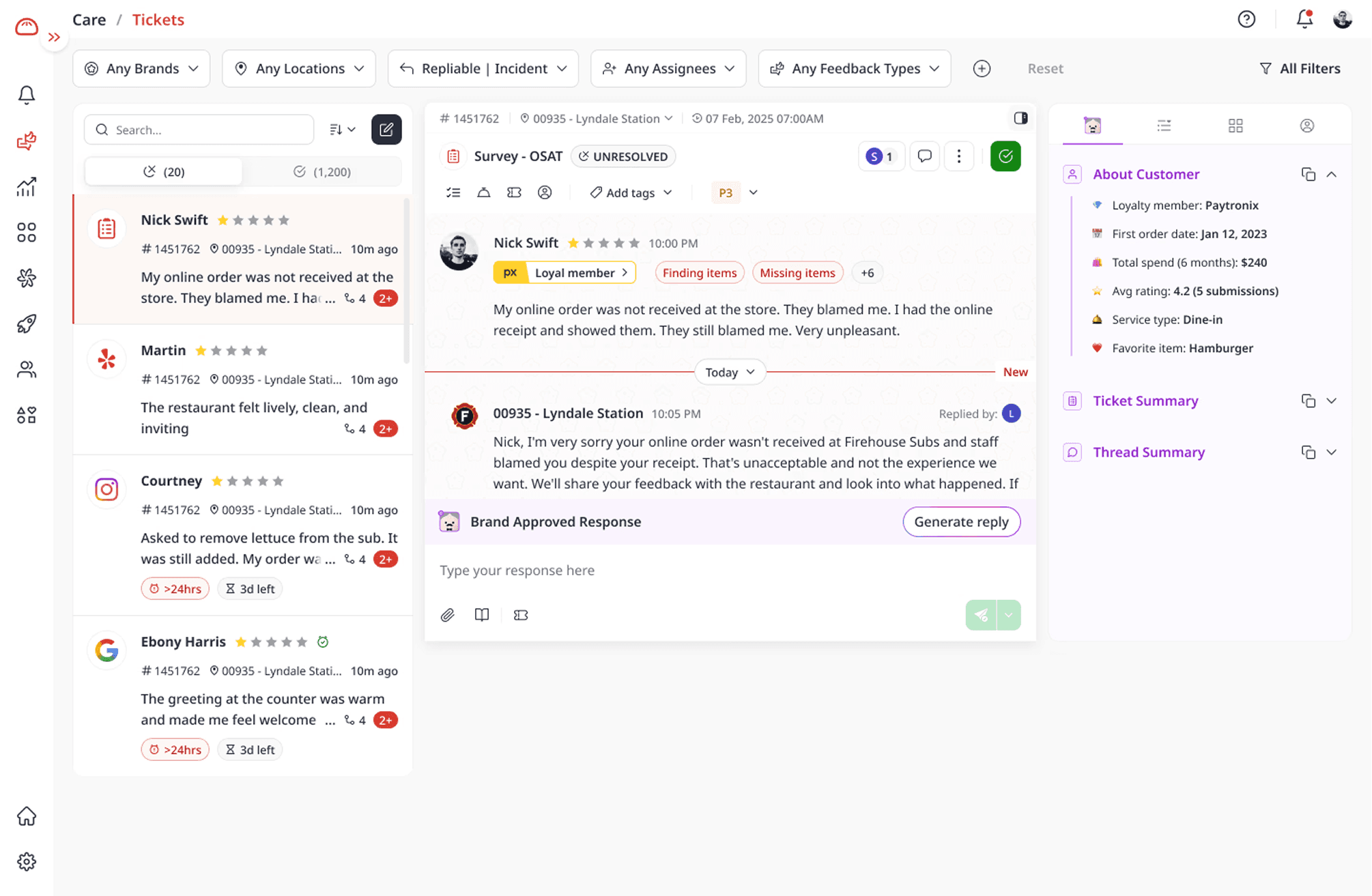
What's great is that Momos can read every of those review to understand the:
Review context (what the customer talks about)
Customer sentiment (whether the customer feels happy or not, and the root cause)
Categorical insight (whether they mention food quality, staff behavior, atmosphere, wait time, and more)
2. Resolve tickets on autopilot
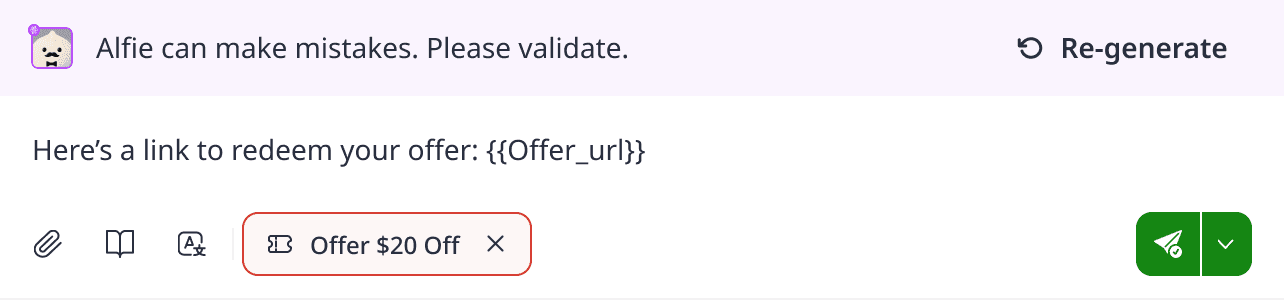
After that, Alfie, the AI agent for Customer Support, steps in and writes an instant, on-brand, personalized response, so you never leave a review unanswered.
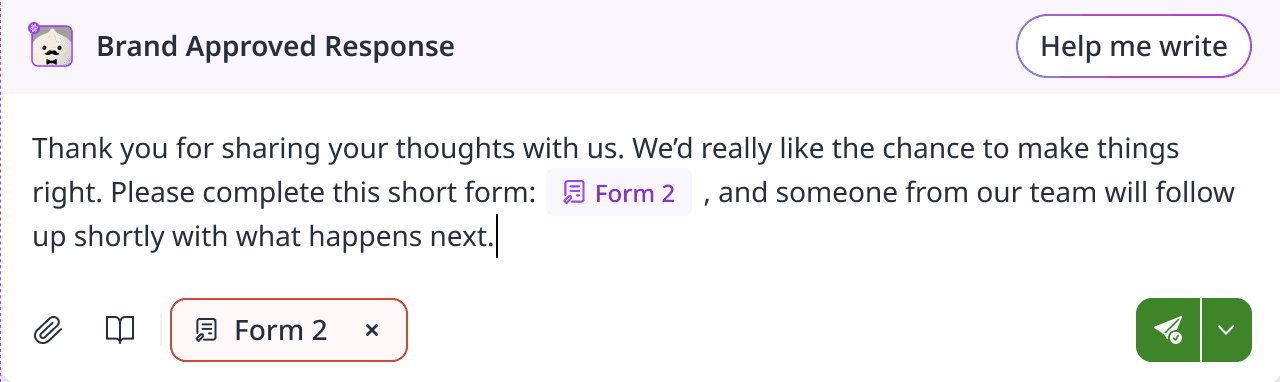
You can tailor Alfie's tone to match your brand by uploading a brand guideline, or build a custom response library for him to pull from.
3. See recommendations for your Operations
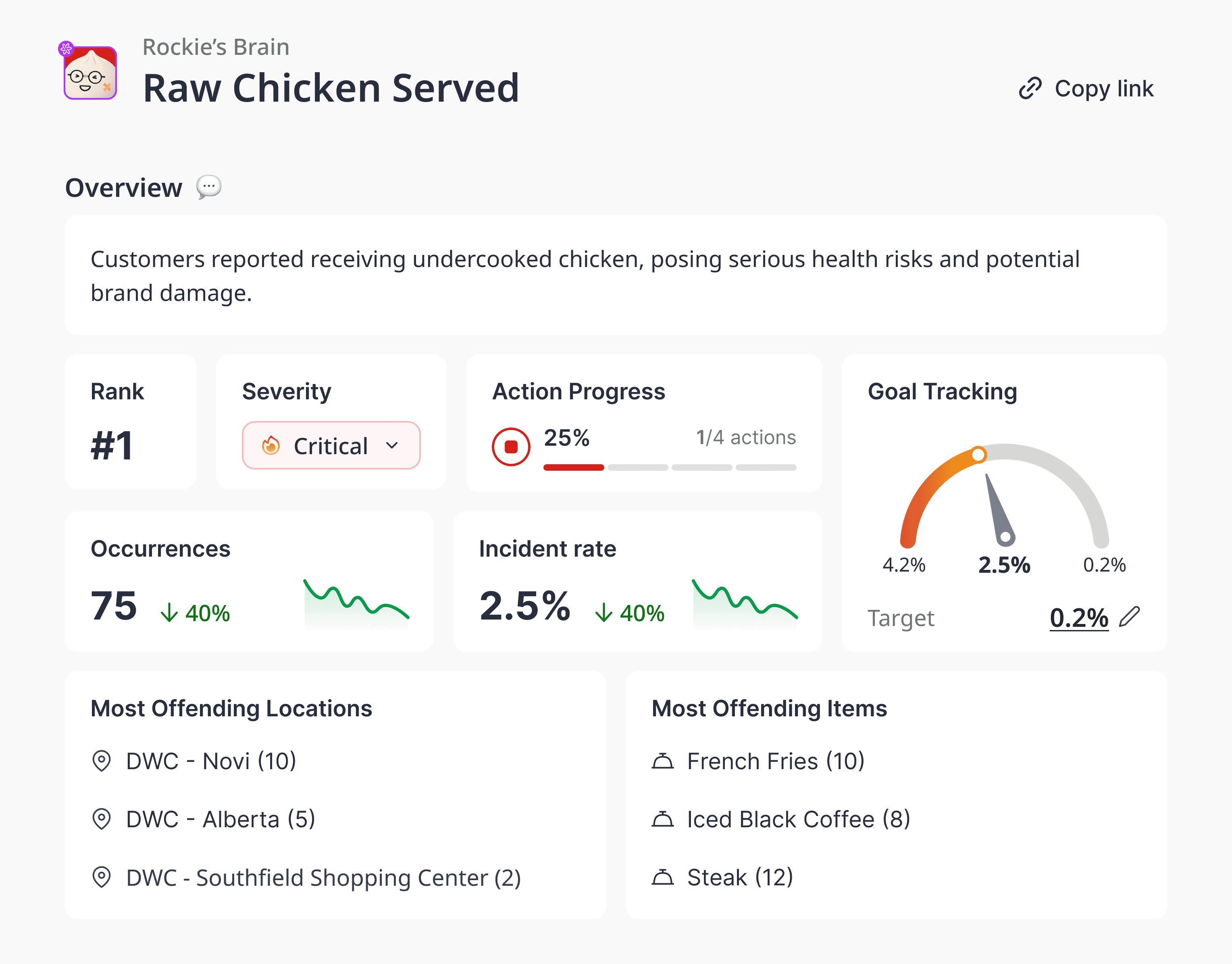
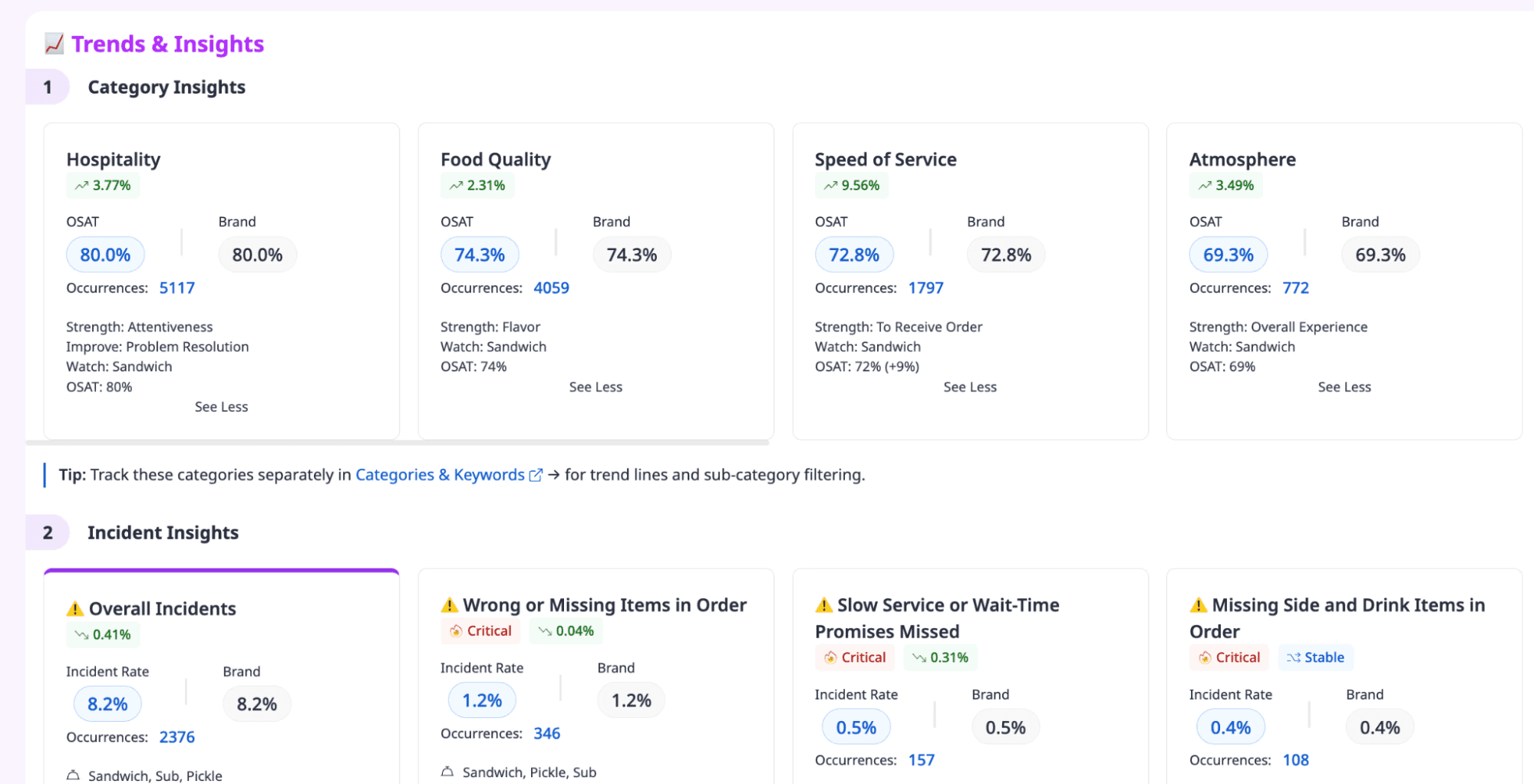
Finally, Momos gives you a dashboard that shows you the operational excellence across every store. Dive as deep as you want. In the Analytics section, you can view:
What drives positive and negative reviews
Where incidents happen most
How often they happen
How customer satisfaction shifts over time
For example, this view shows a demo restaurant's OSAT broken down by category, alongside the major incidents at each location.
With these insights, you can:
Fix issues before they spread across locations
Build better strategies to improve guest experience, keep customers happy, and grow revenue
Give your Marketing team the direction to tailor campaigns that earn loyalty
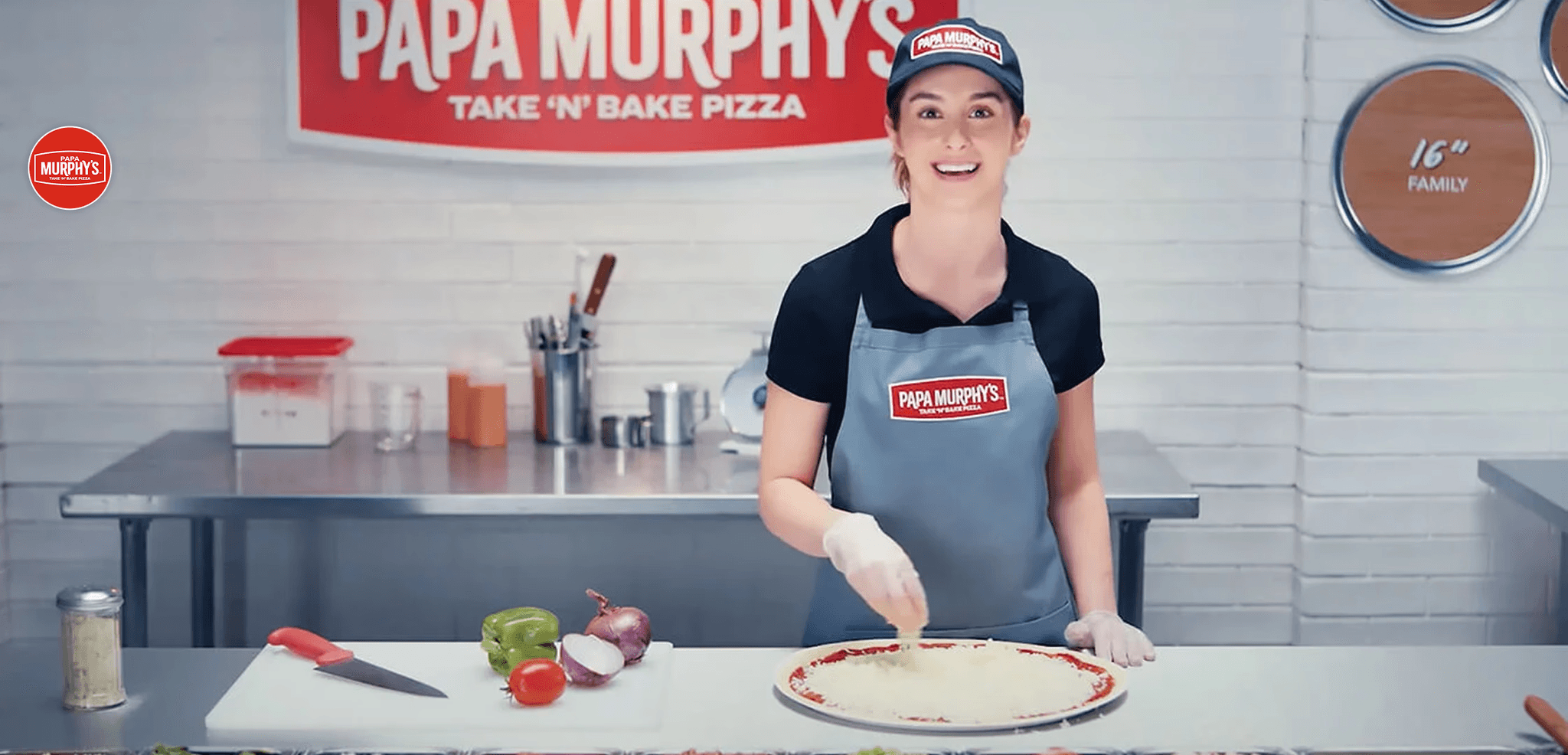
Papa Murphy's, one of the largest take-and-bake pizza chains in North America, wants to keep track of customer sentiment across their massive franchise network. With Momos, they successfully centralized review monitoring across every location — surfacing patterns, flagging underperforming stores, and enabling managers to respond faster than ever before.

2. ReviewTrackers
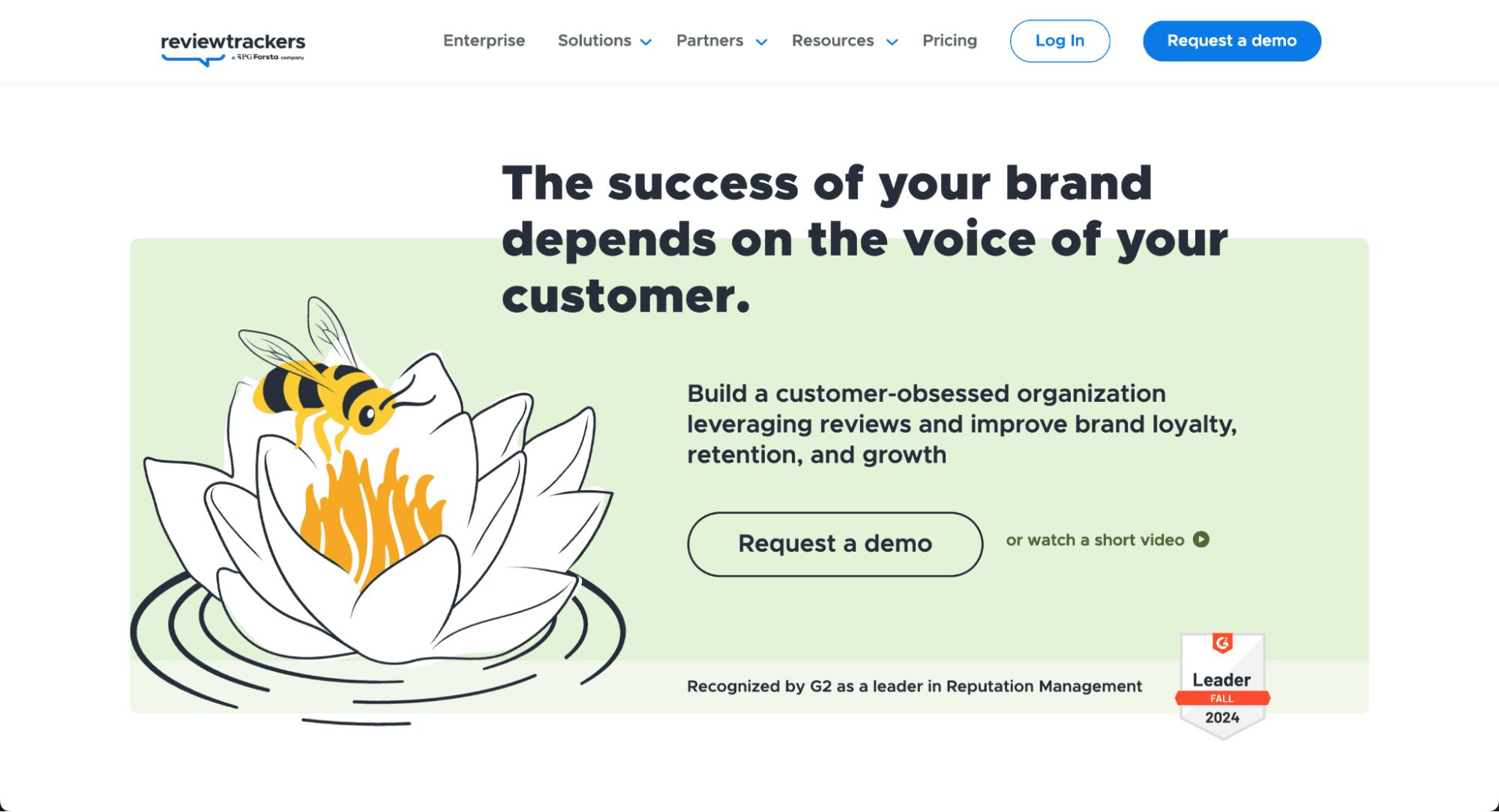
ReviewTrackers is a reputation management platform designed to help multi-location businesses monitor, manage, and improve their online reputation at scale. It brings reviews from multiple locations and platforms into a centralized dashboard.
What you can do: Monitor reviews across locations, analyze customer sentiment and trends, automate review requests, and respond to feedback directly from one platform. Teams can also use response templates to handle reviews more efficiently.
Why it stands out: ReviewTrackers works particularly well for multi-location brands, serving not just restaurants but also industries such as healthcare, automotive, home services, etc.
Best for: Multi-location businesses and operations teams that need a centralized way to manage reviews
Pricing: Plans start at $89/month when billed annually.
3. Chatmeter
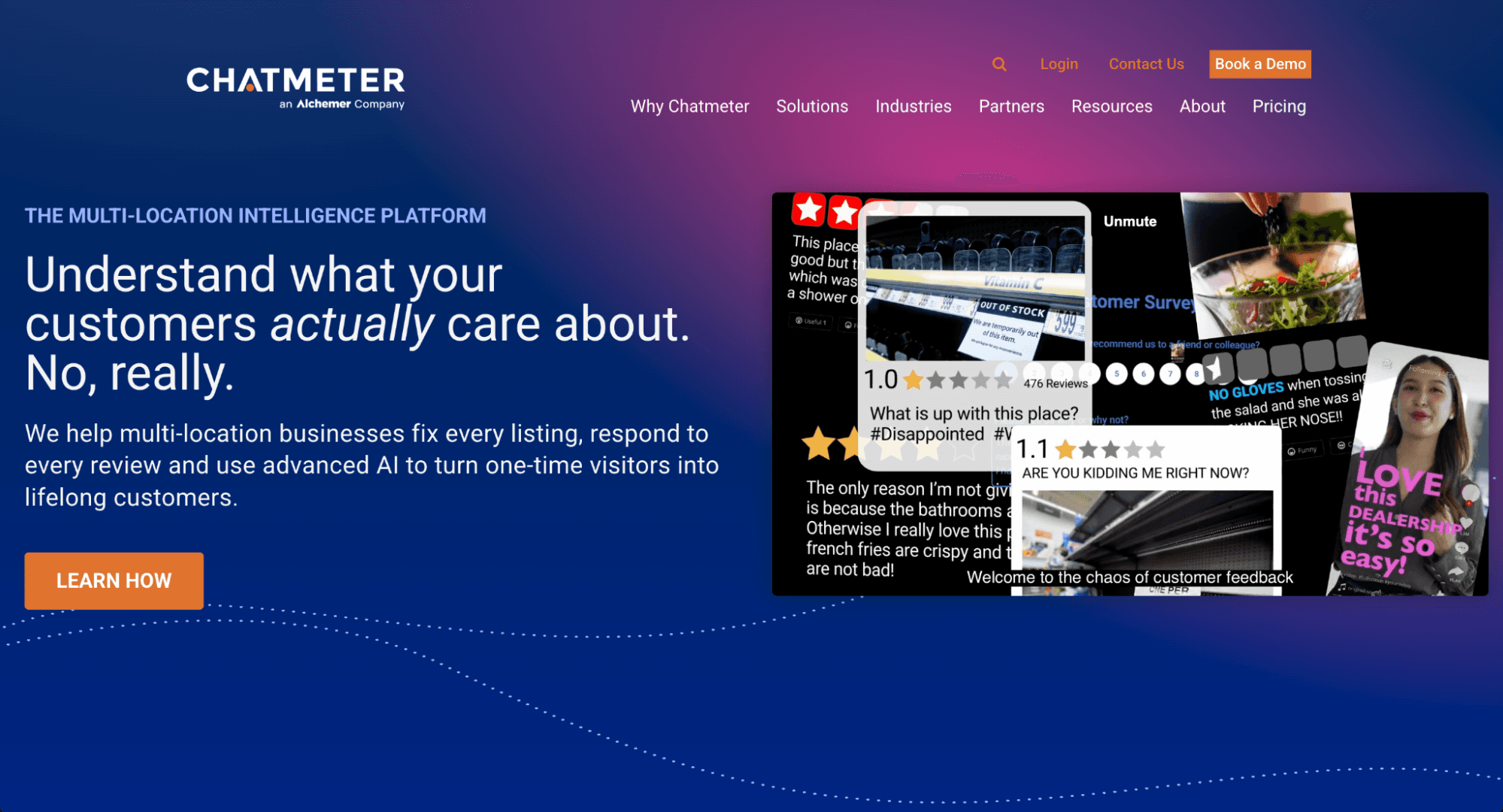
Chatmeter is an AI-powered brand intelligence and reputation management platform built for multi-location businesses. It has review management, sentiment analysis, listings management, local SEO, and reporting features.
A notable case study from Chatmeter is A&W, who increased its Google Page-1 appearances by 15%, click-to-call actions by 13%, and Yelp Page-1 appearances by 12% after four months.
What you can do: Monitor and respond to reviews across locations, analyze customer sentiment with Chatmeter’s AI-powered Pulse.
Why it stands out: Chatmeter goes beyond basic review monitoring by connecting reputation data with local SEO, listings, and customer experience insights. This makes it particularly useful for enterprise brands that need to understand what customers are saying and turn those insights into action across hundreds or thousands of locations.
Pricing: Not publicly listed. Contact Chatmeter for current pricing.
Read More: The Importance of Restaurant Intelligence
4. Superorder
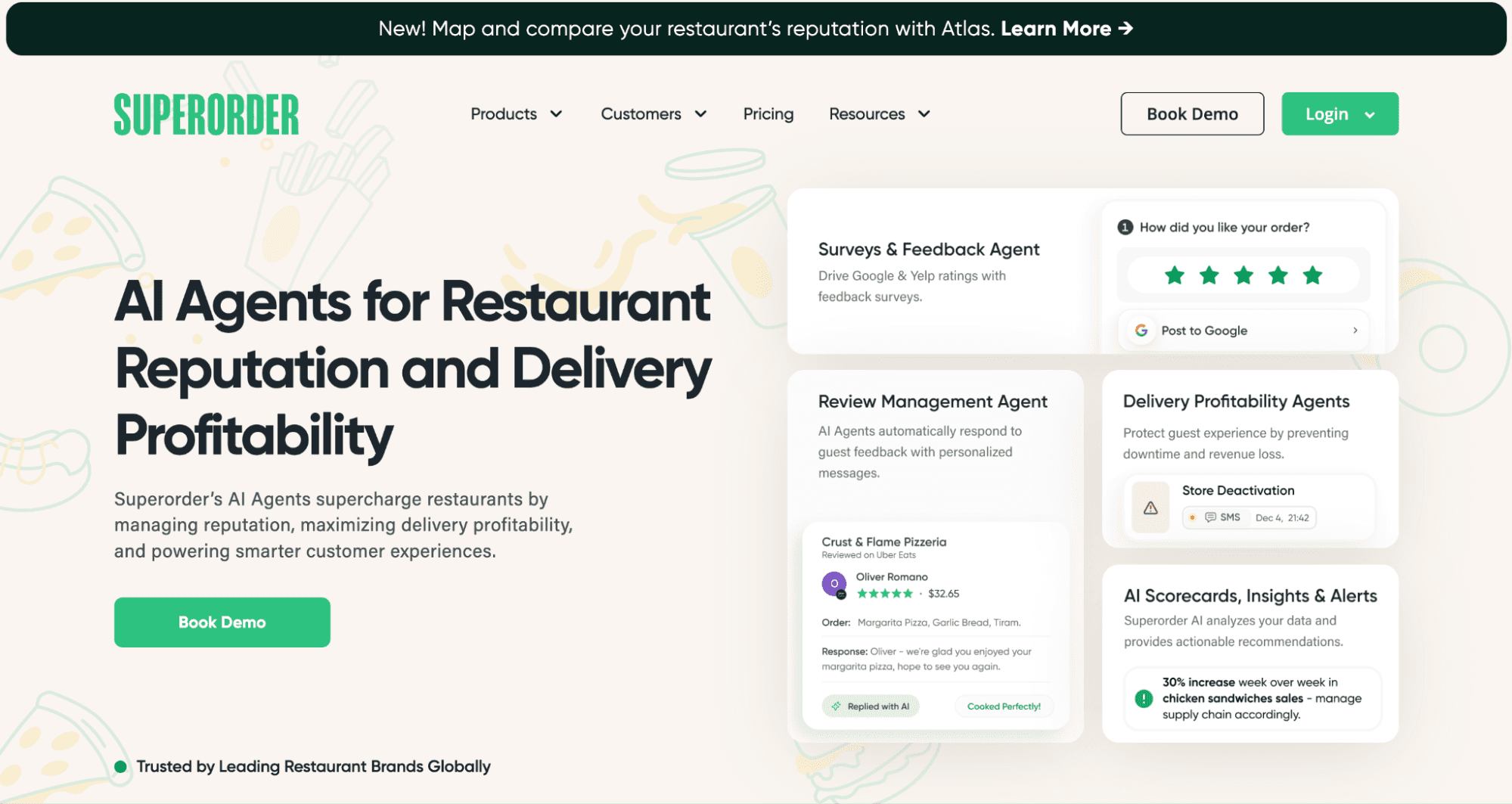
Superorder is a restaurant reputation management software with a suite of AI agents that automate and personalize every review response.
What you can do: Bring online ordering, guest profiles, and feedback-driven engagement into one platform. Superorder allows you to capture first-party data from every order and use survey-based feedback flows to address negative experiences before they go public. You can even get personalized AI-assisted replies plus real-time alerts via prompts and SMS nudges.
Why it stands out: Its feedback workflows resolve issues privately and quickly.
Best for: Operators with meaningful delivery volume who want more control over guest relationships and feedback, without needing a full customer service or marketing suite.
Pricing: Not published. Contact Superorder for a custom quote.
Read More: How Replying To Reviews Can Increase Restaurant Revenue?
5. Tattle
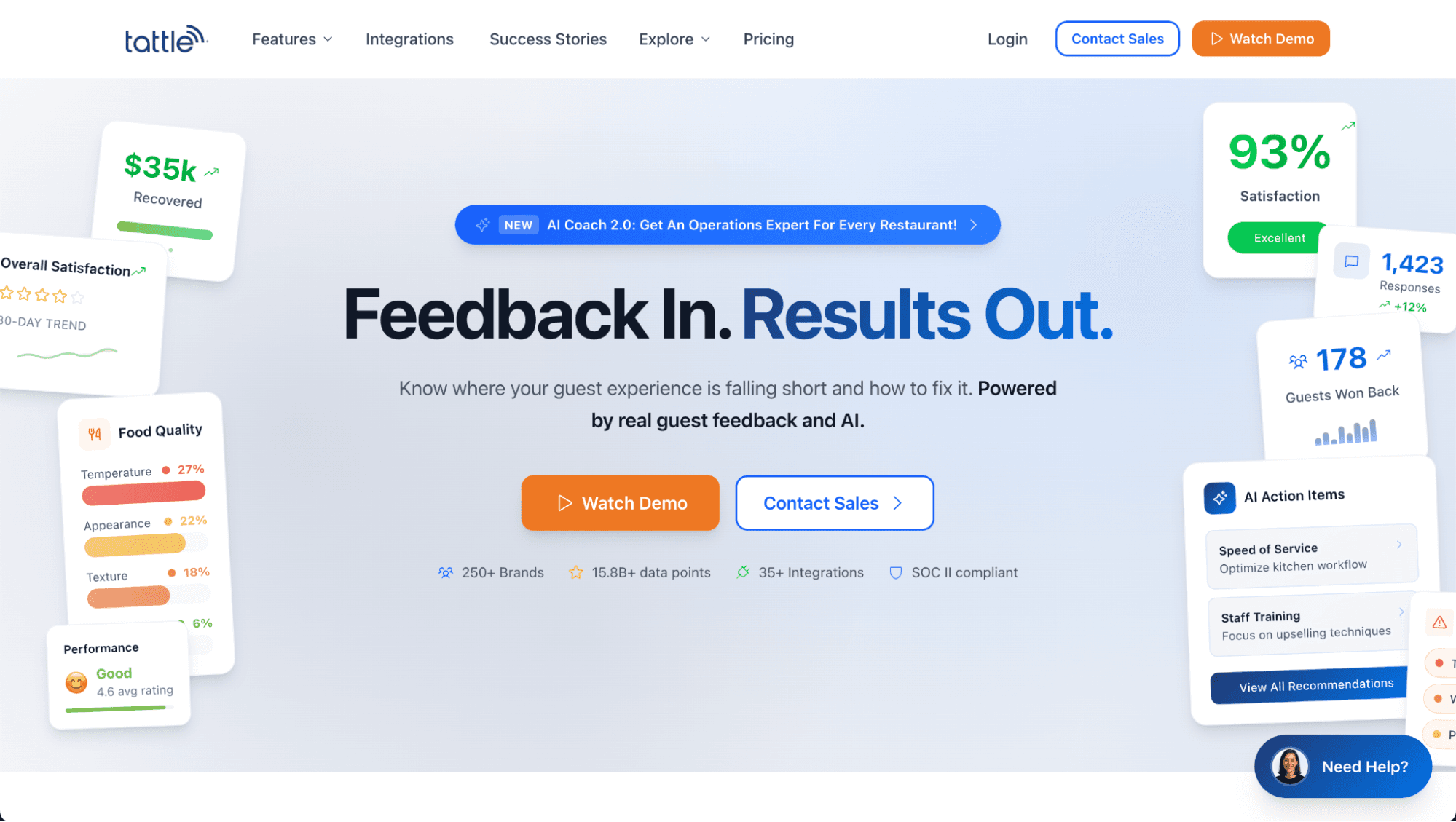
Tattle is a customer feedback and reputation management platform aimed mainly at restaurants and hospitality businesses. It helps these brands centralize reviews from many sites and turn that feedback into insights that operators can act on.
What you can do with Tattle:
See all your customer reviews from Google, Yelp, delivery sites, etc. in one place
Reply to reviews quickly from the Tattle dashboard without logging into many different sites.
Collect private feedback from guests through surveys sent after transactions.
Use AI suggestions to help categorize sentiment and highlight areas to improve.
Track trends over time or compare locations.
Why Tattle stands out: Tattle saves your time by showing all comments and ratings in one dashboard and helps teams spot patterns and problems without checking 10+ review sites. It also links feedback directly to operational areas (like speed or accuracy) so your teams know what to fix first.
Who it’s best for: Restaurants who want clear visibility into feedback and easier ways to respond to customers.
Pricing: Tattle’s pricing isn’t publicly shown, you have to contact the company for a quote.
6. Qualtrics
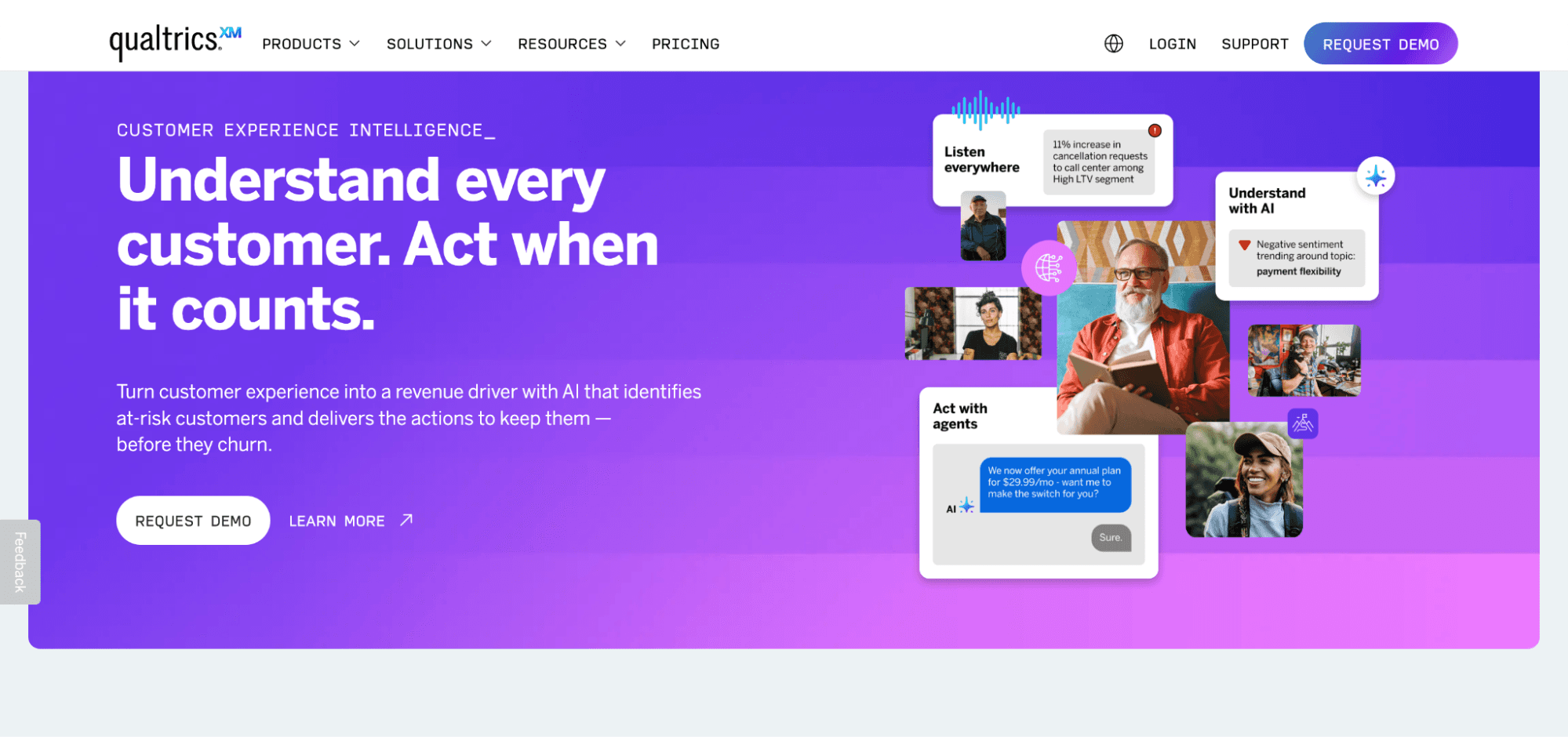
Qualtrics is a customer experience and feedback management platform that helps businesses listen to and act on feedback from their customers or employees. Qualtrics calls what it does Experience Management (XM).
What you can do with Qualtrics:
You can gather feedback through surveys, website and app behavior, chat, social media, phone calls, online reviews, and more, all in one place.
Qualtrics uses AI and advanced analytics to understand sentiment (positive/negative feelings), trends, and what drives customer experience.
Results are shown in dashboards and visual reports so teams can easily spot problems and opportunities.
You can set up alerts and workflows so certain feedback triggers notifications or follow-up steps automatically.
Qualtrics connects with CRM systems, contact-center tools, and other business software so insights become part of your workflow.
Why Qualtrics stands out: Qualtrics is investing in AI-powered experience tools to make it easier to get insights and recommended actions.
Who it’s best for: Qualtrics is typically used for large companies, teams doing customer experience, product, HR, and operations.
Pricing: Qualtrics doesn’t publicly list detailed pricing for most of its enterprise plans, you need to contact sales for a quote.
7. Marqii
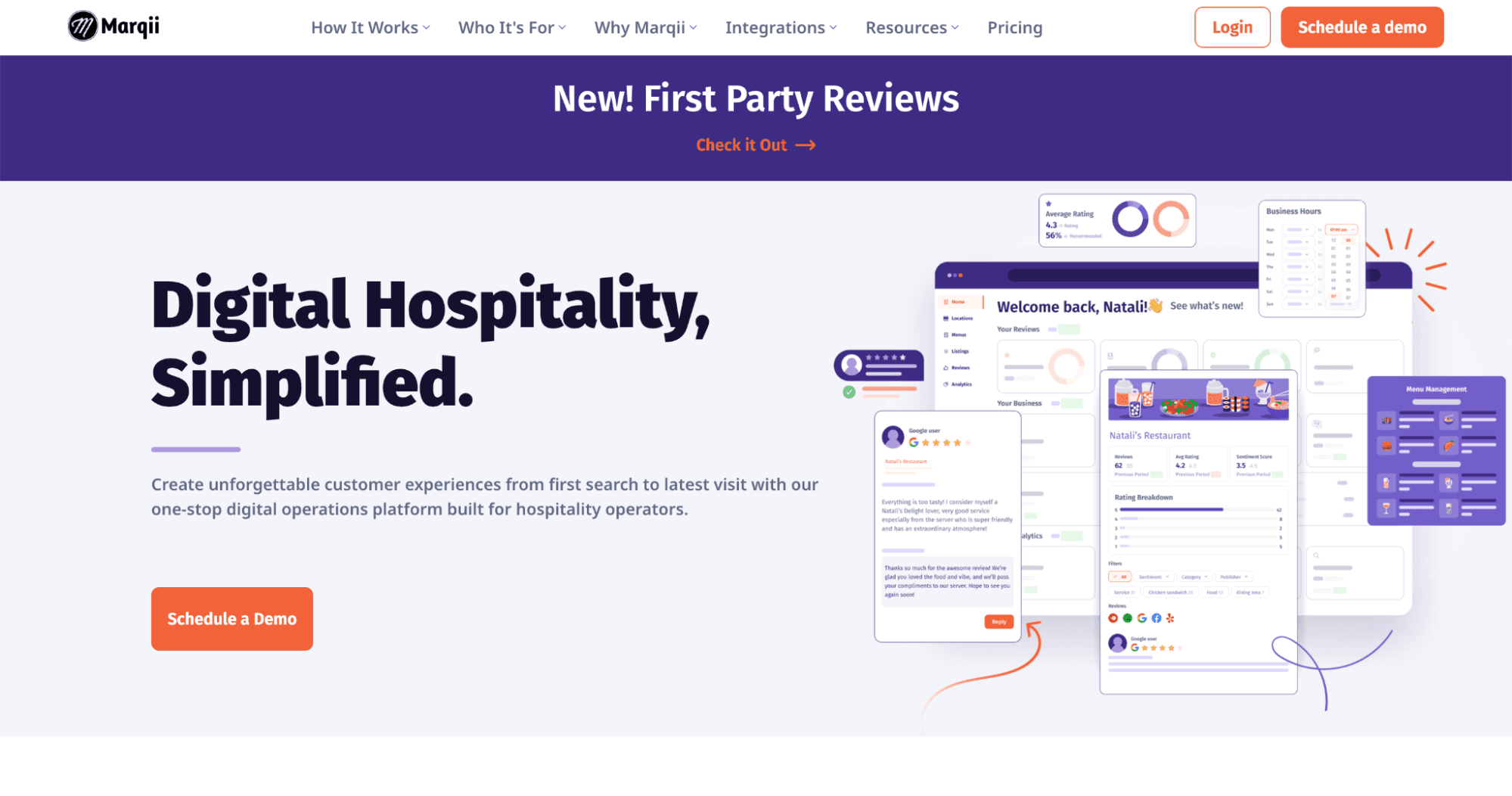
Marqii is a digital operations platform built mainly for restaurants and hospitality businesses to help them manage their online presence, guest feedback, search visibility, and menus from one central place.
It’s designed so operators don’t have to jump between multiple apps and platforms to keep listings and reviews up-to-date.
What you can do with Marquii:
See and respond to reviews from Google, Yelp, Facebook, OpenTable, Uber Eats, GrubHub, ezCater, and more without logging into each site separately.
When you change menus in your POS, Marqii can automatically update them across search and review sites. This really saves a lot of time and effort.
Keep your business hours, photos, special offers, and contact info accurate everywhere online, which helps search visibility.
Marqii can generate suggested reply drafts to reviews quickly, which saves your time on responses.
Marqii now lets teams create and schedule posts to Facebook and manage Google Business Profile updates in one place, with analytics for social performance.
Why Marqii stands out: Marqii aims to be a one-stop platform for digital hospitality needs, combining reputation management, menu and listing updates, SEO optimization, social content, and guest feedback all in one place.
It’s best for: Marqii is well suited for multi-location restaurants and hospitality brands
8. Reputation
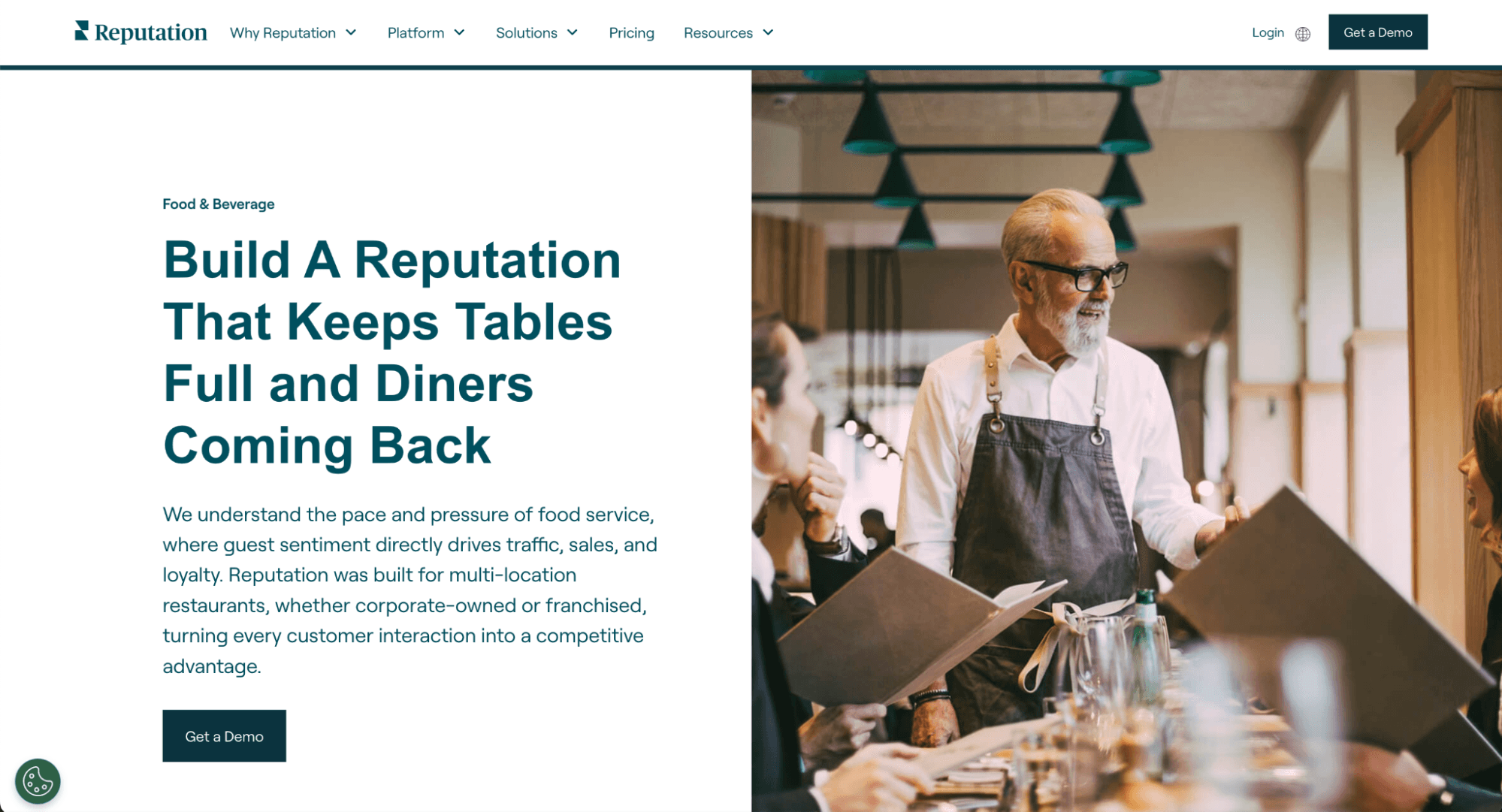
Reputation.com is a multi-location reputation and customer experience management platform designed to help brands collect and act on customer feedback at scale.
It brings together reviews, surveys, listings, and social data into a single system so your businesses can improve both online perception and real-world customer experience.
What you can do with Reputation.com:
Reputation.com enables brands to monitor and respond to reviews across major platforms like Google, Yelp, Facebook, and TripAdvisor from one dashboard, so no more tab-switching.
They also have sentiment and text analytics that transform large volumes of unstructured feedback into actionable insights around service quality, staff behavior, cleanliness, etc.
The platform supports automated review requests, alerts for negative feedback, and configurable workflows to ensure issues are routed to the right teams quickly.
Why Reputation stands out: Reputation positions themselves as “a business’ eyes and ears” in the spaces where customers talk, post, review, and recommend. Reputation AI-powered product stack analyzes vast amounts of public and private feedback data to uncover predictive insights for companies to act on and improve their online reputations.
It’s best for: I find Reputation’s customer portfolio to consist primarily of Healthcare companies, and their product is designed specifically to serve customers in that niche. There are many F&B, Automotive, and Real Estate companies listed too.
Pricing: Reputation does not publish their pricing information. You have to contact Reputation to obtain current pricing.
How Much Do These Reputation Management Software Cost?
Here are the pricing of the tools we've reviewed above. You can contact each vendor for more updated information.
Momos: No public price list. Pricing is quote-based, so you book a demo to get a number. Third-party listings put it in the low hundreds per month for small teams, scaling by locations and users, with custom enterprise deals.
ReviewTrackers: Per location, per month, billed yearly. Entry pricing is listed at $89 per location per month. Other sources report $120 per location/month, dropping to $100 for 3+ locations, plus a one-time $100 setup fee. A 10-location brand usually lands in the $500 to $1,000/month range.
Chatmeter: No published price. Custom quote only, priced per location with unlimited users, and no free trial. Vendr transaction data suggests roughly $16,000 to $42,000 per year.
Superorder: No published price. Store-based pricing with a 30-day money-back guarantee, billed on the first of each month. You need a demo for a quote.
Tattle: Plans start at $59 per location per month, with a public pricing calculator on their site. They only recommend the platform for brands with 10 or more locations.
Qualtrics: Enterprise pricing, quote only. Verified contract data shows a median of about $30,000 per year, with deals ranging from roughly $6,880 to $139,920. CoreXM alone usually runs $25,000 to $50,000 per year for smaller enterprise teams.
Marqii: Public per-location pricing. As of July 2026: $90/month per location (Base), $145/month (Pro, adds review management), and $180/month (Full Suite, adds social and first-party reviews), all billed per location on an annual contract. Groups with 5+ locations get custom pricing, and done-for-you review responses cost $100/month (50 reviews) up to $375/month (500 reviews).
Reputation: Published at $80 to $150 per location per month, with custom enterprise terms above 125 locations. The entry plan is Rep Core at $80 per location per month.
Does Managing Reviews Improve Restaurant Revenue?
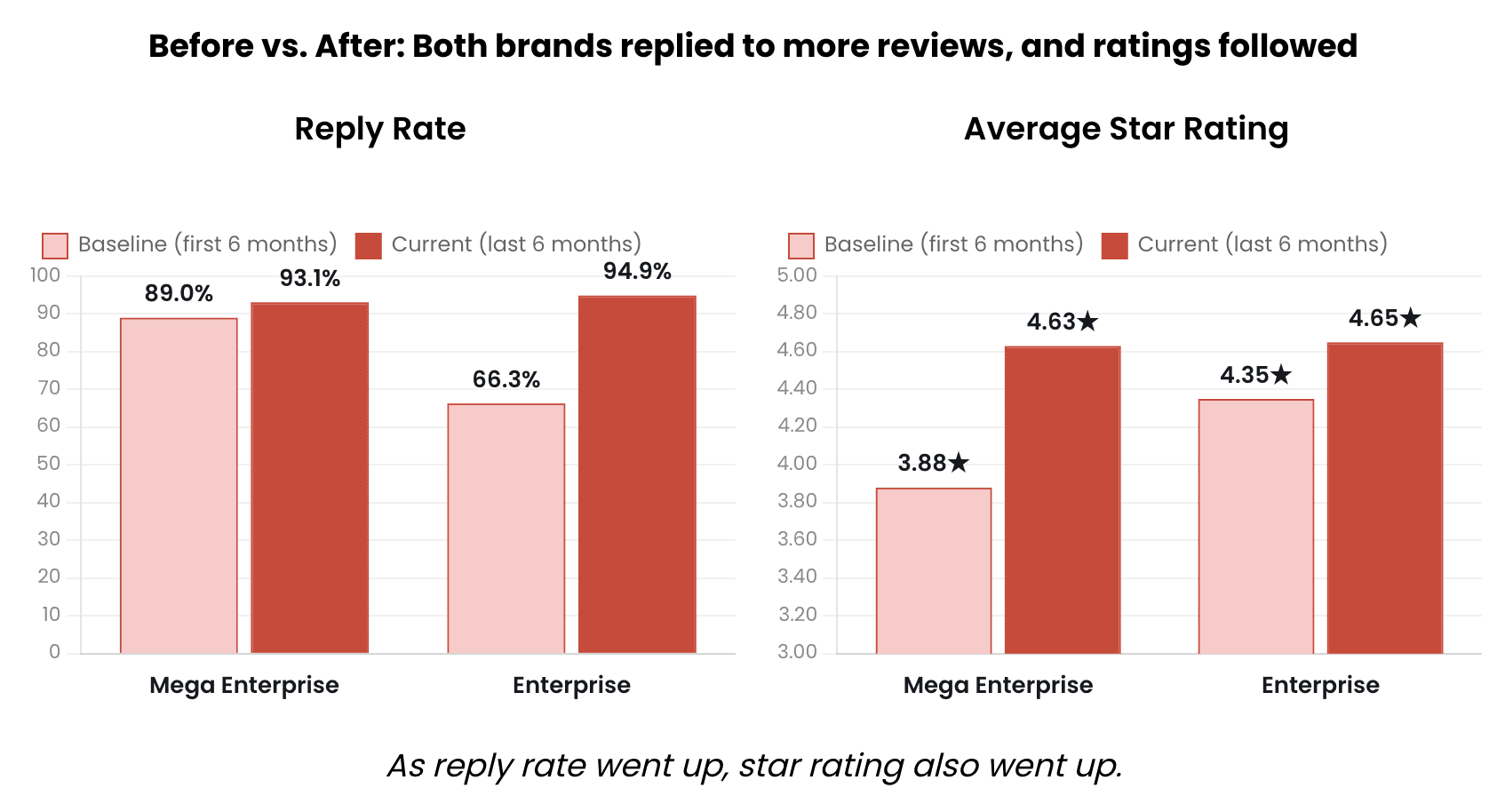
Absolutely. In fact, Momos published an article on how replying to more reviews can lead to an increase in review score, and ultimately revenue.
You can read it here: How Does Review Reply Rate Impact Your Restaurant Revenue?
Put simply:
Reply to more reviews → better star rating: If you consistently respond to reviews, there will be a decent increase in the restaurant’s average Google rating.
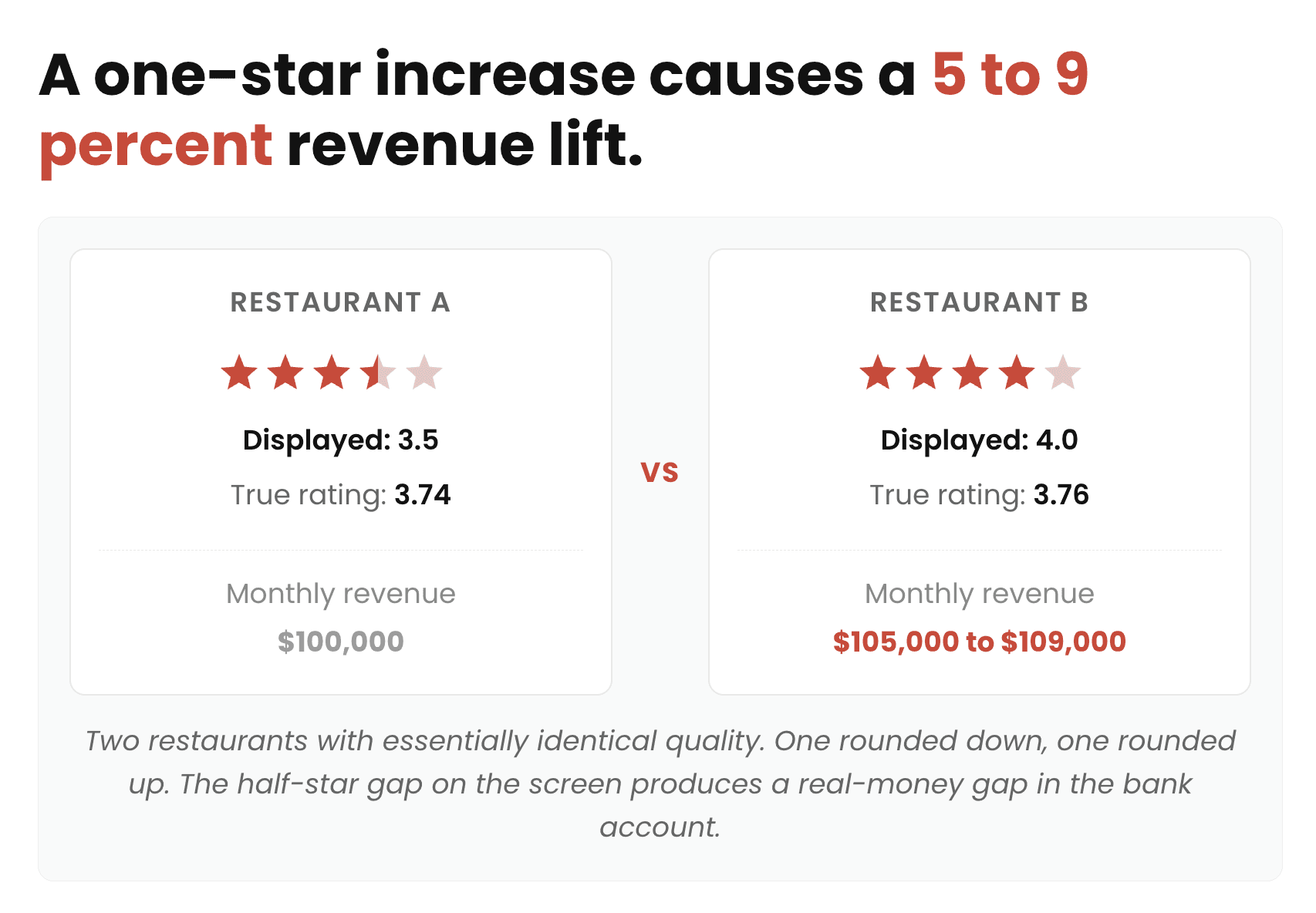
Better rating → more customers/revenue: Higher visible ratings make customers more likely to choose the restaurant. Michael Luca’s Harvard study found that a 1-star increase → roughly 5–9% higher revenue.
So the business loop is:
→ Reply to reviews
→ improve guest perception + rating
→ attract more customers
→ increase revenue.
What Should Restaurant Reputation Management Software Tell You?
Restaurant reputation management software should help you understand what customers think about your brand and where you can improve the guest experience.
Depending on the tool, you should be able to track:
Online ratings and review volume
Review sentiment and common customer complaints
Positive and negative feedback trends
Reputation performance across locations
Performance across review platforms
Response rates and response times
Changes in ratings over time
Customer feedback by location, service area, or category
At a minimum, your reputation analytics should help you answer questions like:
Which locations have the best and worst ratings?
What are customers praising most?
What complaints appear most often?
Are ratings improving or declining over time?
Which locations need immediate attention?
How quickly are teams responding to negative reviews?
Which issues are affecting customer satisfaction?
How does our reputation compare across locations and competitors?
How To Choose Restaurant Reputation Management Software?
Start by identifying where your restaurant receives customer feedback and what you want to improve. Some platforms focus primarily on review monitoring, while others combine reviews with surveys, social media, customer feedback, and broader guest experience analytics.
When comparing your options, consider:
Review coverage: Make sure the software monitors the review sites and platforms that matter to your restaurant.
Sentiment analysis: Look for tools that can identify common themes and trends across large volumes of feedback.
Multi-location management: Restaurant groups should be able to monitor and compare locations from one dashboard.
Review response tools: Check whether teams can respond to reviews efficiently from one place.
Alerts: Real-time notifications can help managers respond quickly to negative feedback.
Reporting: Look for customizable reports that show ratings, sentiment, review volume, and trends.
Integrations: Check whether it connects with your POS, surveys, CRM, and other customer data sources.
Automation: Automated workflows can reduce the amount of manual reputation management work.
Ease of use: Managers should be able to quickly understand what is happening and what needs attention.
Pricing: Compare pricing based on locations, users, review volume, and available features.
How Much Does Restaurant Reputation Management Software Cost?
Restaurant reputation management software can range from free tools to several hundred dollars per month, depending on the number of locations, review volume, features, and integrations.
Some platforms offer basic review monitoring and response features at a low monthly cost. More comprehensive platforms combine review management with surveys, sentiment analysis, customer insights, reporting, and multi-location management.
In general, expect to pay:
Free: Basic review monitoring or limited reputation management features
$30 to $100/month: Basic review monitoring, alerts, and response management
$100 to $300/month: Review analytics, sentiment analysis, automation, and reporting
$300+/month: Comprehensive multi-location reputation and guest experience management
Enterprise: Custom pricing based on locations, users, review volume, integrations, and data requirements
When comparing prices, look beyond the monthly subscription. Additional locations, review volume, premium analytics, integrations, onboarding, and advanced automation can all affect the total cost.
For larger restaurant groups, it is also worth considering the potential value of improving ratings, responding to customer issues faster, and identifying recurring problems across locations.
Integrations Technical Checklist For Feedback Management Software
Before purchasing, make sure the platform integrates with your existing tech stack:
AI built for hospitality: Does the platform use AI specifically designed for restaurant groups? For review automation, look for an AI solution built specifically for restaurants.
POS system: Can it receive transaction-close signals to trigger review requests? Native integrations with Toast, Square, and Lightspeed can eliminate the need for middleware.
Reservation system: Does it integrate with OpenTable, SevenRooms, or Resy? These integrations can trigger personalized post-visit review requests and improve conversion.
Loyalty / CRM: Can you include review requests in post-visit loyalty or reward emails? Confirm that the platform connects with your existing CRM or loyalty system.
Multi-location controls: Can corporate teams set response templates and brand guidelines while allowing individual locations to manage their reviews?
API access: Does the platform offer API access for pulling review data into BI tools such as Tableau or Looker?
Benchmark Metrics After Deployment
You should track these metrics after implementation to measure whether the platform is improving your restaurant's reputation and review performance:
Review volume: Track the number of new reviews generated per location each month.
Review conversion rate: Measure the percentage of review requests that result in a submitted review.
Average rating: Monitor changes in Google, Yelp, Tripadvisor, and other key review platforms.
Response rate: Track the percentage of reviews receiving a response, especially negative reviews.
Response time: Measure how quickly your team responds to new reviews.
Sentiment: Monitor changes in positive, neutral, and negative customer sentiment.
Negative review rate: Track the share of new reviews that are negative and whether it decreases over time.
Location performance: Compare review volume, ratings, and sentiment across individual locations to identify underperforming restaurants.
 AI agents automate all guest interactions, 24/7, across all locations of your restaurant.


" transform="translate(3.219 19.212)" width="152.45224485148515px"/><path d="M 0 11.619 C 7.071 11.39 33.491 21.738 40.35 21.268 C 38.499 18.19 37.116 14.915 35.507 11.625 C 33.7 7.867 32.587 3.926 31.702 0" fill="transparent" height="21.28391189647101px" id="I9fuJaf7q" stroke-dasharray="" stroke-linecap="round" stroke-linejoin="round" stroke-width="4.97" stroke="rgb(0, 0, 0)" transform="translate(139.727 55.754)" width="40.34950693069311px"/></svg>)