Customer Service
John Lim
Mar 9, 2026
The New Unified Inbox 3.0: How It Helps Operators to Be Effective at Every Location

When operators are managing a high volume of guest interactions, clarity matters as much as speed. Over time, we’ve heard teams and operators that resolving tickets fast was just as important as finding the right context and information. But often, they were faced with too much on screen, resulting in important customer details being buried under many tabs.
Unified Inbox 3.0 is built from those feedback points. It’s a cleaner, faster, and more focused way to manage every guest interaction so operators can resolve issues faster, stay organized during peak hours, and deliver better guest experiences across locations.
Prefer jumping straight to a guided tutorial? Here's a detailed walkthrough by our Product Manager, Fahim Kadhi.
Unified Inbox 3.0 Focuses on Efficiency and Simplicity
Before Unified Inbox 3.0, operators commonly faced:
Too much information competing for attention
Conversations that were hard to trace end-to-end
Customer context spread across multiple tabs
Slow loading speed
These challenges increase cognitive load and slow teams down, especially when response time directly impacts guest satisfaction and retention. Unified Inbox 3.0 simplifies this experience by bringing tickets, conversations, and customer context into one clear view.
Unified Inbox 2.0 vs 3.0: An Evolution for Busy Operators Everywhere
The Unified Inbox 2.0 helped centralize guest messages, but the Unified Inbox 3.0 builds on that foundation by making everyday workflows clearer and easier to act on.
Unified Inbox 2.0
Operators often switched between tickets, customer profiles, and tabs
Navigation could feel dense during peak hours
Important details required extra clicks to uncover
Unified Inbox 3.0
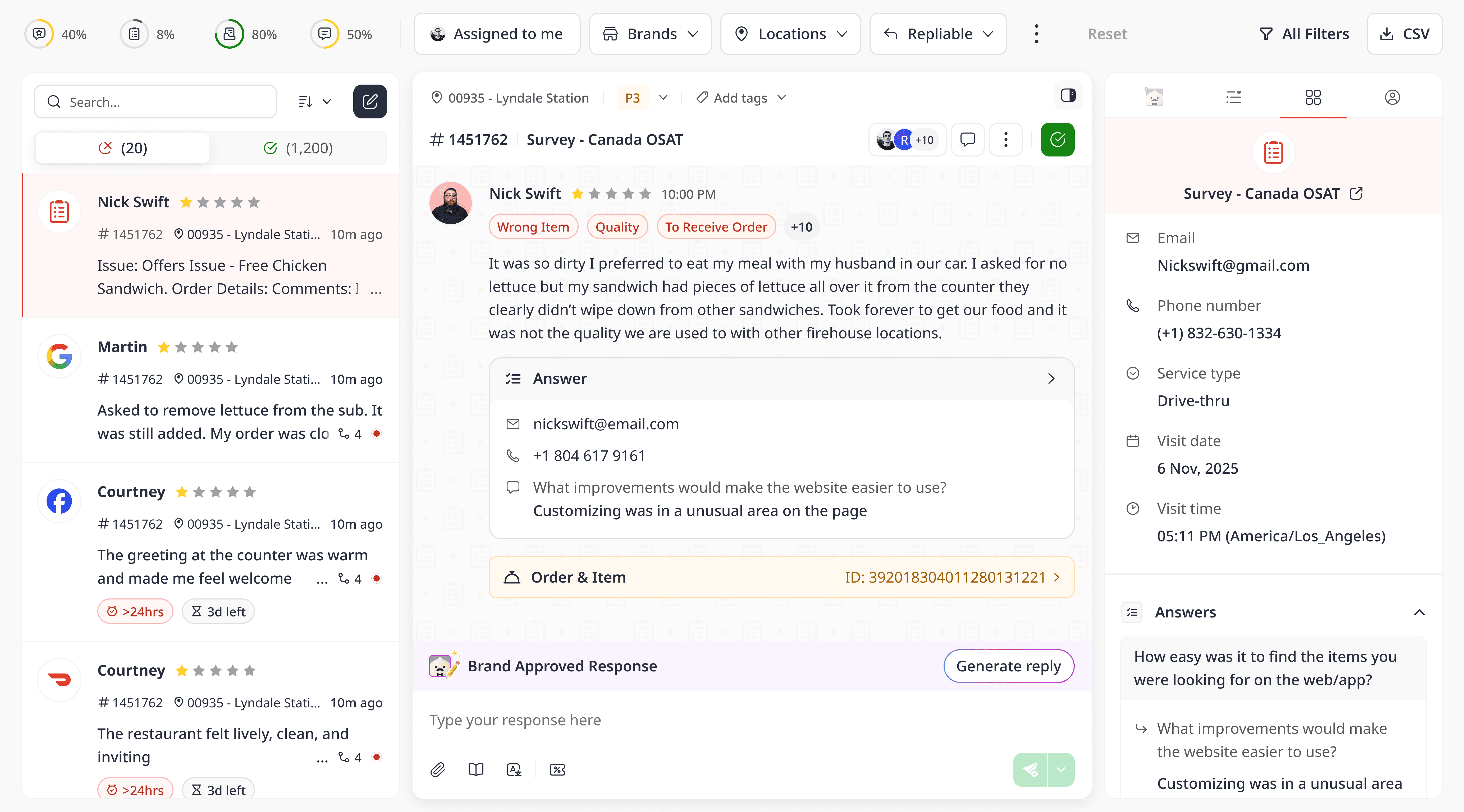
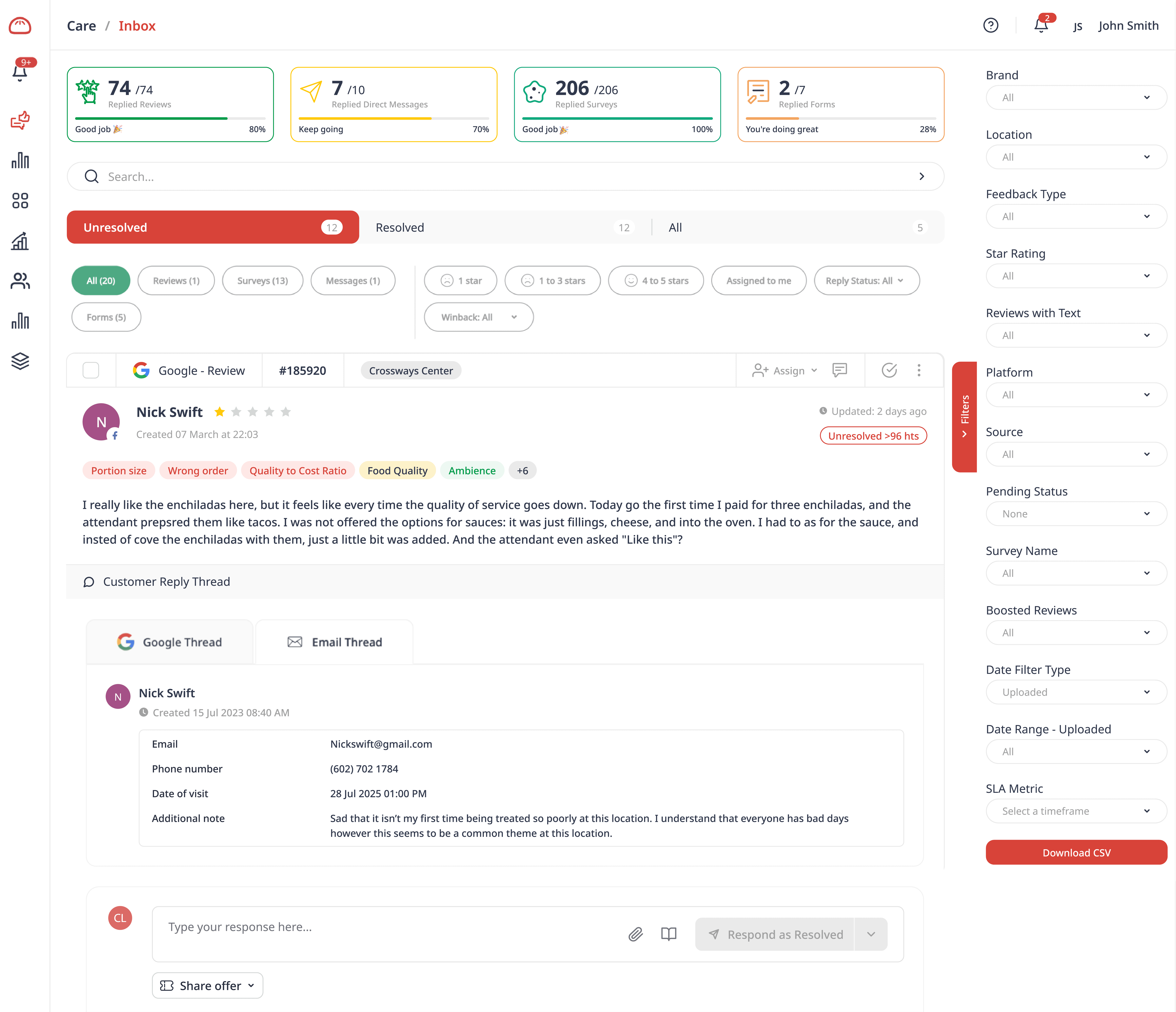
Tickets and customer information live together in one view
Conversations are easier to follow from start to finish
Key customer details are always visible
Result: Operators focus on addressing each guest interaction with every tool and information within reach, resulting in fewer mistakes without workflows they are already familiar with.
Unified Inbox 3.0 Is Made With Operators in Mind
Unified Inbox 3.0 was designed to support how operators actually work on the ground. Instead of forcing teams to adapt to a tool, the inbox adapts to real, everyday workflows, especially during peak hours. Here’s how the new experience delivers value where it matters most.
One Clear, Unified View
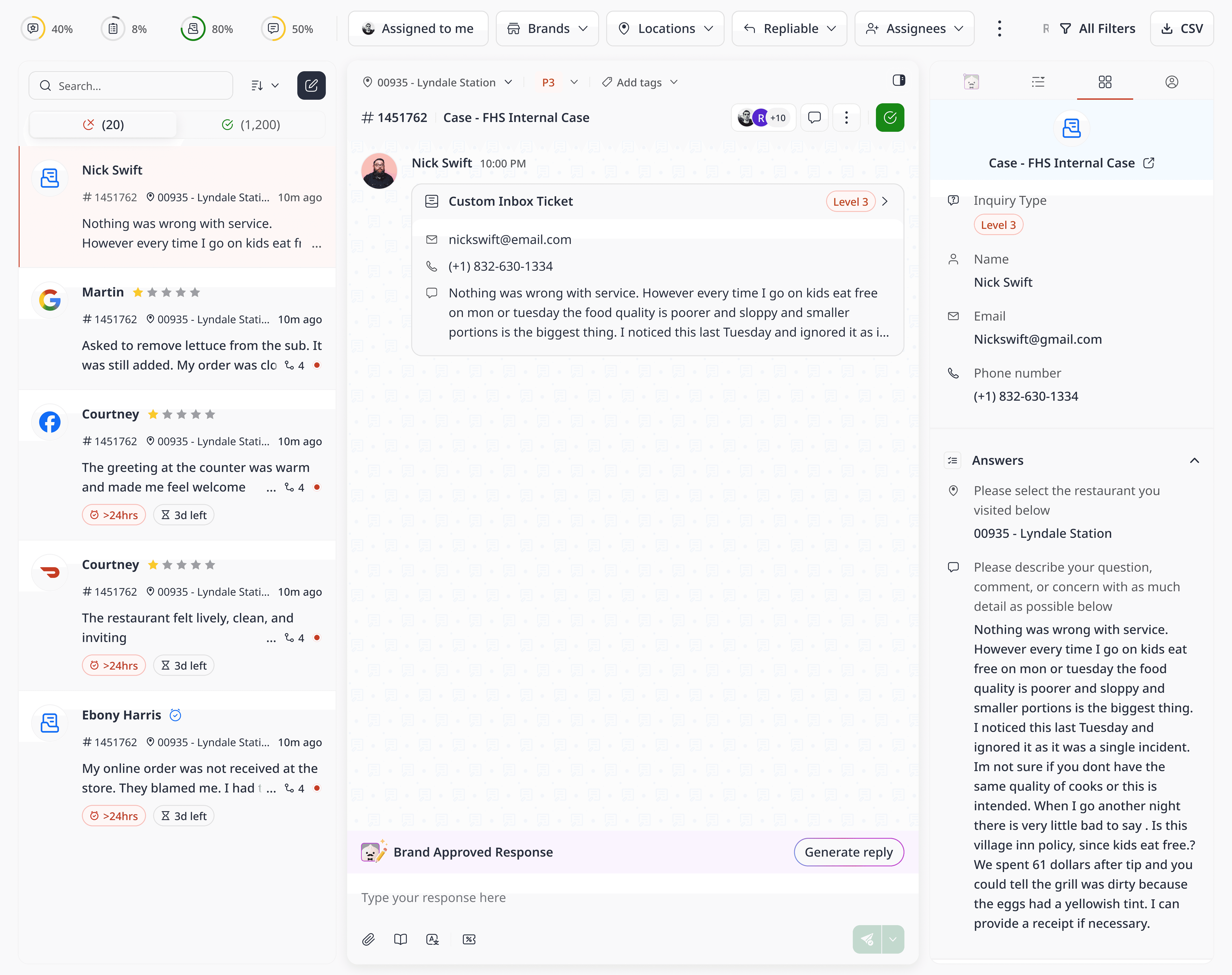
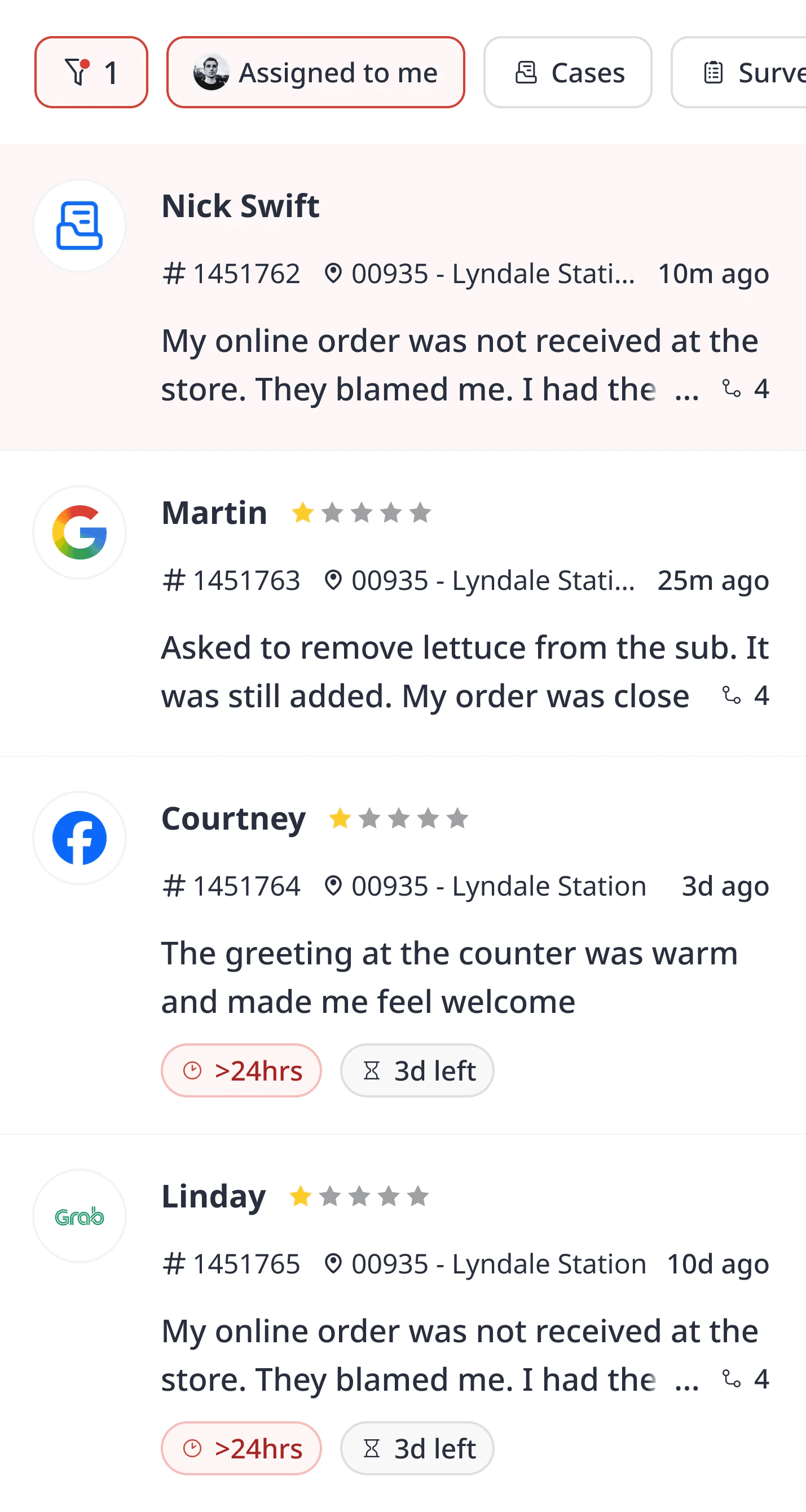
All guest interactions, from reviews to messages and surveys live in a single, streamlined feed. Operators can immediately see what needs attention without jumping between screens. This means less scanning and faster prioritization during busy periods.
Full Customer Context, Always Visible
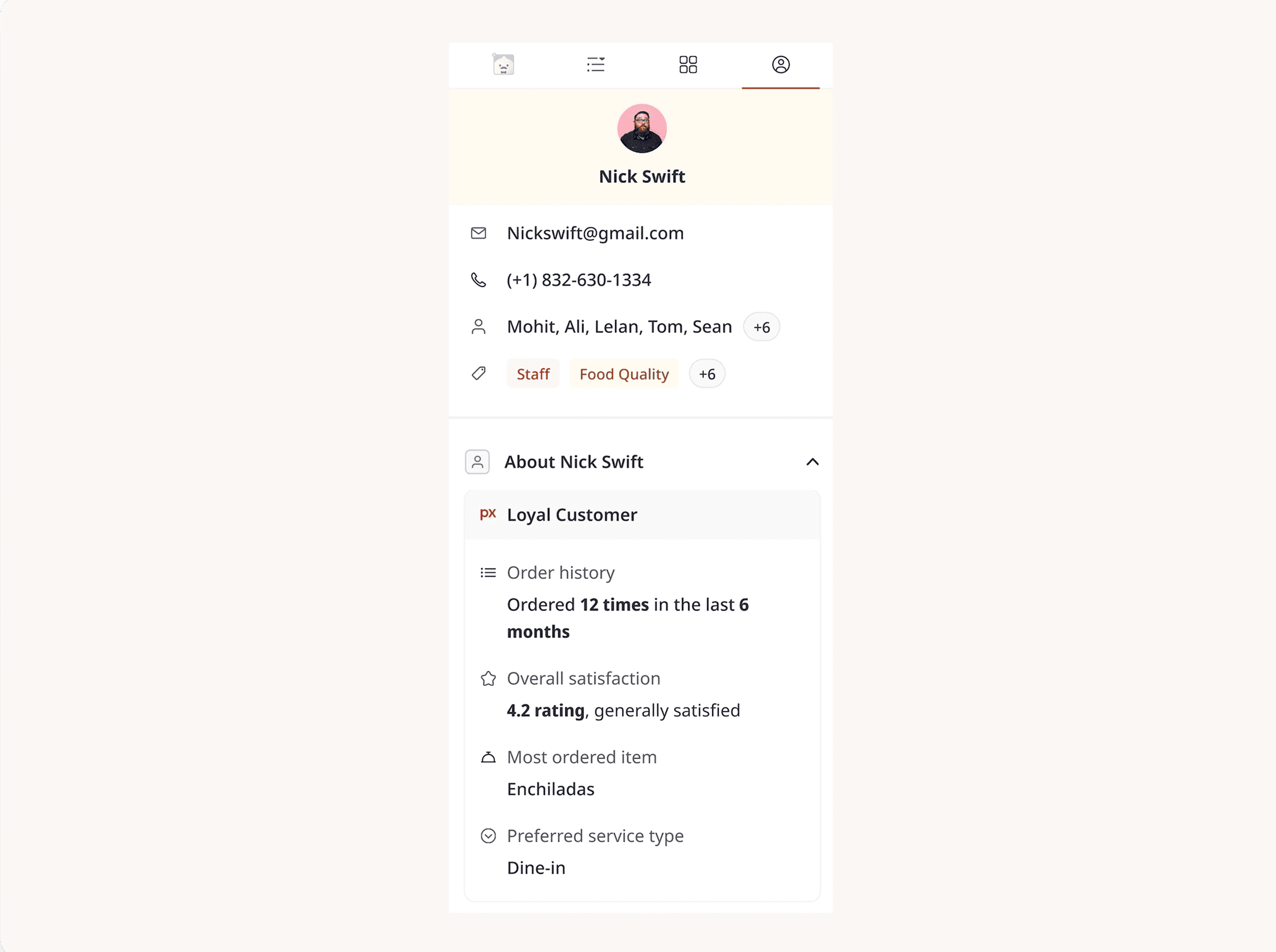
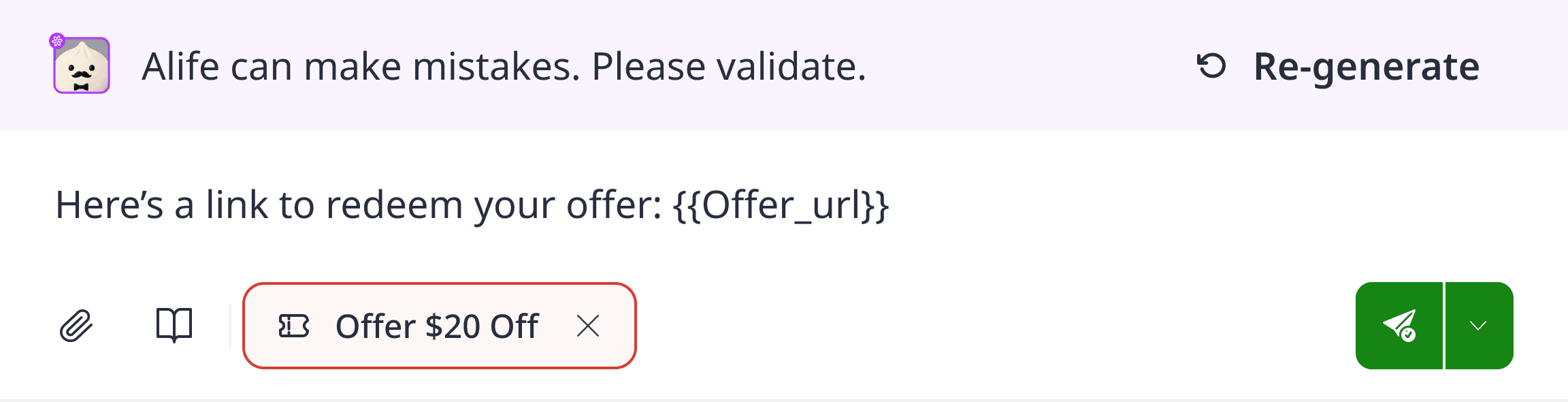
Every ticket opens with conversation history and customer details side by side curated by Alfie the AI Concierge, directly from the Customer Data Platform. Operators don’t need to hunt for context or open separate profiles to understand the issue or the customer in question.
Resolve Issues Without Breaking Focus
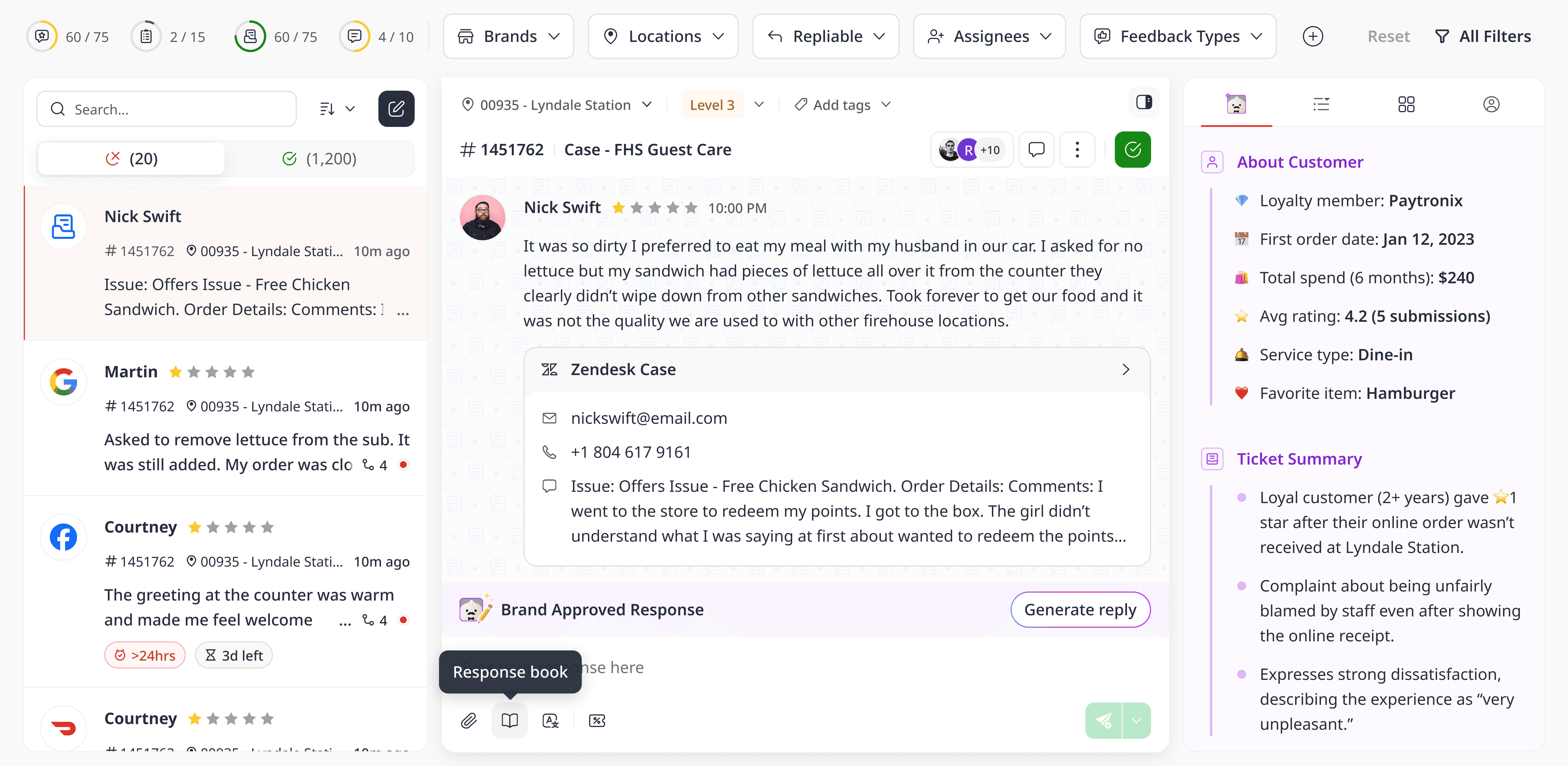
Replies and recovery workflows happen directly within the same view. With everything visible, operators can respond and resolve tickets in one continuous motion.
A Cleaner Interface That’s Easy to Use
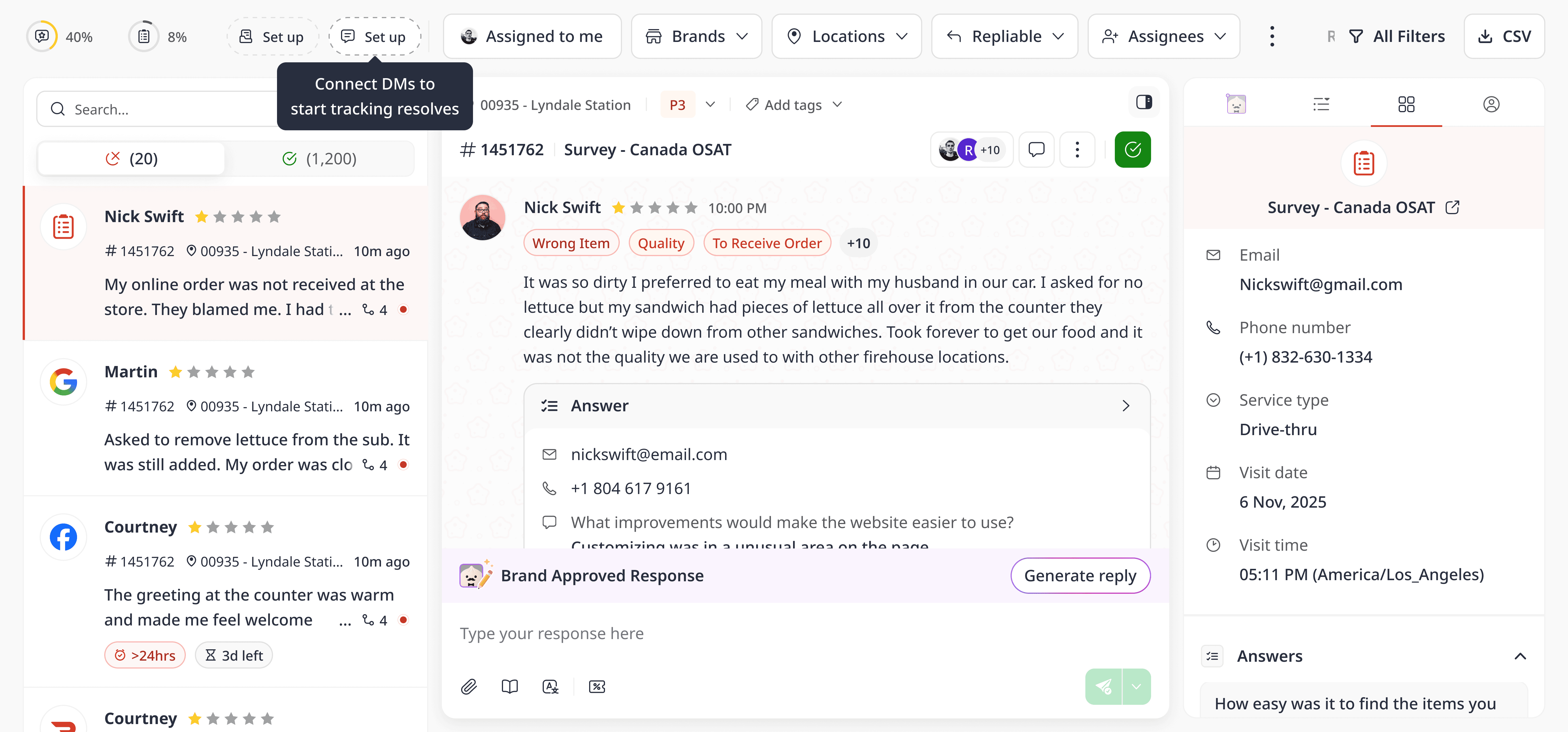
The minimalist layout removes unnecessary distractions so operators can focus on resolving guest issues. This means users familiar with the Unified Inbox 2.0 will adapt to it quickly, and new users can pick it up almost immediately.
Find What You Need, When You Need It
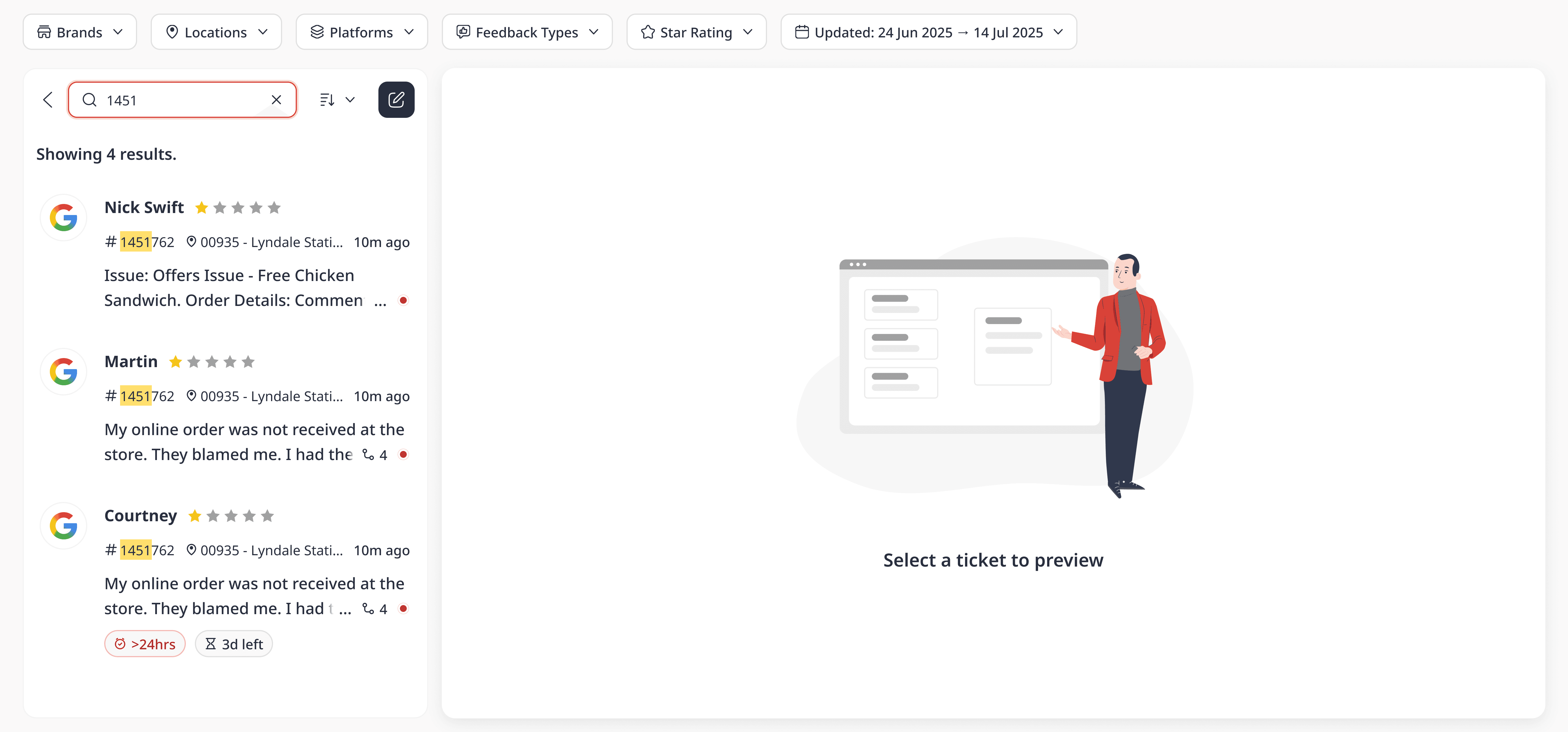
The intuitive search bar helps operators quickly locate past conversations or reviews without navigating away from the inbox.
Some Practical Use Cases with Unified Inbox 3.0
Unified Inbox 3.0 is designed to support real operator workflows, especially when teams are managing high volumes of guest interactions. Below are some practical, everyday ways operators and managers use Inbox 3.0 to respond faster, stay organized, and deliver better guest experiences at every location.
Recover Guests at Every Location
Operators can quickly spot unhappy guests through negative reviews, low ratings, or unresolved conversations in one place. With full context readily available, operators can respond quickly to recover the guest using vouchers and personalized replies.
Generate AI-Assisted Replies to Save Time
When responding to guest messages, operators can use AI-assisted reply suggestions to draft responses faster. Available in multi-lingual settings, these suggestions can be edited to match the brand’s tone before sending. This creates faster responses and more consistent communication, even during peak hours.
Resolve Tickets Faster with Full Contextual AI Summaries
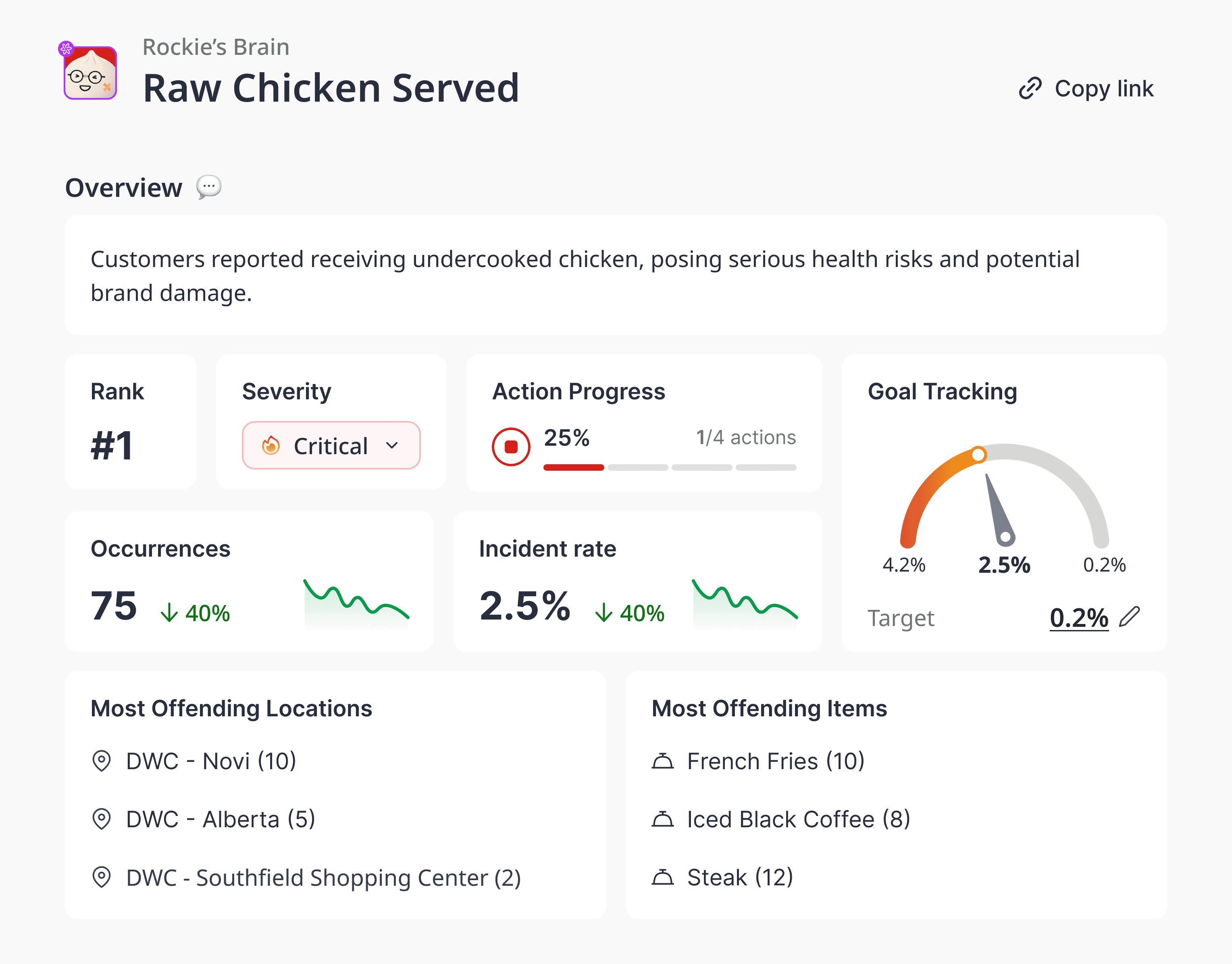
Tickets, conversation history, and customer details are visible together through concise AI summaries mapped to every customer. This lets operators resolve issues without switching tabs or searching for information.
Help Managers Focus on What’s Most Important
Managers can quickly scan the Unified Inbox to see priority issues, unresolved tickets, and high-impact conversations across locations. What’s more, they can also assign tasks to teammates for efficient project management.
Maintain Consistent Guest Experiences Across Locations
With shared visibility and AI-assisted guidance, teams across locations can respond consistently while still personalizing messages for each guest.
FAQs
Is Unified Inbox 3.0 just a visual update?
No. While the interface is cleaner, the main improvement is how information is organized to reduce cognitive load and speed up customer recovery.
Will familiar workflows still exist?
Yes. Many daily tasks remain the same, but now require fewer clicks and less navigation.
Does this work for both operators and managers?
Yes. Operators resolve tickets faster, while managers get a clearer overview of what’s important.
Do I need to switch tools to see customer context?
No. Customer profiles and key details are accessible directly within the inbox.
Does this apply to the mobile app?
Yes. The mobile experience will also see significant improvements to match the changes we've made on the platform.
When will the update be permanent?
If you run into any issues, you can temporarily switch back to the Unified Inbox 2.0 experience by toggling it on under Settings > User Preferences. On 6th April 2026, the toggle will be removed, and Unified Inbox 3.0 will become the default experience.
I need help navigating the new experience. Who should I reach out to?
Please reach out to your Customer Success or Account Manager or via support@momos.com if you have any questions.
Read More
New Here?
Talk to us here for a customized walkthrough of the Unified Inbox 3.0!
" transform="translate(3.219 19.212)" width="152.45224485148515px"/><path d="M 0 11.619 C 7.071 11.39 33.491 21.738 40.35 21.268 C 38.499 18.19 37.116 14.915 35.507 11.625 C 33.7 7.867 32.587 3.926 31.702 0" fill="transparent" height="21.28391189647101px" id="I9fuJaf7q" stroke-dasharray="" stroke-linecap="round" stroke-linejoin="round" stroke-width="4.97" stroke="rgb(0, 0, 0)" transform="translate(139.727 55.754)" width="40.34950693069311px"/></svg>)