Customer Experience
John Lim
Know Customer Feedback Immediately After They Order
Most customers won’t complain to you directly. They’ll complain publicly. And by the time a negative review hits Google, it’s usually too late. The experience is over, the frustration has built up, and the reputational damage is done.
But what if you could catch issues right after the order, while the customer still remembers what happened and before they decide to leave a review?
Oftentimes, Businesses Hear Feedback Too late
For multi-location brands, customer experience is often judged on a few but very important key moments many operators are too familiar with, such as:
Was the food good today?
Was service slow or rude?
Did delivery arrive cold?
Did the customer feel taken care of?
These questions may seem obvious and business-as-usual but the challenge is that most operators only find out when a bad review shows up online, a complaint reaches HQ after it escalates, or worse––customers don’t come back. By then, the real damage is already done.
The opportunity here isn’t just collecting feedback. It’s catching issues early enough to recover the customer and protect your reputation at scale.
Why is a Post-Order Survey Important?
A Post-Order Survey is a short customer survey automatically sent after an order is completed. Instead of waiting for customers to leave feedback on Google or social media, you proactively ask them about anything from the food and service quality, the overall experience, and other forms of feedback the customer would want to voice out.
The key difference here between a normal survey and a post-order one is you’re asking when the experience is still fresh, and when you still have a chance to respond before escalation.
The Momos Post-Order Survey workflow is designed for capturing customer feedback when the experience is still fresh. This workflow also gives flexibility for customization, allowing you to set goals, edit the survey design, and more. All you need to do is set it up and the workflow will be triggered when an order is placed.
Setting Up a Post-Order Survey Workflow in Momos
Step 1: Create Your Survey
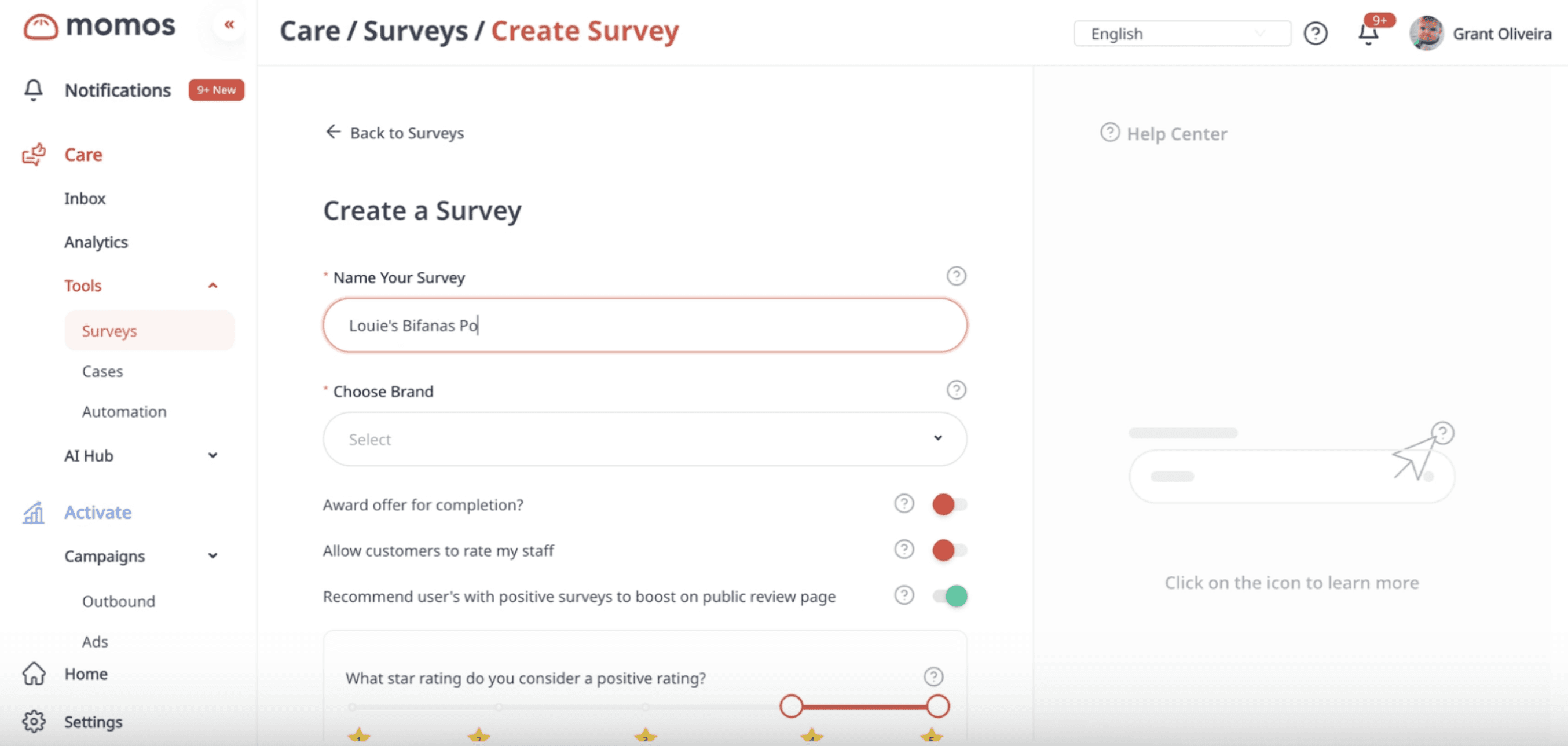
Go to Surveys and create a new survey.
There’s a template for “few-click feedback surveys,” which is useful post-order surveys because they’re quick and easy for customers to complete. These surveys typically include:
a star rating question
a question for open-ended feedback
optional contact fields (phone, name, email)
Tip: Short templates work best because they’re quick to complete.
Step 2: Select the Brand and Eligible Locations
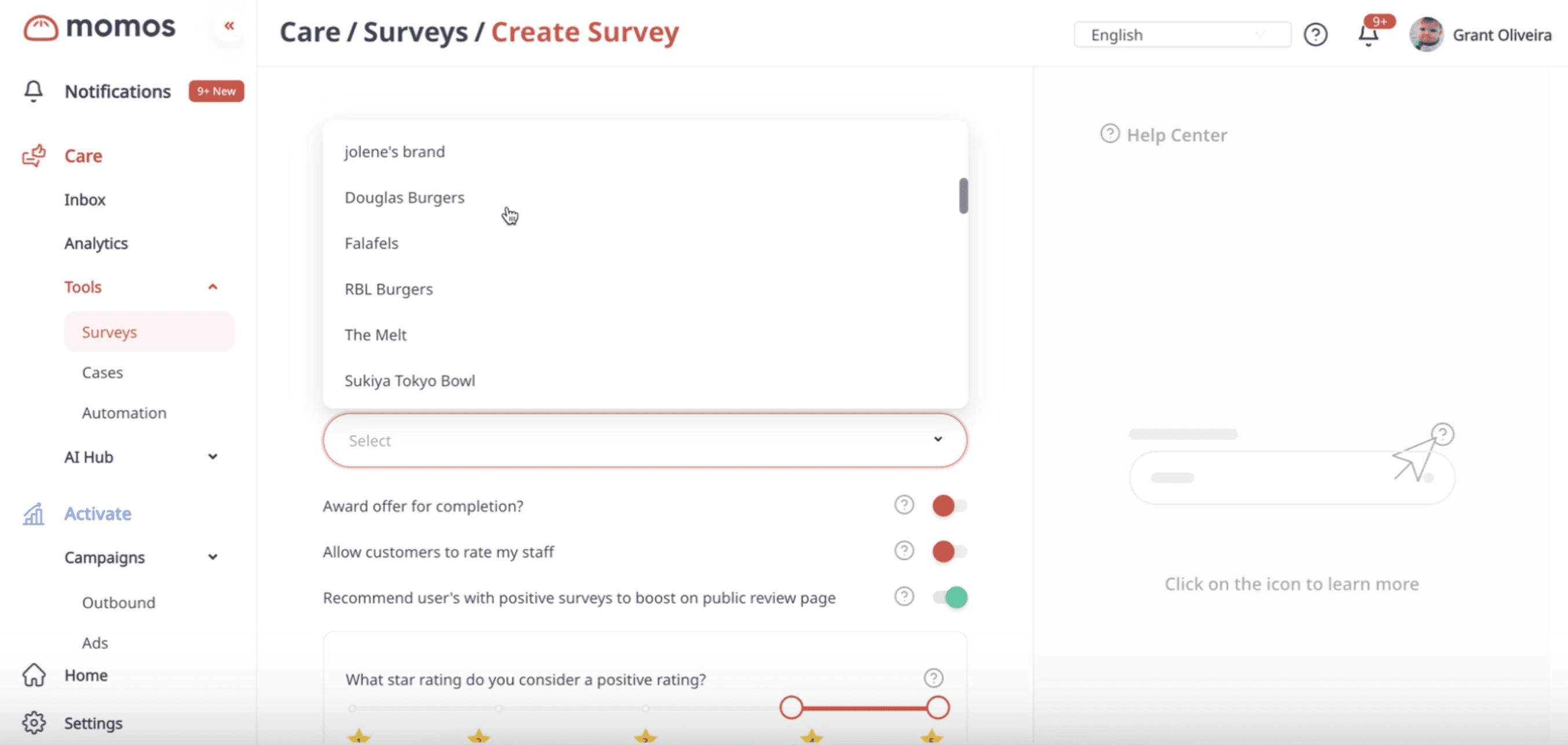
When creating the survey, you’ll choose the brand and the locations the survey is valid for.
Step 3: Configure Your Survey Settings
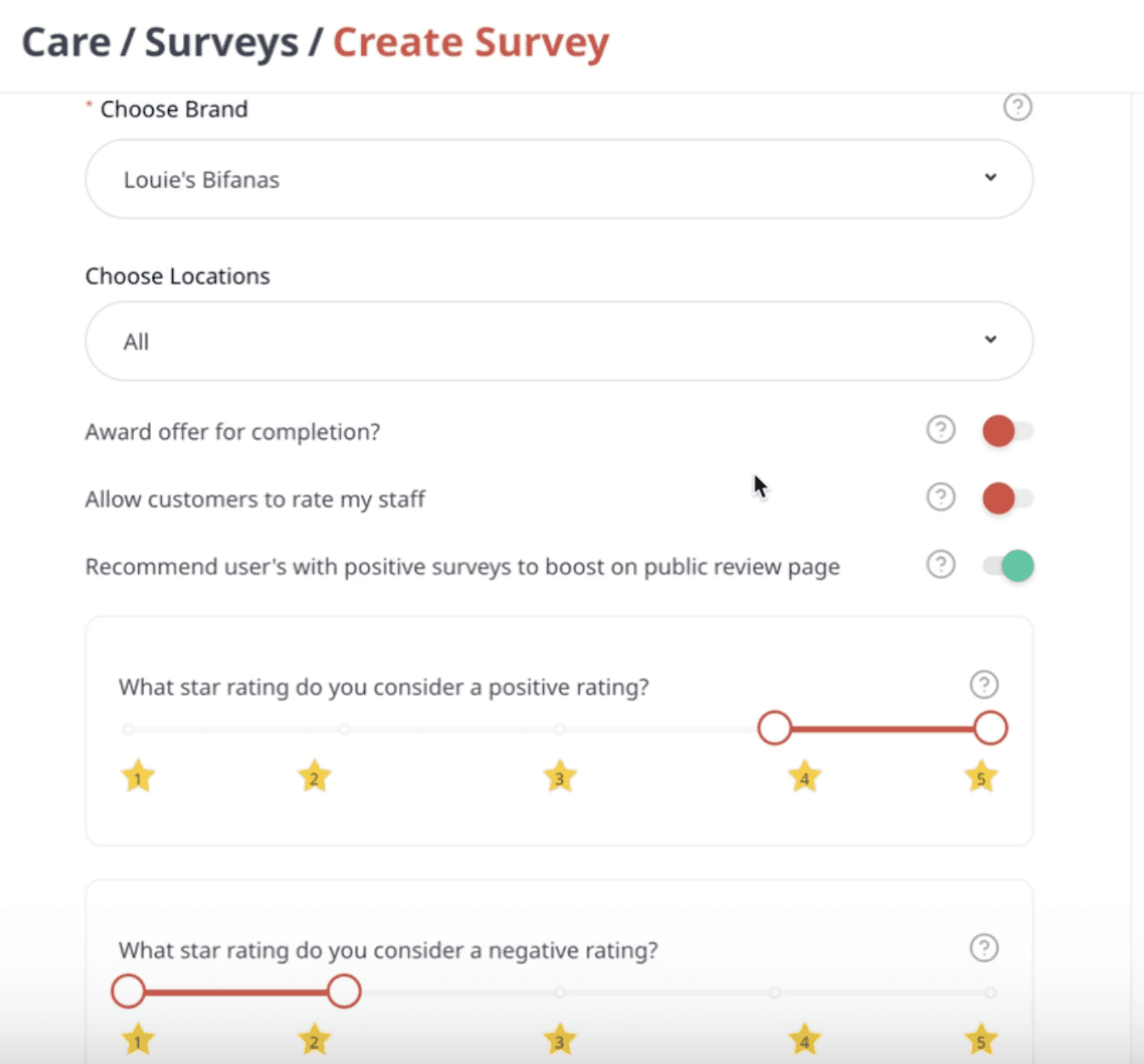
While creating the survey, you can also configure options like awarding an offer after completion, collecting name, email, or phone number, or other standard survey settings like customizing fonts and brand colour.
Once done, publish the survey. Your survey is now ready to be used in a workflow.
Step 4: Create an Outbound Campaign for the Post-Order Survey Workflow
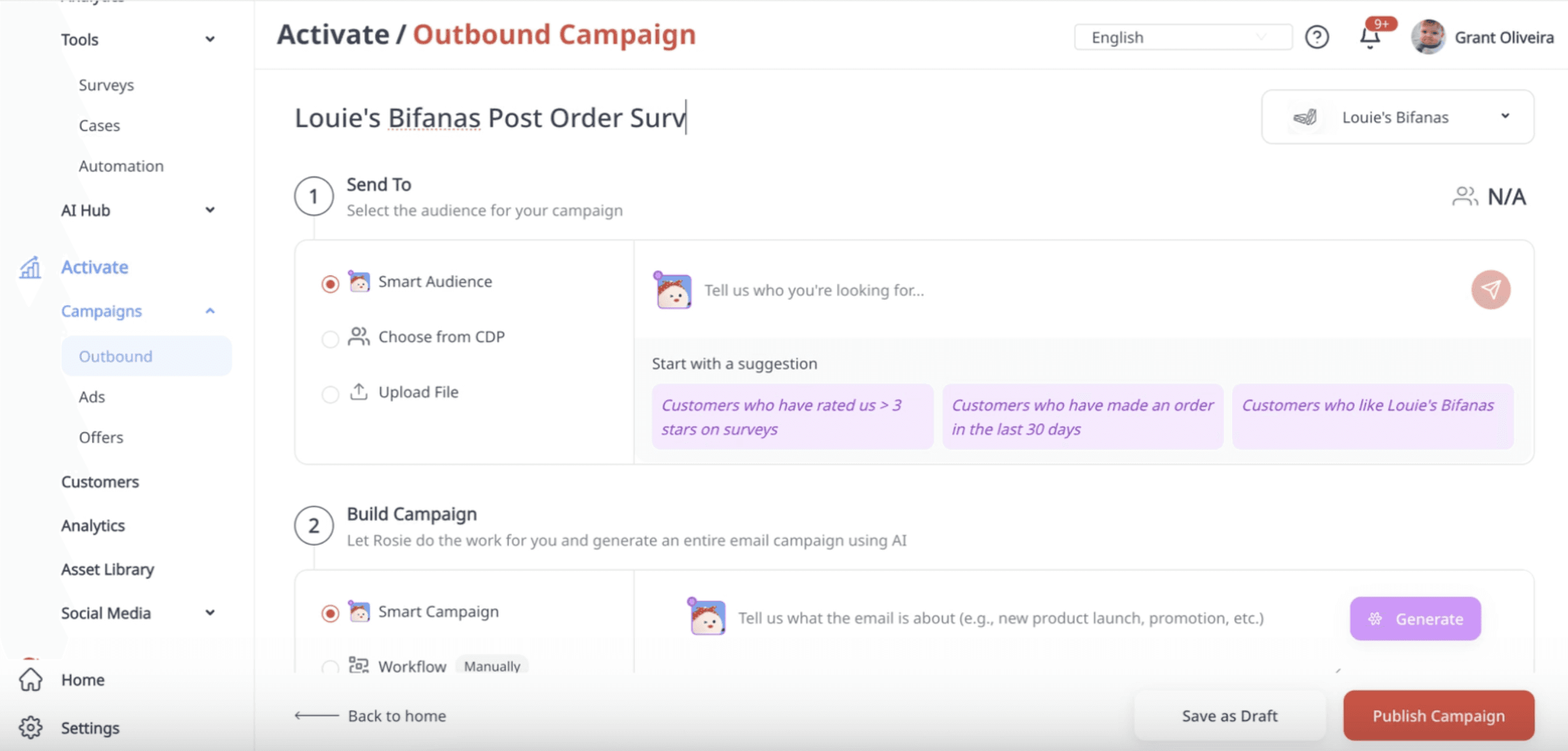
Next, go to Outbound Campaigns and create a new campaign. You’ll select the brand and an audience group.
Step 5: Use a Post-Order Survey Template
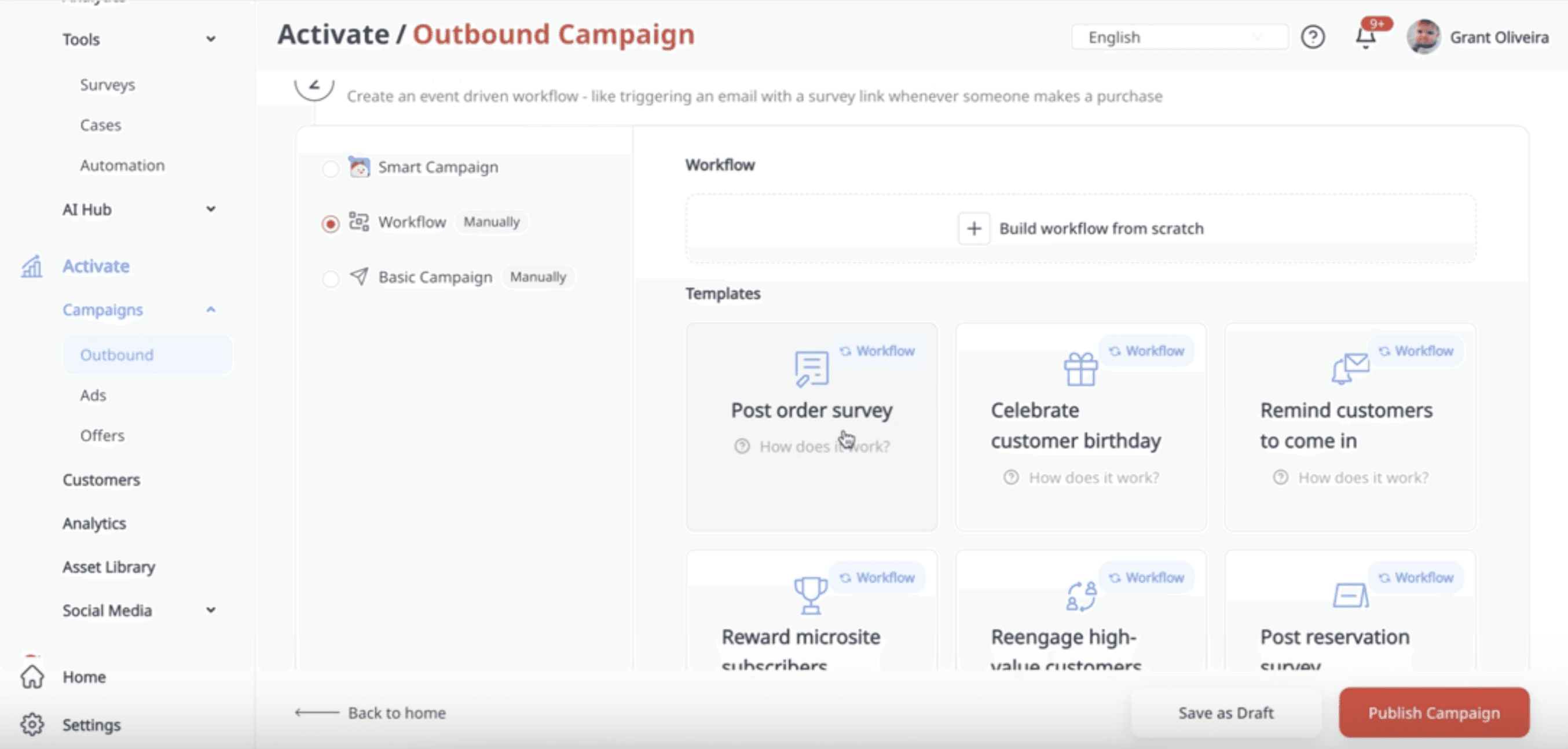
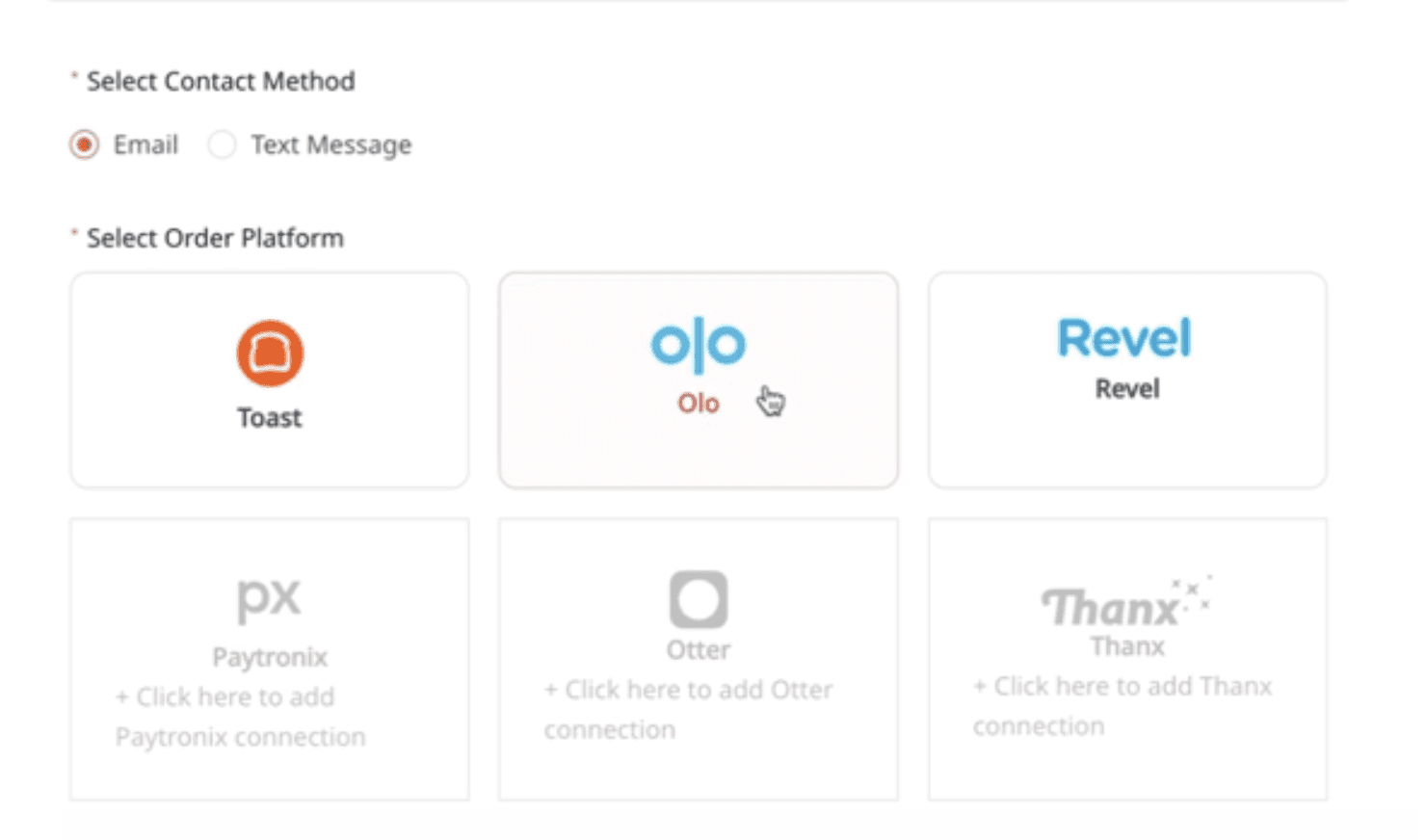
Remember the survey you created in Step 1-3? Now you’ll use it to build the workflow. It’s simple. Just:
Select an order platform (example: Olo)
Select the survey you want to attach
Click Use Template
Step 6: Customize the Email or Message (Optional)
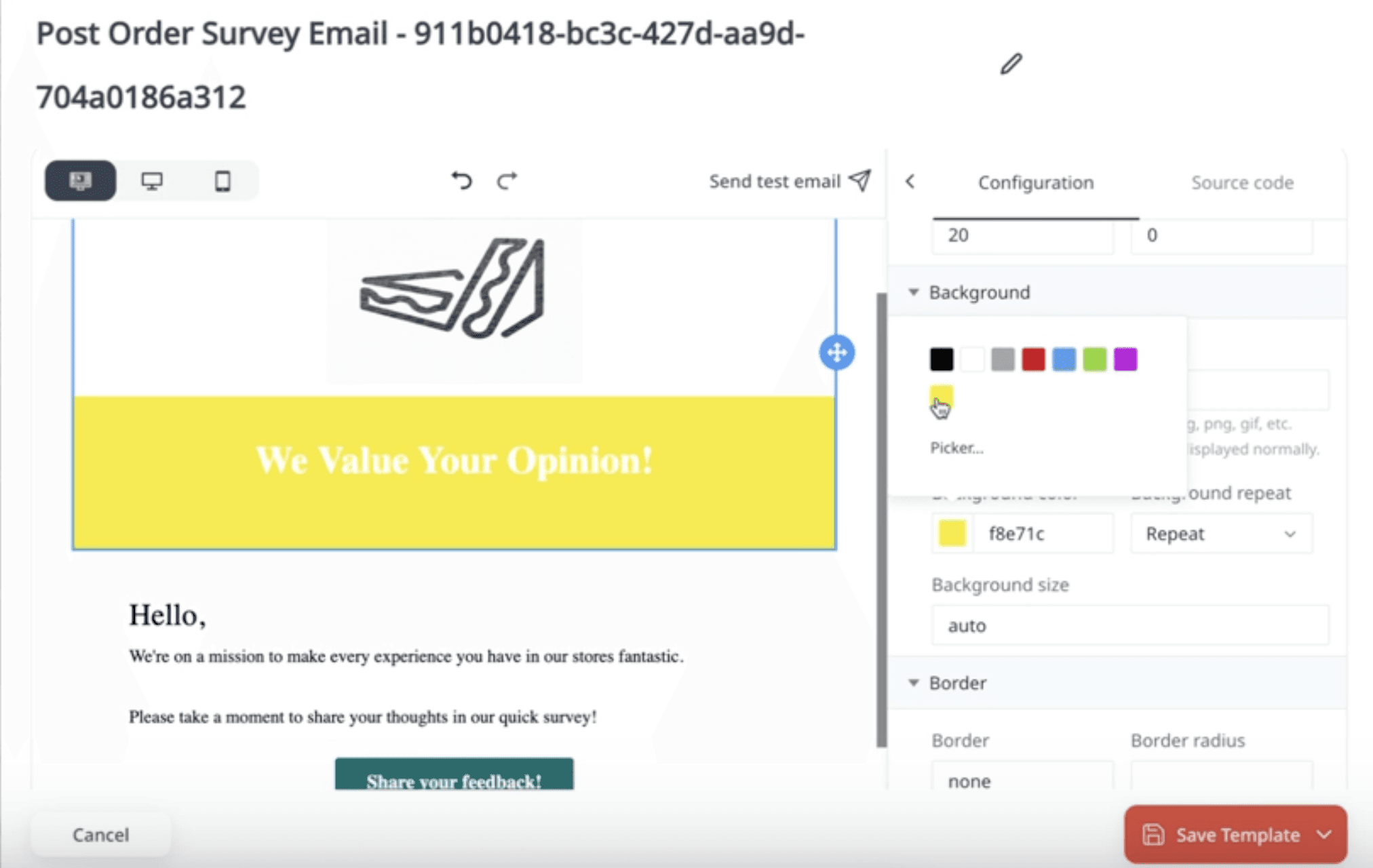
Once the workflow template is generated, you can view the default message. You can edit the template to match your brand style, including button color, fonts, and the overall design
Step 7: Set Your Campaign Start Date (And Optional End Date)
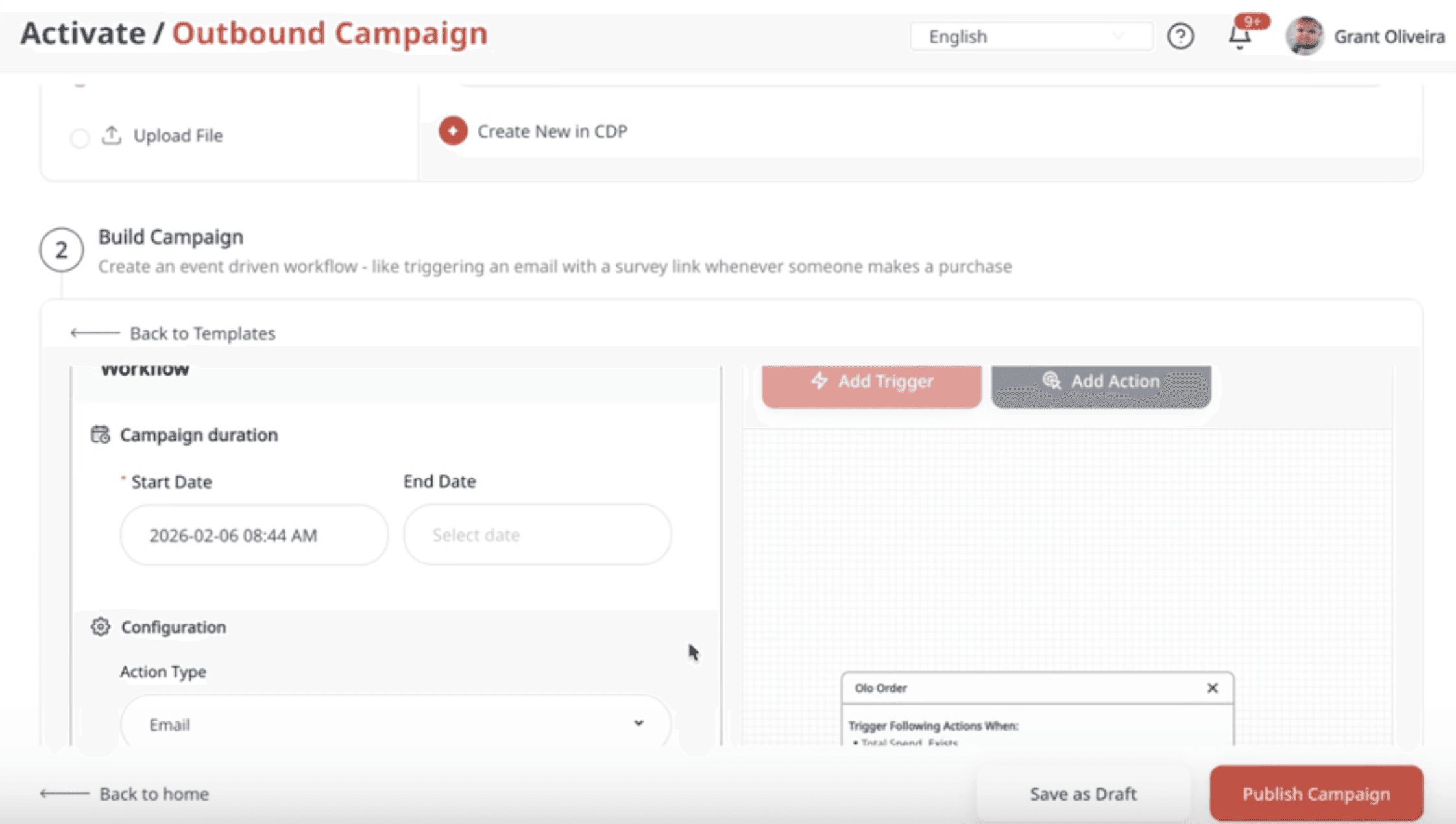
To activate the workflow, set a start date. An end date is optional, but most brands leave it open-ended and treat it as an “always-on” workflow. You can stop the campaign anytime.
Step 8: Publish the Campaign
Once everything is configured, publish the outbound campaign. Your Post-Order Survey workflow is now live and will automatically send surveys based on real order activity.
Track The Performance of Post-Order Surveys
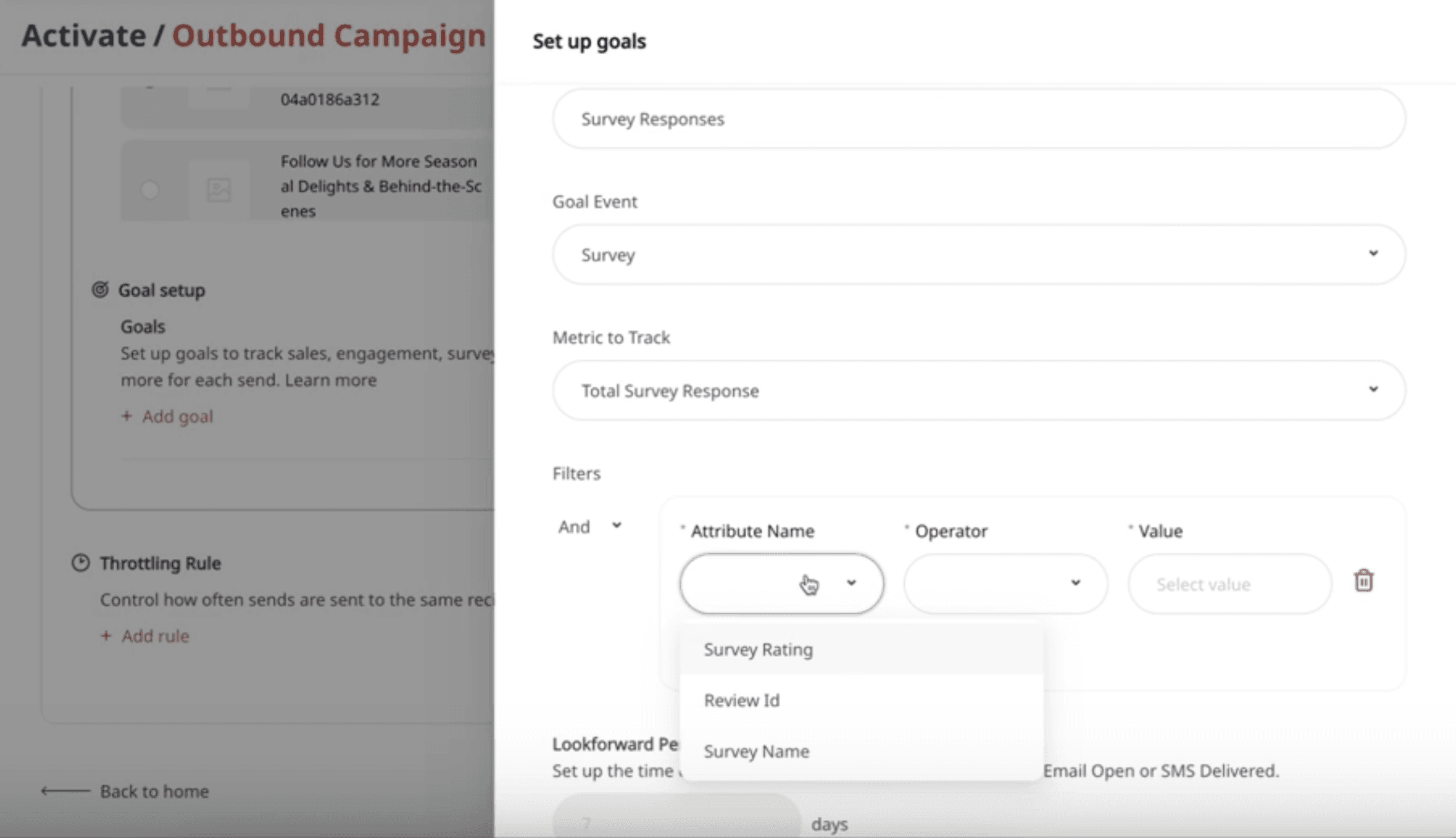
If you want to track performance directly within outbound campaigns, you can set up a goal. This is especially helpful if you want to measure how many survey responses are coming specifically from this workflow.
For example, you can set whether a customer who received the message completed the survey within a set window (example: within 7 days of opening the email or receiving the SMS).
What Are the Outcomes for Using Post-Order Surveys?
Post-order surveys help you create a system that protects revenue and reputation by catching issues early. When used consistently across locations, this workflow helps businesses achieve outcomes including but not limited to improving CSAT by addressing problems faster, reducing negative online reviews, identifying underperforming outlets early, and recovering unhappy customers before they churn.
FAQs
Can I use any survey for a Post-Order Survey workflow?
Yes. You can attach any survey, but Momos also provides short “few-click” survey templates that are commonly used for post-order feedback.
What does the audience selection actually do?
The workflow triggers based on order conditions first. After that, Momos checks whether the customer belongs to the selected audience. If they aren’t part of the audience, they won’t receive the survey message.
How do I prevent customers from receiving too many surveys?
Use throttling rules. For example, you can set it so each customer receives no more than one survey email every 7 days.
Read More
Questions? Feedback?
Talk to us here!

" transform="translate(3.219 19.212)" width="152.45224485148515px"/><path d="M 0 11.619 C 7.071 11.39 33.491 21.738 40.35 21.268 C 38.499 18.19 37.116 14.915 35.507 11.625 C 33.7 7.867 32.587 3.926 31.702 0" fill="transparent" height="21.28391189647101px" id="I9fuJaf7q" stroke-dasharray="" stroke-linecap="round" stroke-linejoin="round" stroke-width="4.97" stroke="rgb(0, 0, 0)" transform="translate(139.727 55.754)" width="40.34950693069311px"/></svg>)